As mobile devices become increasingly central to both personal and professional life, the need for secure, efficient, and flexible technologies has grown. One such technology that’s gaining traction is Virtual Mobile Infrastructure (VMI).
What is Virtual Mobile Infrastructure?
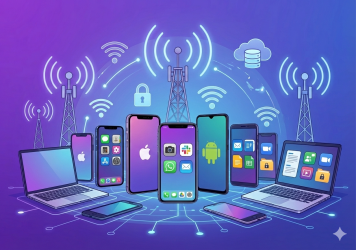
VMI is a technology that allows mobile applications and environments to run on centralized servers rather than directly on physical mobile devices. In essence, VMI separates the mobile operating system from the hardware, enabling users to access their mobile apps and data through a virtual instance hosted in the cloud or on a private server.
Unlike traditional mobile infrastructure solutions, which focus on securing devices through hardware or software-based controls, VMI eliminates the need to secure the physical device altogether. Users interact with a virtual mobile device through a lightweight client app or browser, which streams the virtual device’s interface to their endpoint. This approach significantly enhances security and scalability for organizations dealing with sensitive information.
How Virtual Mobile Infrastructure Works
The core of VMI lies in the concept of mobile virtual machines. Here’s how it typically works:
- Centralized Hosting: The mobile OS and apps are hosted on a server, which could be in a public cloud, private cloud, or on-premises data center.
- Streaming Interface: The interface of the hosted mobile OS is streamed to the user’s endpoint device in real time. This is similar to how virtual desktop infrastructure (VDI) works, but optimized for mobile interfaces.
- Lightweight Client App: Users access the virtual mobile environment via a lightweight client app or web browser. The endpoint device becomes a mere display and input tool, with no data stored locally.
- Secure Communication: Data is transmitted between the server and the client using secure protocols, ensuring end-to-end encryption and protecting against breaches.
This architecture ensures that sensitive corporate data remains within the controlled server environment, mitigating the risks associated with data loss or theft from compromised devices.
Benefits of Virtual Mobile Infrastructure
VMI offers several compelling advantages for organizations, especially those managing large fleets of mobile devices or handling sensitive data. Here are the primary benefits:
1. Enhanced Security
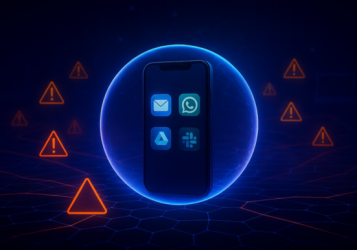
With VMI, no sensitive data is stored on the physical device. Even if a device is lost, stolen, or compromised, the data remains secure within the centralized server. This makes it an ideal solution for industries with strict compliance requirements, such as healthcare, finance, and government.
2. Simplified Mobile Device Management
Traditional mobile device management remote control solutions can be complex and resource-intensive. VMI simplifies this by eliminating the need for device-level configurations. IT teams can manage all virtual devices centrally, reducing overhead and improving efficiency.
3. Device-Agnostic Access
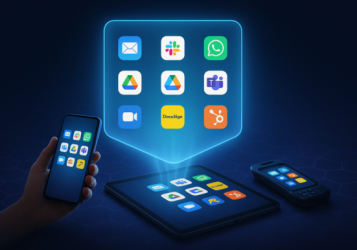
VMI enables users to access their virtual mobile environment from any device, regardless of its operating system or hardware capabilities. This flexibility is particularly valuable in bring-your-own-device (BYOD) environments.
4. Cost Efficiency
By reducing the reliance on high-end mobile hardware and minimizing the need for expensive device management tools, VMI can lower total cost of ownership (TCO) for organizations.
5. Scalability
Since virtual mobile environments are hosted on servers, scaling up or down is as simple as allocating more resources to the server. This makes VMI an excellent choice for organizations with fluctuating workforce sizes or seasonal demands.
Potential Challenges and Limitations of Virtual Mobile Infrastructure
While VMI has numerous advantages, it’s not without its challenges. Organizations considering adopting this technology should be aware of the following limitations:
1. Network Dependency
Since VMI relies on streaming the mobile interface to the user’s device, a stable and high-speed network connection is critical. In areas with poor connectivity, the user experience may suffer.
2. Latency and Performance Issues
Although VMI technology has advanced significantly, latency can still be an issue, particularly for resource-intensive applications like video editing or gaming. Organizations need to invest in robust server infrastructure to minimize these issues.
3. Initial Setup Costs
Implementing VMI requires investment in server infrastructure, software licenses, and possibly custom development. While the long-term cost savings are significant, the initial setup can be a barrier for smaller organizations.
4. Limited Offline Functionality
Since VMI relies on real-time streaming, offline access is not possible. This can be a drawback for users who need to work in environments without reliable internet access.
5. User Training
Adopting a new technology like VMI may require training for employees, especially those who are less tech-savvy. Ensuring a smooth transition is critical to maximizing adoption rates.
Use Cases for Virtual Mobile Infrastructure
Despite its challenges, VMI is well-suited for a variety of industries and scenarios. Here are some of the most promising use cases:
1. BYOD Environments
With the rise of bring-your-own-device (BYOD) policies, organizations face the challenge of securing corporate data on personal devices. VMI allows employees to access a secure virtual mobile environment on their own devices, eliminating the need for invasive device management solutions.
2. Highly Regulated Industries
Industries such as healthcare, finance, and government are subject to strict data security and compliance requirements. VMI provides an extra layer of security by ensuring that no data is stored locally on the device.
3. Field Work and Remote Teams
For field workers and remote employees who rely on mobile devices, VMI offers a secure and scalable solution. They can access their virtual mobile environment from anywhere, without risking data breaches if their device is lost or stolen.
4. Testing and Development
Developers can use VMI to test applications on virtual mobile environments without the need for multiple physical devices. This streamlines the development process and reduces costs.
5. Temporary Workforces
Organizations with temporary or seasonal employees can use VMI to provide them with secure access to corporate resources. Once the employment period ends, the virtual environment can be easily decommissioned.
How Symmetrium Leverages VMI to Deliver the Optimum Solution for Zero-Trust Mobile Security
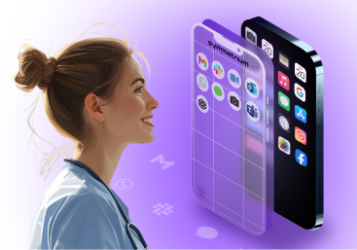
Symmetrium leverages Virtual Mobile Infrastructure (VMI) to provide zero-trust mobile security by transforming any mobile device into a virtual extension of an organization’s network. This approach ensures that sensitive data remains within the secure corporate environment, aligning with zero-trust principles.
Key Components of Symmetrium’s VMI:
- Virtual Mobile Devices (VMDs): Symmetrium deploys VMDs hosted within the organization’s IT infrastructure. These virtual devices inherit all compliance, security, and IT protocols of the enterprise, ensuring consistent policy enforcement.
- No Data at Rest: By utilizing end-to-end encrypted streaming, Symmetrium ensures that no data resides on the physical mobile device. Users interact with a virtual workspace, and all data processing occurs within the secure network, minimizing the risk of data breaches.
- IP-Layer Security: Symmetrium assigns static IP addresses to VMDs, allowing precise control over network access and web filtering. This method simplifies management and enhances security by eliminating the complexities associated with VPN configurations.
- Zero-Trust Architecture: The platform enforces strict authentication and authorization protocols, including multi-factor authentication and biometric login. This ensures that only verified users can access the virtual mobile environment, adhering to the zero-trust model of “never trust, always verify.”
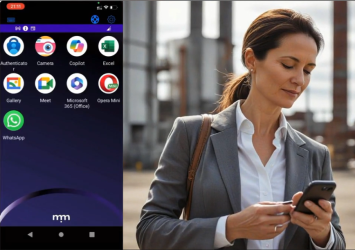
- Seamless User Experience: Symmetrium provides a native mobile experience, allowing users to access a secure work environment without compromising personal data or privacy. This separation is crucial for Bring Your Own Device (BYOD) policies, ensuring organizational data remains protected.
By integrating VMI with a zero-trust framework, Symmetrium offers a robust solution that secures mobile access, maintains data integrity, and simplifies management for IT administrators. This approach effectively mitigates risks associated with mobile device usage in corporate settings.
VMI: Transforming the Deployment of Mobile Security
VMI is transforming the way organizations think about mobile security and management. By centralizing the mobile environment on servers and eliminating the need to store data locally on devices, VMI offers a secure, scalable, and flexible solution for modern businesses. While challenges such as network dependency and setup costs exist, the benefits—enhanced security, simplified management, and cost efficiency—make VMI a compelling choice for many use cases.
Whether you’re navigating BYOD challenges, securing data in a regulated industry, or seeking scalable solutions for remote workforces, VMI could be the future of your mobile security strategy. As more organizations adopt this technology, it’s poised to become a cornerstone of enterprise mobility and security in the years to come.
Discover why Symmetrium is the optimal VMI solution to protect your organization from escalating mobile security threats by scheduling a demo today.