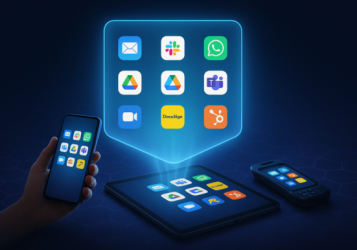
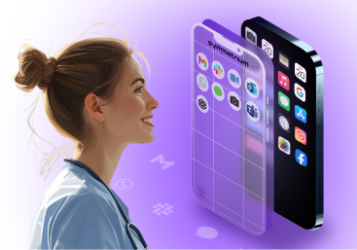
As work becomes more mobile, flexible, and distributed, companies face a familiar tension: how to enable productivity from personal devices while protecting sensitive data. Employees want freedom. IT needs control. Security teams are caught in the middle.
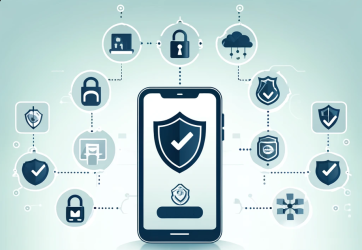
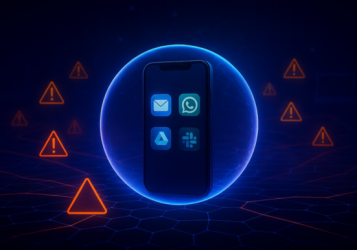
Mobile containerization offers a practical solution to this challenge. Instead of locking down the entire phone or tablet, containerization creates a secure workspace within the device. This digital “container” isolates corporate apps and data, ensuring company resources stay safe, even on personal hardware.
This guide will break down how mobile containerization works, why it’s increasingly critical, and how to implement it as part of a scalable, user-friendly security strategy.
The Architecture of Mobile Containerization
To understand why mobile containerization is so effective, it helps to start with its architecture. At its core, a container is a logically separated environment within a mobile device—essentially, a walled-off workspace. This secure zone operates under its own set of enterprise-defined rules, including access controls, encryption policies, and app permissions.
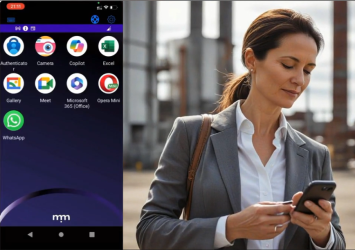
Unlike traditional device-level controls, which impact the entire operating system, containerization focuses only on isolating and securing the corporate layer. The personal side of the device remains unaffected. Users can browse the web, message friends, take photos, and install personal apps without interference or oversight. Meanwhile, everything that happens within the container is governed by company policy.
This architectural split gives organizations control where it matters while preserving user privacy everywhere else.
There are two primary ways this is achieved:
1. Mobile Application Containerization
This method places enterprise-approved apps inside a managed container. Each app within the container is subject to specific security policies. IT teams can enforce features like data encryption, copy-paste prevention, biometric authentication, and the ability to remotely wipe only containerized data.
Mobile application containerization is ideal for companies with diverse app ecosystems that need to manage sensitive workflows, customer data, or regulated communications—without giving up usability.
2. Mobile App Wrapping
Mobile app wrapping is a lightweight approach that layers security policies onto existing applications without requiring access to their source code. IT can apply guardrails like mandatory passcodes, restricted file sharing, or screen capture blocking.
While it’s not as flexible for off-the-shelf third-party apps, it’s a fast and non-invasive way to secure internally developed tools or commonly used productivity apps.
Both techniques allow for fast deployment, minimal user resistance, and seamless day-to-day functionality. They form the foundation of mobile containerization, establishing a clear and secure boundary between the user’s personal space and the company’s data.
Why Mobile Containerization is Critical for Modern Enterprises
The enterprise perimeter no longer exists. Employees work from airports, cafés, home offices, and shared coworking spaces. They use a mix of company-issued and personal devices, often toggling between them in a single day.
Traditional mobile management approaches like MDM still play a role, but they can be overbearing. Full-device control often meets resistance, especially in Bring Your Own Device (BYOD) scenarios. Employees are understandably uncomfortable with giving IT full access to their personal phone.
This is where mobile containerization becomes essential. It delivers robust protection without violating user privacy or autonomy.
From a security standpoint, containerization ensures that:
- Corporate data stays encrypted and separate
- Sensitive files cannot be shared outside approved apps
- Devices that are compromised or lost can be selectively wiped
- User behavior inside the container can be monitored, logged, and reported
From a compliance perspective, containerization also helps meet regulatory expectations for data isolation, auditability, and access control. This is especially relevant in industries like healthcare, finance, and legal, where mobile workflows must align with strict security requirements.
For organizations using mobile device management platforms, mdm containerization offers a natural extension. It builds on the device-level enforcement MDM provides and adds an app-specific control layer, enabling hybrid models that adapt to different user types and risk levels.
Most importantly, containerization supports the idea that personal and professional life should be separated, not just culturally, but technically.
How Mobile Containerization Works: Advanced Insights
While mobile containerization might feel seamless to the end user, behind the scenes it relies on a carefully layered architecture. At a technical level, containerization brings together OS-level hooks, secure policy engines, and encrypted storage frameworks to establish a fully isolated corporate workspace on a mobile device.
Here’s how the core components work together to make that possible:
1. Secure App Environment
The foundation of any containerized experience is the controlled app environment. A mobile container typically houses a suite of pre-approved enterprise apps—think email, messaging, document editing, or customer support tools. These apps operate inside a managed zone, meaning all their functions are isolated from the rest of the device.
Any interaction that occurs within this zone—whether it’s opening an attachment, drafting a contract, or chatting with a teammate—is governed by centrally enforced security policies. This segmentation ensures that even if the user’s personal apps are risky or compromised, they cannot interfere with protected corporate workflows.
2. Data Encryption and Storage Controls
Security starts with strong encryption. All data inside the container is encrypted both at rest and during transmission. Administrators can configure how long files are accessible offline, whether data can be exported, and where it is stored (locally or in a managed cloud instance).
In many setups, data is automatically deleted after a period of inactivity, when access is revoked, or if the device fails compliance checks. These storage controls ensure sensitive business information never lingers longer than it should.
3. Authentication and Access Control
Before a user can access the container, they must pass through authentication gates. These may include passcodes, biometric scans (like Face ID or fingerprint), or multi-factor authentication linked to enterprise identity platforms.
Access controls are often dynamic. Policies can change based on contextual signals like geolocation, time of day, IP address, or device security posture. If a device is suddenly jailbroken or connected to a suspicious network, access can be throttled or denied automatically.
4. Policy Enforcement
What sets containerization apart from simple app management is the fine-tuned control it offers. Administrators can set highly specific rules inside the container to ensure safe data handling and limit risky behavior. Examples include:
- Disabling copy and paste between work and personal apps
- Blocking screenshots or screen recordings
- Restricting file sharing to approved domains or contacts
- Requiring re-authentication after a set period of inactivity
- Logging activity for audit and compliance visibility
These controls make it extremely difficult for data to leak outside the container, whether intentionally or by accident.
5. Remote Management and Wipe
If a device is lost, stolen, or otherwise compromised, IT can issue a targeted wipe command that erases only the contents of the container. The user’s personal data—photos, messages, apps—remains untouched.
This selective wipe capability is what makes mobile containerization so powerful for BYOD environments. It respects privacy while enforcing corporate security, reducing resistance to enrollment and increasing adoption among users.
SDK Integration for Custom Apps
In more advanced implementations, some organizations choose SDK-based approaches that embed container features directly into their internally developed mobile apps. This allows for deeper integration of policy enforcement, analytics, and access control.
However, for companies looking to move fast or secure third-party apps, mobile app wrapping remains a practical and effective option. It offers many of the same protections with fewer development dependencies, making it ideal for hybrid environments.
Mobile Containerization for BYOD Security
Bring Your Own Device is no longer a trend. It’s the default reality for many organizations. It reduces hardware costs, speeds up onboarding, and empowers employees to work the way they want. But it also expands the threat surface in a major way.
Without the right controls, BYOD can lead to data leaks, compliance violations, and loss of intellectual property. Yet imposing full-device MDM controls on personal phones can feel invasive and overreaching.
Mobile containerization bridges that gap. It enables companies to create a secure zone on the device where business happens without touching the rest.
This approach, often referred to as BYOD containerization, is ideal for:
- Contractors and freelancers who need short-term access to company resources
- Executives who prefer to use their personal devices
- Hybrid workers who move between managed laptops and personal phones
- Field employees with limited access to company-issued devices
BYOD containerization also simplifies offboarding. When someone leaves the organization, their access to the container is revoked, and the data inside is instantly wiped. No awkward collection of physical hardware. No risk of lingering access.
In short, containerization delivers BYOD without compromise.
Implementing Mobile Containerization: Best Practices
Adopting containerization isn’t just about picking a tool. It requires thoughtful planning, policy alignment, and user education. Here are several best practices to follow when rolling out a mobile containerization strategy:
1. Define What Goes in the Container
Not every app or function needs to be containerized. Focus on apps that handle sensitive company data, such as email, file storage, internal messaging, and customer data systems.
2. Choose the Right Technology
Decide whether you’ll use app wrapping, SDK-based integration, or a combination. Choose a platform that supports both iOS and Android, and one that integrates cleanly with your MDM or EMM environment.
3. Align With Policy and Compliance Requirements
Ensure that your implementation meets industry regulations like HIPAA, GDPR, DORA, or SOC 2. Set controls for logging, retention, data separation, and encryption.
4. Deliver a Frictionless User Experience
Make it easy for users to access and use the container. Keep authentication simple but secure. Avoid performance lags or awkward app switching. A smooth experience is the best way to drive adoption.
5. Monitor and Evolve
Use reporting and analytics to monitor usage, detect anomalies, and refine policies. Containerization is not a one-and-done deployment. It must evolve with user behavior and business needs.
Mobile containerization is most successful when it is seen not as a wall, but as a bridge between control and flexibility.
Compliance and Control Without the Complexity
As organizations scale, the mobile footprint expands. New users, new devices, and new workflows appear almost daily. Mobile access is no longer an edge case. It is the standard. And it must be secured in a way that respects user autonomy without sacrificing IT visibility.
Mobile containerization offers one of the most effective tools for managing that balance. It simplifies policy enforcement, minimizes risk, and helps enterprises support modern work while staying compliant.
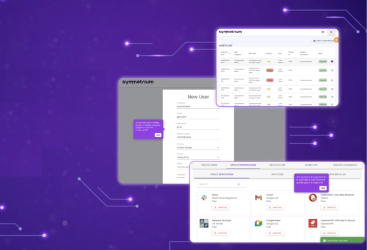
Symmetrium makes containerization seamless. Our platform provides secure mobile workspaces that separate personal and professional data, enforce enterprise-grade policies, and deliver zero-trust protection, without complexity or user friction.Whether you’re securing BYOD programs, enabling remote teams, or preparing for your next compliance audit, containerization can be the cornerstone of your mobile strategy. And Symmetrium is here to help you do it right. Speak to us today.