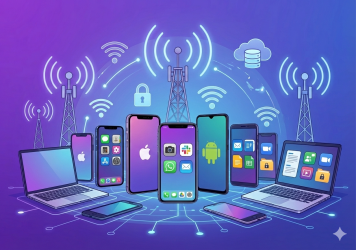
Mobile devices aren’t just communication tools anymore. They are primary access points to enterprise systems, sensitive data, and core business workflows. From emails and dashboards to authentication apps and customer records, these endpoints hold the keys to the organization.
That’s why mobile device security is now a foundational part of any modern risk strategy. As threats evolve and workforces become increasingly mobile, the attack surface has shifted. Lost devices, rogue apps, and unpatched systems create openings for data breaches, regulatory violations, and operational disruption.
Securing these endpoints starts with having a clear mobile device management policy that defines provisioning, usage, and access. But policy alone isn’t enough. This guide breaks down seven essential best practices to protect mobile access at scale. Each section includes practical steps that help reduce risk, maintain compliance, and align with how teams actually work.
Security depends on more than tools. It takes alignment between policy, governance, and technology to truly safeguard your mobile environment. Let’s get into it.
1. Implement Comprehensive Mobile Device Management Policies
A strong mobile device security policy is the foundation of any mobile security strategy. It defines how devices are provisioned, who owns them, what they can access, and how that access is monitored and revoked. Clear policies cover everything from acceptable use and app restrictions to encryption requirements and remote wipe procedures.
These rules must extend across the entire lifecycle of a device. From onboarding and registration to retirement or revocation, every phase should be accounted for. That includes guidance for lost or stolen devices, what happens when an employee leaves the company, and how corporate data is protected on personal phones.
In BYOD environments, policy design becomes even more critical. Employees expect privacy, and overreaching controls can undermine trust. The right approach focuses on safeguarding enterprise data without invading personal space. This is where application-level enforcement — such as screen lock enforcement, biometric authentication, and selective wipe — becomes essential.
Enforcing policy typically starts with a mobile device management solution. However, many organizations benefit from evolving toward broader enterprise mobility frameworks. While traditional MDM focuses on device-level control, enterprise mobility management introduces app-level governance, secure content delivery, and greater flexibility.
Well-defined policies only work if they are practical to enforce. Choosing tools and architectures that align with your policy goals is just as important as writing the rules themselves. For a deeper breakdown, review mobile device management policy key strategies and explore the key differences between EMM and MDM to determine the right fit for your environment.
2. Ensure Timely Software Updates and Patch Management
Keeping mobile operating systems and apps up to date is one of the most effective ways to protect mobile devices. Patches close security gaps that attackers actively target, including zero-day vulnerabilities and flaws in widely used third-party applications.
Unmanaged update cycles leave devices exposed. When users delay updates or when patching policies are inconsistent across teams and device types, that delay becomes a vulnerability. Attackers track public disclosures and often scan for known issues as soon as they are announced.
This risk increases in distributed environments where IT lacks direct visibility into every device. Without centralized oversight, it becomes difficult to verify which endpoints are secured and which remain vulnerable.
To mitigate this, organizations should enable automatic updates for all managed devices and monitor compliance regularly. Devices that fall out of date should trigger alerts or be flagged for follow-up. For personal devices, set clear expectations in your mobile device policy and use recurring reminders to encourage timely updates.
Patching may not feel strategic, but it is a core part of mobile risk reduction. Addressing known issues before they are exploited helps prevent incidents that are both costly and avoidable.
3. Use Mobile Containerization for Enterprise Data Protection
Traditional mobile device management relies on controlling the entire device, which can be effective in corporate-owned environments but problematic for personal phones. Mobile containerization offers a more focused alternative. It isolates work-related data, apps, and sessions in a protected workspace that operates separately from the rest of the device.
This separation is especially valuable in BYOD scenarios. Users maintain privacy over personal apps and content, while the organization retains full control over the business environment. The container can be encrypted, monitored, and remotely wiped without touching anything outside it.
Containerization supports stronger mobile governance by making it easier to apply consistent policies. App-level controls, access restrictions, and usage logging are all contained within a single, manageable environment. If a device is lost or an employee departs, the container can be revoked without disrupting the user’s personal data or experience.
For enterprises managing mixed fleets, containerization offers flexibility and accountability without overstepping. It reduces the need for intrusive full-device oversight while giving security teams confidence that corporate data is protected.
Many organizations are adopting containerization as part of broader enterprise strategies that prioritize agility and trust. For a deeper look at how this fits into the larger picture, explore modern enterprise device management strategies.
4. Conduct Regular Mobile Device Security Audits
Even with strong policies and enforcement tools in place, things slip through the cracks. That is why regular mobile device security audits are essential. They allow organizations to verify that controls are working as intended and to uncover issues before they escalate.
Audits should cover a range of checks, including OS versions, installed apps, device encryption status, and whether any devices are jailbroken or rooted. Reviewing access logs also helps identify suspicious behavior or unusual usage patterns across your mobile fleet.
These reviews should not be one-off efforts. A quarterly or biannual cadence ensures that the mobile environment stays in sync with evolving threats and workforce behavior. Ownership typically spans across IT, InfoSec, and GRC. In high-maturity organizations, this is treated as a shared responsibility with clear accountability for remediation.
Audit results should be documented, tracked, and followed by action. Whether that means updating policy, removing access, or adjusting device configurations, the outcome of every audit should improve the overall security posture.
Having the right tools makes the process far easier. If you need a structured place to start, Symmetrium’s remote mobile device management tool checklist can guide your approach. Audits are your best chance to catch issues early — use them to stay ahead.
5. Enforce Strong Authentication and Access Controls
Mobile security begins at the point of entry. Without proper authentication and access controls in place, devices can become open doors to sensitive systems. To reduce this risk, organizations must implement strong, layered protections that go beyond basic credentials.
Multi-factor authentication should be mandatory for any app or system that handles sensitive data. Biometric login options such as fingerprint or face recognition add another layer of assurance while maintaining user convenience. These controls help verify that the right person is using the right device under the right conditions.
Conditional access policies can add more nuance, restricting access based on location, device posture, or usage patterns. If a phone is outdated, rooted, or in a high-risk location, access can be limited or blocked entirely. Role-based access should also be used to ensure users only see the data and tools they need.
Security does not stop at login. Session-level monitoring helps detect abnormal activity and enables security teams to revoke access instantly if something goes wrong. Timed session expirations and auto-logouts reduce the chance of unattended devices remaining unlocked or active.
Mobile-first environments demand more than perimeter-based thinking. Users are connecting from everywhere, all the time. To stay secure, access needs to be dynamic, responsive, and built on continuous validation.
6. Apply Mobile Device Compliance and Governance Measures
Security is only part of the equation. Organizations must also ensure their mobile practices meet the demands of internal policy and external regulations. That is where mobile device compliance and strong mobile governance become essential.
Regulatory frameworks like GDPR, HIPAA, and SOX require companies to control how sensitive data is accessed, transmitted, and stored — regardless of the device in use. Mobile endpoints introduce complexity, especially in BYOD environments where visibility and control are limited.
To stay compliant, businesses need centralized policy orchestration. That includes defining acceptable use, documenting approval workflows, and enforcing encryption, authentication, and access limits across all mobile endpoints. An effective program must also support real-time visibility, with audit trails that clearly track who accessed what, when, and from where.
Governance ensures that these policies are consistently applied, updated, and reviewed. It creates accountability across IT, security, and legal teams, and plays a direct role in incident response, investigation, and reporting. Strong governance is also what keeps a company’s mobile access strategy aligned with business continuity objectives.
Without structured oversight, mobile environments drift from compliance fast. With the right framework in place, however, mobile access can be both agile and fully auditable — supporting scale without compromising control.
7. Prepare for Lost, Stolen, or Compromised Devices
No mobile security plan is complete without a clear response strategy for when things go wrong. Devices are lost, stolen, borrowed, or compromised — and without the right controls in place, they become a fast path to data exposure.
Organizations need the ability to act immediately. That means having real-time alerts, remote lock or wipe capabilities, and session-level kill-switches that can cut off access even if the device remains active. The faster the response, the smaller the window for exploitation.
Effective response requires more than technology. It needs clear cross-functional workflows involving IT, security, HR, and legal. When a device is reported missing, all teams should know what actions to take, who owns what, and how to document the incident.
These actions must be supported by policy. Every mobile device security policy should define acceptable response times, escalation procedures, and user responsibilities for reporting. Without clear rules, even the best tools fall short.
Incidents will happen. What matters is how quickly and cleanly you contain them. A well-prepared organization can absorb a lost device without suffering a breach. One that reacts slowly — or not at all — risks much more than a missing phone.
Simplify Mobile Security with Symmetrium
Implementing seven layers of mobile security can create complexity fast — especially when tools are siloed and policies are hard to enforce. Symmetrium simplifies the entire equation.
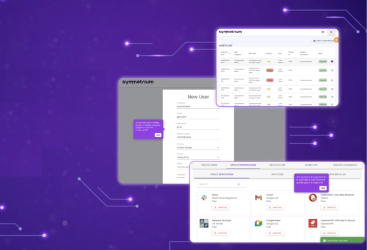
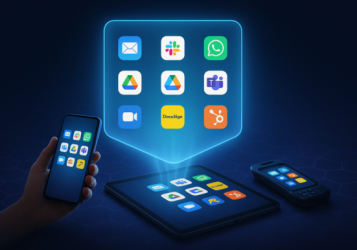
Instead of relying on full-device control, Symmetrium delivers a virtual mobile workspace that isolates corporate access from personal activity. This workspace is encrypted, fully contained, and streamed from the cloud — which means no data at rest on the physical device. Even if a phone is lost or compromised, there is nothing local to steal or exploit.
Symmetrium supports real-time session visibility, secure IP assignments, and centralized policy enforcement across mobile environments. That includes access controls, session timeouts, and usage monitoring — all built into the platform by design.
Because Symmetrium does not require invasive MDM installation, it avoids the privacy concerns that stall or complicate mobile programs. It is built for mobile-first teams and BYOD realities, where flexibility matters just as much as control.
If your current stack forces you to choose between usability and protection, Symmetrium gives you both — with mobile security, governance, and compliance unified in one solution.
Conclusion
There is no single feature that secures mobile access. True protection comes from a layered approach — one where policy, governance, and technology reinforce each other at every step.
If your team depends on mobile access to get work done, now is the time to review your coverage. Look at your policies. Evaluate your tools. Identify the blind spots and close them before attackers find them first.
Mobile device security is no longer an optional investment. It is a daily operational requirement. From authentication to audits, from updates to incident response, the ways to protect mobile devices are evolving fast — and so are the threats.
Symmetrium gives teams a modern way to meet that challenge without slowing down the work they need to do. The simpler the security, the stronger the foundation. To find out more, book a demo today.