Mobile is now the front line of enterprise access. And BYOD isn’t optional. It’s the norm.
But when personal devices mix with corporate data, traditional controls start to break. Tools built for desktop management struggle with mobility, privacy, and fragmented ownership. Risk grows, while user trust shrinks.
To manage the sprawl, organizations turn to Mobile Vulnerability Management (MVM). It’s a set of practices and tools designed to secure mobile endpoints, detect threats, and prevent data loss, especially in BYOD settings.
But most MVM strategies still focus on locking down the device. That approach can add friction without solving the core problem: data exposure.
A better model flips the equation. What if the safest mobile device is one that never holds your data at all?
What Is Mobile Vulnerability Management?
Mobile Vulnerability Management (MVM) is the practice of identifying, assessing, and reducing security risks across mobile endpoints. Its core goal is to protect corporate data accessed through mobile devices, regardless of who owns them.
A strong MVM strategy covers several areas: device posture (such as OS version and configuration), threat detection, data loss prevention, and compliance with industry standards. It helps organizations ensure that mobile access remains secure without compromising productivity.
This becomes especially important in BYOD environments. Personal devices vary widely in their security posture, usage patterns, and update status. IT teams often have limited visibility and control, and users are sensitive to invasive policies that affect personal apps or data.
Traditional solutions like MDM, MAM, and DLP can help, but they often struggle to balance control, usability, and privacy. As mobile risk continues to evolve, organizations are beginning to explore alternative models that focus more on securing access and data itself, rather than the entire device.
Key Mobile Device Vulnerabilities to Watch
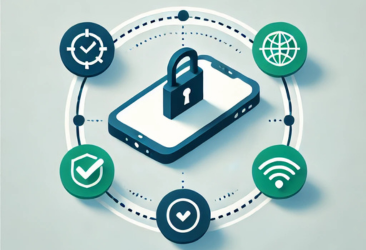
Most mobile vulnerabilities can be traced back to one outcome: sensitive data leaving the organization’s control. Whether through storage, transmission, or user behavior, these are the main paths to mobile data exposure.
Data stored on the device
Apps often cache data locally, and some store files in unencrypted locations. Devices without full-disk encryption or strong screen locks are especially vulnerable. If a phone is lost, stolen, or compromised, stored business data can be accessed directly.
Data in transit over unsafe networks
When users connect to public or rogue WiFi networks, attackers can intercept traffic using man-in-the-middle attacks. If app traffic isn’t properly encrypted or tunneled through a secure channel, login credentials, internal documents, and session tokens may be exposed.
Data shared beyond corporate boundaries
Even with secure apps, users can leak data by copying content into personal apps, capturing screenshots, or syncing files to unapproved cloud storage. These actions are difficult to monitor, especially on BYOD devices with mixed work and personal usage.
Data accessed by unauthorized users
Weak passwords, shared devices, or permissive app permissions can open the door to unauthorized access. When a user installs high-risk apps or loses a device without remote lock capabilities, business data is at immediate risk.
Each of these paths highlights a core challenge of mobile security: the data itself is often the most vulnerable asset. MVM strategies must be designed to limit how data is stored, transmitted, and accessed, not just how the device behaves.
Best Practices for Device Vulnerability Management
Protecting mobile devices isn’t just about patching systems or locking down features. In BYOD environments, where control is limited and personal privacy matters, effective device vulnerability management depends on strategy, not surveillance.
Minimize data exposure
Assume every mobile device is at risk and reduce the amount of sensitive data it ever touches. The less data on the device, the smaller the attack surface.
Trust sessions, not devices
Inconsistent hardware, unverified configurations, and personal use make devices unreliable trust anchors. Prioritize access control based on user identity, context, and real-time posture, not device ownership.
Contain, don’t surveil
Heavy monitoring or intrusive policies can backfire in BYOD scenarios. Instead of chasing risky behavior, isolate work activity in controlled environments where corporate data is naturally separated from personal use.
Stream, don’t store
Where possible, eliminate local storage altogether. Stream data to the device during active sessions, and revoke access when the session ends. This removes the need for encryption, wiping, or app-level restrictions.
Build for privacy, not control
A privacy-first approach increases adoption and reduces friction. Users are more likely to cooperate when they know their personal data stays private and untouchable.
These principles shift the focus of mobile device vulnerability management away from micromanaging devices and toward designing systems that make data exposure unlikely by default.
Tools for Mobile Vulnerability Management
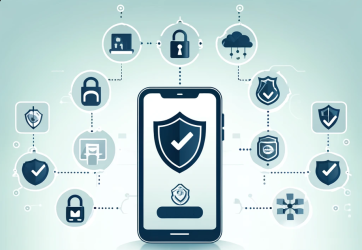
An effective strategy for vulnerability management for mobile devices is built on a set of complementary tools. Each focuses on a different part of the risk surface, from device control to data protection and access management. The key is understanding where each tool fits, and where new approaches may be needed, especially in BYOD environments.
Mobile Device Management (MDM) and Mobile Application Management (MAM)
These tools allow IT to enforce policies, manage apps, and remotely wipe lost or non-compliant devices. MDM is widely used for corporate-owned devices, while MAM helps secure individual apps on personal phones. Both can be effective, but their adoption in BYOD settings is often limited by privacy and user control concerns.
Mobile Threat Defense (MTD)
MTD platforms help detect malware, assess device posture, and flag suspicious behavior. They add an important detection layer, especially when paired with conditional access policies. Their success depends on user adoption and platform compatibility.
Data Loss Prevention (DLP)
DLP tools monitor and restrict how data moves: blocking unauthorized file transfers, cloud syncs, or clipboard activity. These are useful safeguards but work best when paired with broader containment strategies.
Identity and Access Management (IAM/SSO)
IAM solutions authenticate users, enforce multi-factor access, and manage roles across platforms. They’re essential for verifying who’s accessing what, but they don’t secure the session or control what happens after access is granted.
All of these tools play a role in managing mobile risk. When combined thoughtfully, they can form a solid foundation for identifying threats, enforcing policy, and maintaining compliance. But in BYOD environments, especially where data protection is the priority, traditional tools often act after the fact. This has led to newer approaches that aim to prevent data exposure entirely, rather than contain it after it occurs.
A Modern Alternative: Rethinking Mobile Data Protection
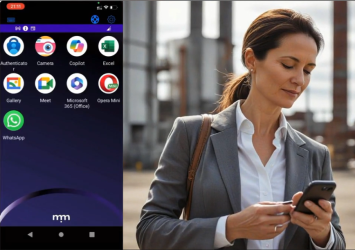
One way to reduce mobile risk is to detect and respond quickly. Another is to prevent data from being exposed in the first place. Symmetrium takes the second route. Its Virtual Mobile Device (VMD) model keeps data inside a secure environment and streams access to mobile devices without ever storing information locally. This shifts control from the device itself to the session, making it easier to manage security without touching the user’s personal space.
Designed for BYOD from the start, the VMD approach removes the need for remote wipe, local encryption, app sandboxing, or VPN enforcement. There’s nothing to install, no personal data to monitor, and no data at rest to protect. It works alongside existing IAM platforms and can be extended with posture checks or compliance tools as needed.
By eliminating common sources of friction, this model supports a more balanced mobile security strategy. It doesn’t replace every tool in the stack, but it removes the need for many of the controls that are hardest to enforce, especially when devices are personally owned.
How to Build a Mobile Device Vulnerability Program
Mobile vulnerability management isn’t just about assembling tools. It’s about designing a system that aligns with how people actually work, especially in BYOD environments. Whether you follow a traditional stack or rethink the architecture entirely, the goal remains the same: protect sensitive data without blocking productivity.
The traditional stack often begins with tools like MDM and MAM for control, DLP to manage data movement, MTD for threat detection, and IAM for access governance. This setup is posture- and policy-heavy, with multiple systems working together to reduce risk. It works best on corporate-managed devices, but tends to be complex and less effective when users bring their own.
A more modern approach starts by changing the foundation. Instead of securing each device, secure the session. With Symmetrium, you begin with the principle of no data at rest: corporate data never lands on the physical device. It’s streamed securely through a Virtual Mobile Device (VMD) that lives on company-managed infrastructure.
Key steps in this architecture-led model:
- Start with identity and role-based access, integrating with your existing IdP (SSO, MFA, etc.)
- Eliminate device trust by containing all work activity within the VMD environment
- Avoid intrusive device policies—privacy is preserved by design
- Layer in posture context if needed, but only as a complement
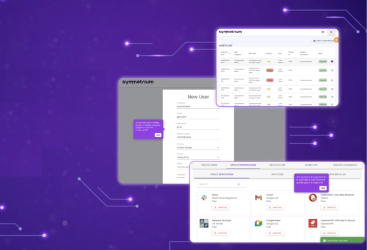
- Leverage built-in logging and audit trails for compliance and incident response
This model reduces risk without increasing user friction. It’s built for BYOD, without sacrificing visibility or control.
The Future of Mobile Data Protection Starts with Zero Data at Rest
Most MVM tools react after the fact. Symmetrium prevents the risk altogether—by keeping data off the device and securing access at the session level.
In a BYOD world, that’s not just smart. It’s essential.
See what zero data at rest looks like in action. Book a demo.
Frequently Asked Questions
How often should organizations scan mobile devices for vulnerabilities?
At minimum, scan devices during onboarding and at regular intervals, like monthly or quarterly. In high-risk environments or with BYOD, continuous or session-based posture checks are more effective.
What role does user behavior play in mobile vulnerability exposure?
A major one. Actions like connecting to public WiFi, installing risky apps, or copying data outside work apps can bypass controls. Smart architecture helps reduce reliance on perfect user behavior.
Are corporate-managed and BYOD devices equally vulnerable?
No. BYOD devices pose more risk due to inconsistent controls, limited visibility, and mixed personal use. That’s why modern models focus on securing access, not the device.
How do mobile OS updates impact vulnerability management strategies?
OS updates often patch critical security flaws, but delays in user updates can leave devices exposed. Strategies should minimize reliance on OS version by securing sessions and data flow directly.
Can mobile vulnerability management be integrated with existing SIEM or SOC tools?
Yes. Solutions like Symmetrium provide detailed logs and alerts that can feed into SIEM/SOC platforms, ensuring mobile sessions are part of broader threat detection and compliance workflows.