In the ever-changing threat landscape of the mobile threat landscape, maintaining a proactive approach to safeguarding sensitive data is vital. Mobile devices are often targeted by malware and phishing, but while unauthorized access by internal employees may seem less sinister, it can also put sensitive data at risk.
So, what happens when one of your employees breaks a security protocol? Let’s see how Symmetrium instantly deals with it. Joan Diaz, is responsible for the administration of Symmetrium in her company. After being notified by an alert of suspicious activity over the weekend when screenshots of corporate data were taken on an employee’s mobile device, Joan messages Lisa Thompson, the System Manager. You can view within the Symmetrium platform how Joan and Lisa deal with this issue, and others examples of Symmetrium in action, via our product demo hub here.
Taking Action to Immediately Control Potential Security Situations
Symmetrium ensures data never leaves the security of the corporate network. So it will automatically send an alert when someone takes a screen shot of data they are viewing using Symmetrium’s end-to-end encryption. The potential security situation is then automatically controlled to nullify the risk and allow the issue to be quickly and easily investigated. Symmetrium achieves this by helping System Managers, like Lisa, to:
- Monitor user activities and system alerts
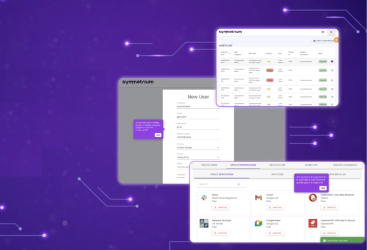
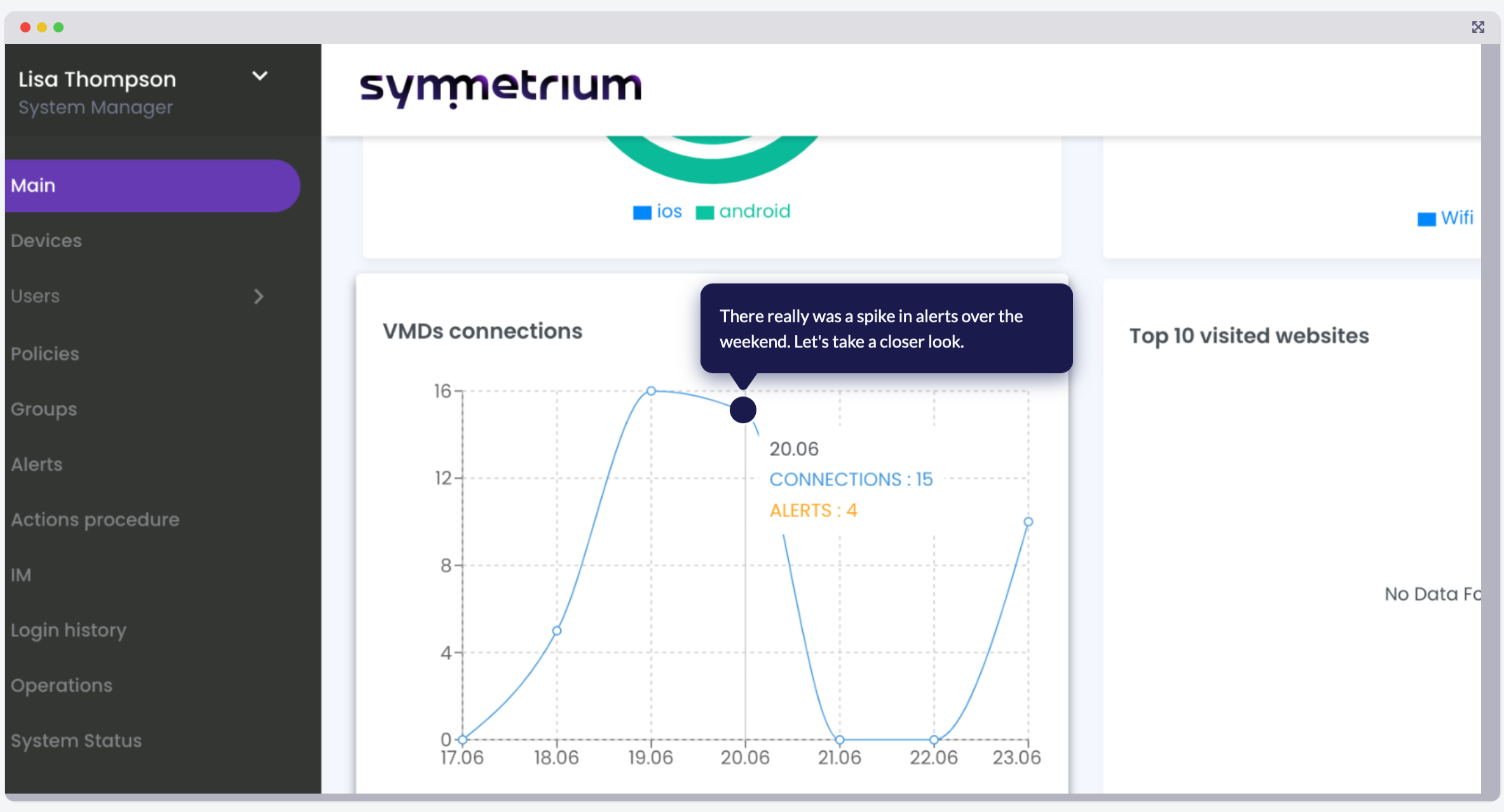
Within the Symmetrium dashboard, Lisa can see there was a spike in alerts over the weekend. She identifies the specific alert Joan messaged her about. It was automatically sent when a user broke protocol and took a screen shot while the Symmetrium app was open on their device.
- Identify suspicious user activity
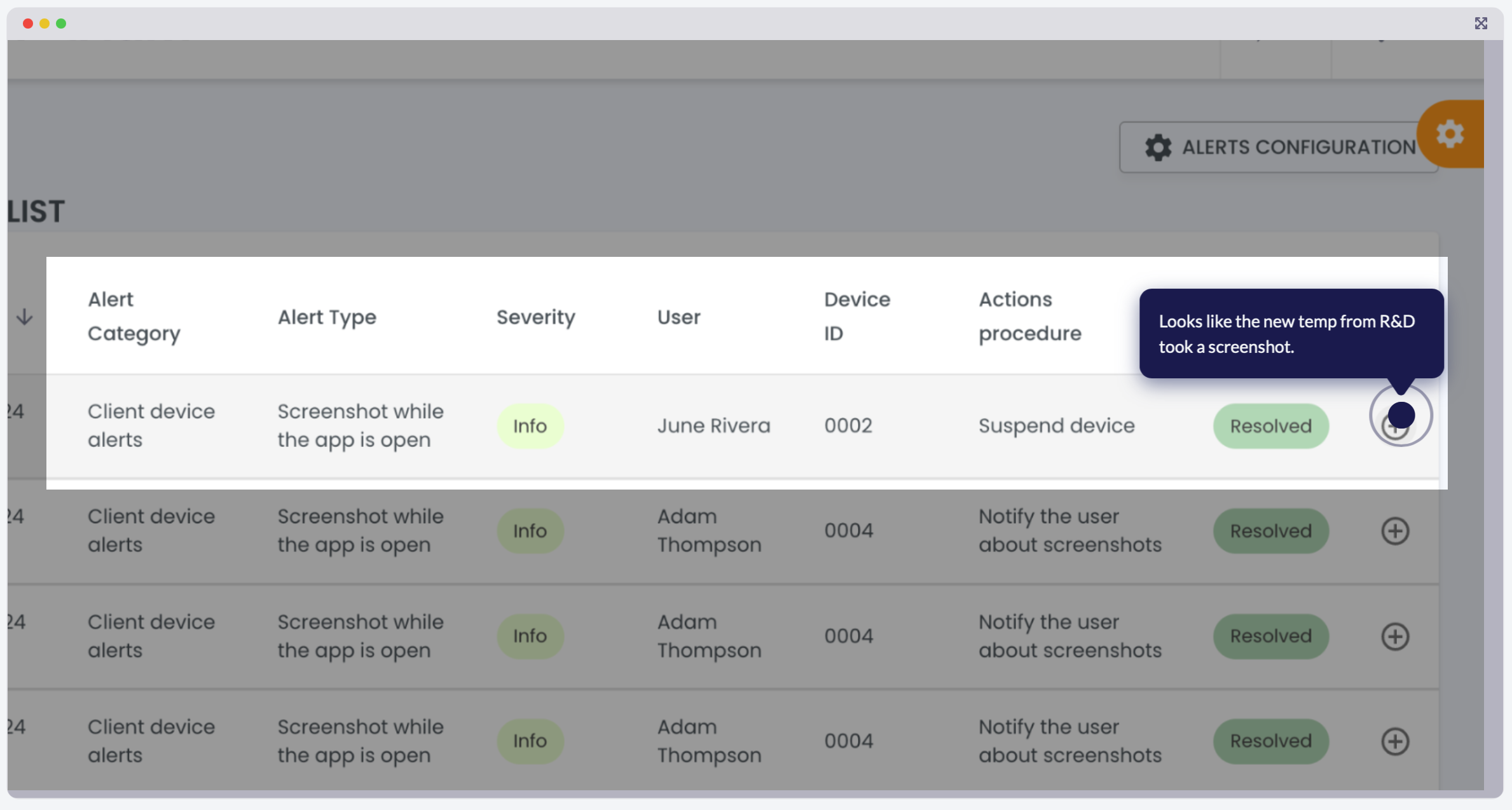
When Symmetrium sends an alert, its dashboard will specify the time, type of infraction and the device owner. So Joan immediately can see June Rivera, a new temp worker from R&D was at fault for triggering the alert.
- Set stringent security guardrails
The alert triggered specific actions Joan had set as security guardrails. This included shutting down the device’s access to sensitive data, sending email to the admin and sending a warning notification to the user. The guardrails are set to ensure compliance to security protocols. Once these have been breached, the system has been set up to suspend the offending device.

- View the suspicious activity
Safe in the knowledge that June’s device was instantly suspended, Joan has the time to do some investigative work. She can see the screenshot, which is stored directly on the platform, taken by June’s mobile device, and opens it for review with one click.

- Take the appropriate action
Joan is relieved. After reviewing the screen shot taken by June she can see it was accidental and taken in error. She reactivates June’s device with one click. Mistakes happen, and Symmetrium, leaving nothing to chance, has the flexibility to quickly review and take the appropriate action.

Security Alerts: Ensuring Constant Enforcement of Security Policies
Security alerts are vital to provide real-time notifications of potential risks and breaches of sensitive data. These alerts help security teams to enforce compliance with security policies, reduce downtime caused by breaches, and enhance overall visibility into device activities, ensuring a robust defense against an ever-evolving threat landscape.
As demonstrated by Joan and Lisa’s experience, Symmetrium’s automated alerts, instant device controls, and streamlined investigation tools transform potentially risky situations into quickly resolved incidents. The platform’s balance of rigorous security and operational flexibility ensures your sensitive data stays protected without sacrificing productivity.
Ready to see how Symmetrium can strengthen your organization’s mobile security? Book your personalized demo today and discover why leading companies trust us to protect their most valuable assets.