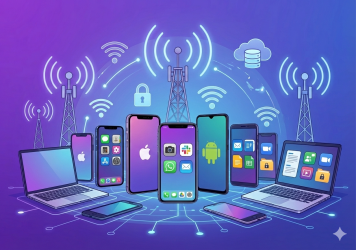
Modern businesses depend on mobile access, whether that’s a sales rep closing deals from their phone, an executive approving contracts on a tablet, or a contractor joining a secure video call on a personal device. But that access brings risk, and with risk comes the need for control.
For years, Mobile Device Management (MDM) was the answer. It allowed IT teams to configure, manage, and wipe devices remotely. But as workforces became more mobile, personal devices entered the picture, and applications, not just devices, became central to productivity, Enterprise Mobility Management (EMM) emerged as the evolution.
So what’s the real difference between MDM and EMM? Is one better than the other, or are they meant to work together?
Let’s break it down.
MDM vs. EMM: A High-Level Overview
Mobile Device Management (MDM) focuses on controlling the physical device. IT admins use MDM platforms to push configurations, enforce security policies, install or block apps, monitor usage, and wipe lost or stolen phones. It’s an essential tool for managing company-owned devices where security, standardization, and control are critical.
Enterprise Mobility Management (EMM) expands on MDM’s foundation. It includes not just device management, but also Mobile Application Management (MAM), identity and access management (IAM), secure content distribution, data loss prevention, and analytics. With EMM, businesses can manage access based on the app, user, device state, or even location.
In short: MDM manages devices. EMM manages mobility.
EMM solutions allow enterprises to secure data across a much broader surface. Instead of locking down an entire phone, EMM can restrict a single app, protect sensitive files, and ensure that only verified users access the company’s resources, even on personal or third-party devices.
This distinction has become more critical as enterprise mobile device management grows more complex. With hybrid work, BYOD, and app-based collaboration, organizations need flexible, layered solutions that go beyond the device itself.
Key Differences Between EMM and MDM
To fully understand the debate around EMM vs. MDM, it’s important to move beyond surface-level comparisons. While MDM was originally built to give IT departments firm control over devices, EMM emerged in response to a more complex, app-driven, and identity-aware enterprise landscape. The two share some overlap, but their differences reflect deeper architectural shifts in how modern businesses manage risk and enable productivity.
Scope of Control
The most fundamental distinction lies in the breadth of what each solution can manage. MDM is device-centric. It focuses on managing the physical phone or tablet, enabling IT to configure hardware settings, control OS updates, define network access rules, and restrict usage across the entire device. This is ideal when the organization owns the hardware and needs top-down control.
EMM, on the other hand, extends far beyond the device. It incorporates not only MDM capabilities but also app-level, content-level, and identity-level controls. This allows enterprises to apply policies dynamically, based on who the user is, what they’re trying to access, and the context in which they’re doing so (e.g., location, device health, or risk score).
Security Layers
When it comes to security, MDM offers essential protections like encryption enforcement, remote wipe, passcode policies, and app blacklisting. It provides a strong perimeter for corporate-owned devices, but that perimeter often stops at the device edge.
EMM introduces deeper, more adaptive security. With features like app containerization, Single Sign-On (SSO), data loss prevention (DLP), and conditional access, EMM allows businesses to enforce nuanced, context-aware policies. For example, access to sensitive apps can be blocked if the user is outside a trusted location or fails multi-factor authentication. These layered defenses are essential for organizations embracing zero-trust frameworks.
User Experience
MDM can feel heavy-handed, especially in Bring Your Own Device (BYOD) environments. Users may hesitate to enroll personal devices if it means giving IT full visibility or the ability to wipe personal data.
EMM offers a more privacy-conscious alternative, enabling secure access to corporate resources without compromising the rest of the user’s device. Lightweight enrollment, selective wipe, and app-specific controls make EMM far more user-friendly, especially for executives, contractors, and employees using personal hardware.
Use Case Fit
MDM is best suited for fully managed devices—think hospital tablets, field service phones, or standardized employee endpoints. It shines in environments where uniformity, compliance, and reliability are paramount.
EMM excels in flexible, mixed environments where users toggle between personal and corporate apps. Whether it’s a remote knowledge worker accessing Salesforce from a personal tablet or a contractor logging into a secure app suite for three weeks, EMM adapts to the complexity of real-world workflows.
Integration and Ecosystem Support
EMM platforms are built for the modern enterprise stack. They integrate with identity providers (like Azure AD or Okta), security tools (like SIEMs or EDR platforms), and collaboration apps (like Microsoft 365 or Google Workspace). This allows for unified policy enforcement across endpoints, users, and cloud environments.
While MDM can be a standalone solution, EMM is typically part of a broader mobile security and productivity ecosystem, helping organizations tie mobility strategy into their overall IT posture.
From a strategic perspective, EMM reflects the reality of today’s workplace: work happens across apps, devices, networks, and user contexts. It’s no longer enough to just manage the device. You have to manage how, when, and why the device is being used. EMM brings that visibility and control, helping security leaders reduce risk without increasing friction.
Use Cases for MDM in Enterprise Environments
Despite the growth of EMM, Mobile Device Management still plays a central role in many enterprise environments, especially those that rely on company-issued hardware.
1. Corporate-Owned Devices
In tightly regulated sectors like finance, defense, or healthcare, organizations need full control over the hardware employees use. MDM allows admins to configure security from the ground up, enforce OS patching, and remotely wipe devices in case of breach or loss.
2. Frontline and Field Workers
Field technicians, warehouse teams, delivery drivers—these roles often rely on rugged or shared devices. MDM helps IT enforce kiosk modes, limit app installations, and ensure devices remain functional and compliant in tough conditions.
3. Network and VPN Policy Enforcement
For companies that restrict access to internal networks, MDM allows precise control over Wi-Fi, VPN configurations, and certificate management, ensuring devices don’t become entry points for lateral threats.
4. Simpler Device-Centric Workflows
In environments where the device is the core work hub (not just an access point), MDM offers an efficient, centralized solution for management, monitoring, and lifecycle control.
In short, MDM still powers the backbone of enterprise device management where total device oversight is non-negotiable.
Use Cases for EMM in Enterprise Mobility Strategies
Enterprise Mobility Management shines when flexibility, privacy, and scale are just as important as control.
1. BYOD (Bring Your Own Device)
Allowing employees to use personal phones or tablets creates cost savings—but also risks. EMM enables organizations to enforce app-level controls (via MAM), isolate corporate data, and selectively wipe information—without infringing on personal privacy.
2. Hybrid and Remote Workforces
With employees logging in from home, airports, or client sites, IT must apply policies based on device trust, user identity, and location. EMM provides the tools for conditional access, geo-fencing, and identity verification.
3. Role-Based Access and App Governance
EMM helps IT segment access by role or department. A contractor may get limited access to a secure workspace, while a full-time employee sees the full app suite. EMM makes onboarding and offboarding faster and more secure.
4. Data Loss Prevention and Compliance
Organizations in legal, media, or healthcare must comply with strict data controls. EMM allows real-time enforcement of copy/paste restrictions, watermarking, encryption, and more, safeguarding sensitive information across mobile endpoints.
5. Multi-OS, Multi-App Environments
From iOS to Android to macOS, EMM unifies the management of mobile endpoints across platforms. It can monitor app versions, enforce app usage policies, and support app wrapping or containerization.
These capabilities make EMM an ideal EMM solution for companies undergoing digital transformation, especially those moving toward zero-trust frameworks and identity-first access models.
Choosing the Right Solution: EMM, MDM, or Both?
The good news? You don’t have to choose just one.
Choosing between MDM and EMM depends on a few core factors:
Device Ownership Model
If you only manage company-owned devices, MDM may be enough. But the moment BYOD enters the equation, EMM becomes essential.
Security and Compliance Requirements
Highly regulated industries may require full device control (MDM), app-level DLP (via EMM), or both. EMM can also integrate with SIEM or SOC tools for better compliance visibility.
Workforce Distribution
Remote, hybrid, or distributed teams benefit more from EMM’s contextual access control and flexible policy enforcement.
Use Case Complexity
If your needs are device-focused and relatively static, MDM offers simplicity. If your organization needs layered, identity-based protection, EMM is the smarter fit.
Ultimately, most mature organizations adopt a hybrid model. They use MDM for full-device control where needed, and layer in EMM features for advanced app and identity protection elsewhere.
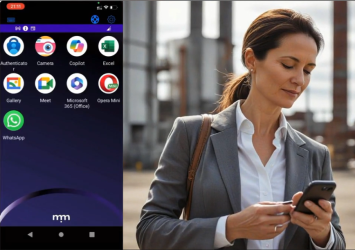
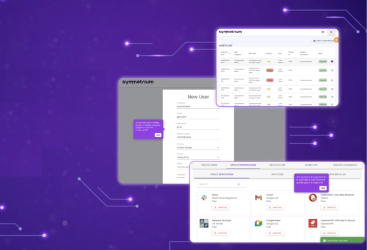
Symmetrium is designed with this flexibility in mind—bridging MDM and EMM capabilities into a single, unified platform built for today’s security-conscious, privacy-aware organizations.
The Future of Enterprise Mobility Isn’t Either/Or
The conversation around EMM vs MDM isn’t really a competition. It’s a progression. MDM gave enterprises a way to control mobile hardware. EMM gave them a way to manage the entire mobile experience.
The real power lies in combining both approaches to match each user’s risk level, access needs, and context, without overburdening IT or disrupting user experience.
If your organization is still relying solely on MDM, it may be time to explore how EMM can fill the gaps in your mobile security strategy. And if you’re already using EMM, consider whether it’s integrated with your existing systems, identity providers, and workflows as seamlessly as it should be.
Mobile access isn’t going away. It’s accelerating. The more prepared your mobile management strategy is, the more confident your team can be, wherever and however they work.
Symmetrium makes that preparation seamless by unifying MDM and EMM capabilities into a single platform built for zero-trust, high-compliance, and mobile-native teams. To find out more, book a demo today.