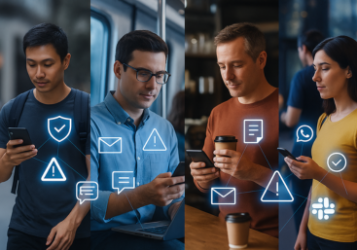
The mobile workforce is no longer an edge case, it’s the default. From healthcare professionals moving between sites to consultants checking messages on the go, mobile devices are now central to how business gets done. But they’re also central to how data gets lost.
Most organizations are still trying to secure mobile work the way they secured laptops in the early 2010s: layering control tools on top of each other: MDM for governance, MTD for threats, VPNs for access, browser wrappers for isolation. The result? A stack that’s difficult to manage, frustrating to use, and still leaves data at risk.
Symmetrium offers a different approach: a secure mobile workspace that delivers zero-trust access, full compliance, and native mobile performance, without installing anything on the device or touching personal data. It’s called a Virtual Mobile Workspace (VMW), and it changes the equation for mobile security.
The hidden cost of managing devices
Enterprise mobile security stacks are often made up of overlapping tools:
- Mobile Device Management (MDM) for control and compliance
- Mobile Threat Defense (MTD) or EDR for endpoint monitoring
- VPNs or ZTNA for secure connectivity
- Remote Browser Isolation (RBI) to limit web-based threats
Each of these tools adds friction – to users, to IT, and to overall risk management. Admins are left juggling enrollment flows, configuration rules, and personal privacy boundaries. Meanwhile, employees resist tools that inspect their personal apps and behavior. And even with all this overhead, security gaps persist.
Workspace isolation, not device control
A fully secure mobile workspace doesn’t start with the device. It starts with a clean separation of work and personal environments, enforced by design, not policy workarounds.
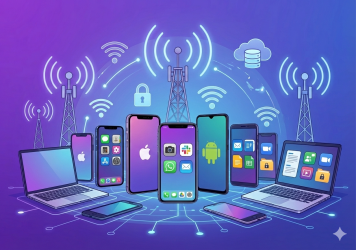
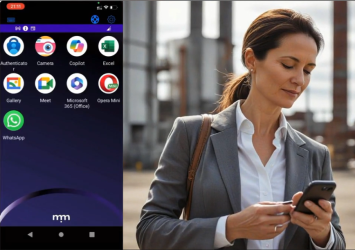
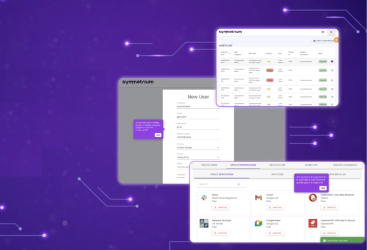
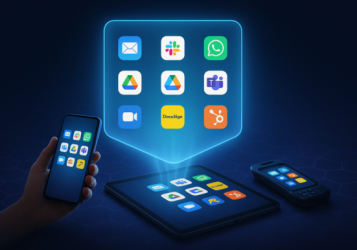
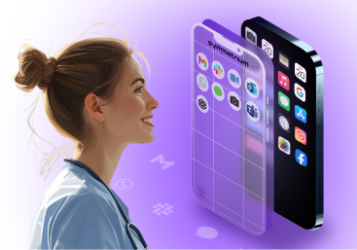
Symmetrium’s Virtual Mobile Workspace (VMW) is streamed securely from the enterprise cloud or data center to any mobile device. It behaves like a native mobile OS, but lives entirely off the device, with:
- Zero data at rest
- No device enrollment or MDM
- No agents or app wrapping
- Full enterprise visibility and control
Users access their work environment through a low-latency stream. The mobile experience feels familiar: camera, calls, messaging all supported – but everything stays contained within the workspace. Personal apps remain untouched, and IT teams never see or control the personal side of the device.
Learn how Symmetrium compares to MAM approaches
Why MAM and browser isolation ≠ mobile-native workspace
Mobile Application Management (MAM) and browser isolation are often positioned as lightweight alternatives to full MDM. But neither approach delivers the functionality, compliance assurance, or user experience of a true mobile workspace.
| Capability | MAM | Browser Isolation (RBI) | Symmetrium Virtual Mobile Workspace |
| Native mobile experience | Partial per-app | Web-only | Full OS-level mobile UI |
| Data-at-rest risk | App data stored | None | Zero data at rest |
| App & feature support | Wrapping required | Limited | Full mobile app support |
| Work-life separation | App scope only | None | Workspace-level isolation |
| BYOD user privacy | Personal device inspection | Browser-only | No enrollment, full privacy |
| Compliance enforcement | Per-app rules | Limited logging | Audit-ready policy control |
Symmetrium’s approach enables full separation of work and personal environments, with centralized policy enforcement and native mobile UX, all without installing anything on the device.
Control, compliance, and privacy – built in
A secure mobile workspace isn’t a tradeoff between IT control and user privacy. It’s a way to achieve both at once. Symmetrium brings everything together into one managed, isolated environment.
Security & Compliance
- Data never touches the endpoint
- Mobile DLP blocks screenshots, copy/paste, recordings
- Messaging archiving and workspace-dedicated phone numbers
- Built-in web filtering and audit logging
Learn more about Zero Trust standards
IT Management
- No need for MDM enrollment or setup flows
- Works across Android and iOS with centralized control
- Remote app deployment and workspace patching
- Supports conditional access and IDP integration
User Experience
- Native mobile interface through low-latency encrypted streaming
- Native mobile access to camera, calling, keyboard
- Clean separation between work and personal data
- No device control, no user resistance
Where secure mobile workspaces shine
Symmetrium’s Virtual Mobile Workspace is especially well-suited for:
BYOD environments
Symmetrium supports secure mobile access on any personal device, without enrollment, surveillance, or intrusive agents. Users maintain privacy. IT maintains control.
Shared devices in high-turnover industries
In healthcare, logistics, or field work, shared mobile devices create complexity. With VMWs, employees can access their personalized workspaces from any device, with no need for kiosk mode or reconfiguration.
Third-party access
Contractors, advisors, and partners can be granted secure mobile access in minutes. There’s no setup, no teardown, and no risk of data lingering on the device.
Explore mobile workforce management use cases
Symmetrium’s model supports compliance with global frameworks such as GDPR and the HIPAA Security Rule by enforcing isolation, logging, and data minimization by default.
Simplifying the stack, without compromise
Instead of adding to the stack, Symmetrium simplifies it:
- No MDM to configure
- No VPN tunnel to maintain
- No browser wrappers or virtual desktop infrastructure
- No endpoint threat agents
Everything work-related: apps, messaging, data, policies – lives inside the workspace.
This not only reduces IT overhead, but also creates consistency across all device types and user scenarios.
Read: MDM vs. MAM – Everything You Need to Know
Best practices for mobile-secure remote teams
If you’re managing a remote or hybrid mobile workforce, here are four key principles to implement:
- Stream the workspace instead of storing data on the device
- Enforce policy inside the workspace, not at the OS level
- Avoid agents and device inspection to preserve user trust and simplify BYOD
- Standardize your approach across personal and corporate-owned devices
See our mobile security best practices
FAQs
How can remote teams ensure compliance with global data protection laws?
Virtual Mobile Workspaces allow you to contain all business activity in a controlled, isolated environment, with no data stored on the device.
What are some cost-effective mobile security solutions for small businesses?
Symmetrium eliminates the need for multiple tools like MDM, VPN, or EDR, reducing cost and complexity while improving compliance.
How do I educate non-technical staff about mobile cybersecurity risks?
Instead of relying on training alone, you can remove the risk altogether by separating work and personal activity using a secure workspace.
Which remote collaboration tools are most secure for mobile devices?
The most secure approach is to run all collaboration tools, messaging, file sharing, video calls, inside a centrally managed workspace.
How does geolocation impact mobile workspace security?
You can apply location-based policies (via conditional access) to manage who can access the workspace, when, and from where.
What should a remote incident response plan include for mobile threats?
With workspace streaming, containment is simple: revoke access, lock the session, and review audit logs, all without touching the device.
Mobile work deserves real workspaces. Not patchwork tools.
Symmetrium is redefining how mobile work is secured, without compromising privacy, performance, or compliance. With Virtual Mobile Workspaces, your data stays off the device, your users stay productive, and your IT team stays in control.
Whether you’re supporting a BYOD program, enabling secure field operations, or managing sensitive communications across mobile endpoints, this is how secure mobile work gets done.