Mobile devices are no longer secondary endpoints. They are the primary interface for accessing company data, communicating with clients, and getting work done. Whether you’re managing a remote sales team, protecting executive communication, or enabling contractors to work securely, your mobile security architecture must be intentional, flexible, and airtight.
That’s where two acronyms come into play: MDM (Mobile Device Management) and MAM (Mobile Application Management).
Both play essential roles in enterprise security, but they serve different functions. In this guide, we’ll explain the difference between MDM and MAM, when to use each, and why the most secure organizations don’t treat it as a choice. They integrate both. By the end, you’ll have a clear understanding of how to align your mobile strategy with user needs, regulatory pressures, and threat realities.
Understanding the Role of MDM and MAM in Mobile Security
At a high level, MDM and MAM answer the same core question: How do we protect corporate data on mobile devices? The difference lies in where and how that protection is applied. MDM focuses on the entire device as a unit of control, while MAM zeroes in on specific applications that handle sensitive business information. In an era of hybrid work, personal device usage, and escalating cyber threats, understanding this distinction is critical for building an effective mobile security strategy.
What is MDM?
Mobile Device Management (MDM) refers to enterprise software that allows IT administrators to configure, monitor, and secure mobile devices remotely. These platforms offer a broad range of capabilities, from enforcing encryption and password policies to installing or blocking applications, managing Wi-Fi configurations, restricting hardware functions (like cameras or Bluetooth), and performing a full remote wipe if a device is lost or stolen.
An MDM platform is typically used in environments where the organization provides the hardware. This includes corporate-owned devices as well as COPE (Corporate-Owned, Personally Enabled) models, where the employee is allowed limited personal use of the device, but the company retains control over its configuration and security.
This level of control is essential in industries where mobile devices are not just tools—but liabilities. Think of a doctor accessing patient records in a hospital, or a banker using a corporate phone to transfer funds. In these scenarios, even a minor security lapse could result in major data loss, legal penalties, or reputational damage. MDM ensures devices stay compliant with company policies and regulatory mandates like HIPAA, FINRA, or GDPR.
In addition to security, MDM helps with device inventory management, network usage tracking, and geofencing, enabling organizations to enforce policies based on a user’s physical location. These features give IT full situational awareness and intervention capabilities in real time.
What is MAM?
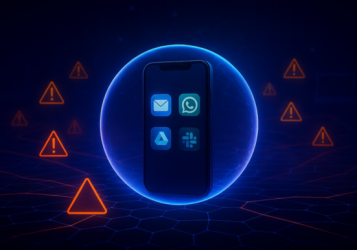
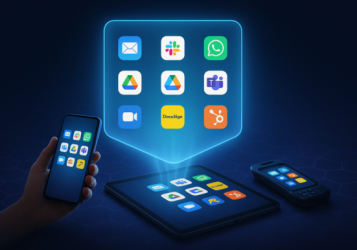
Mobile Application Management (MAM), on the other hand, takes a more targeted approach. Rather than controlling the whole device, a MAM solution controls only the business applications and their associated data. It does this by creating a secure container or workspace that keeps corporate data isolated from personal apps and files.
Through MAM, IT can enforce in-app policies, such as blocking copy-paste functions, disabling screen capture, preventing file downloads, or forcing authentication every time an app is accessed. When a user leaves the company, their access to corporate apps can be revoked, and app data wiped, without touching the rest of the device.
This makes MAM the go-to solution in BYOD (Bring Your Own Device) environments. Employees often prefer using their own phones and tablets, especially for tasks like checking email, joining video calls, or reviewing documents on the go. MAM security offers the right balance: corporate security without personal intrusion.
It also shines in high-trust but high-risk roles, like legal professionals, consultants, journalists, or executives. These individuals demand flexibility, privacy, and a frictionless user experience, while still needing access to sensitive apps. MAM enables exactly that.
Beyond security, MAM can also support faster onboarding, especially for external collaborators or temporary staff. Instead of provisioning new devices, companies can simply provide access to a secure app suite that expires when the engagement ends.
In today’s workforce, where device diversity and employee autonomy are the norm, MAM is not just a convenience. It’s a necessity.
Why It Matters
The rise of remote work, hybrid environments, and flexible work policies has made MAM an essential tool for modern IT teams. At the same time, MDM remains a critical layer of control for high-risk roles and regulated industries.
MDM vs. MAM: Core Differences Explained
Here’s a breakdown of the most important differences between MDM and MAM, to help you understand where each shines:
| Feature | MDM (Mobile Device Management) | MAM (Mobile Application Management) |
| Scope | Full device control | App-level control |
| Privacy | Can access or manage personal device data | Leaves personal data untouched |
| Deployment | Requires device enrollment | No device enrollment needed |
| Use Case Fit | Corporate-owned devices | BYOD, executive privacy, contractors |
| Security Controls | OS-level enforcement (encryption, wipe) | In-app data control (copy/paste, wipe app) |
| User Experience | May be invasive or restrictive | Seamless, preserves privacy |
| Policy Focus | Enforce policies at the device level | Enforce policies only on corporate apps |
In short: MDM is about managing the device; MAM is about managing the business data.
Real-World Scenarios: When to Use What
Let’s break it down with a few common enterprise situations:
1. Sales Team on Corporate Devices
Your field sales team uses company-issued smartphones with CRM, email, and maps apps preinstalled. You need to lock down usage, enforce encryption, and wipe lost devices immediately.
✅ Use an MDM application.
2. Executive Communication on Personal Devices
Your C-suite wants to use their own devices but needs secure access to internal messaging and documents. Privacy is key, and you can’t risk access to personal apps.
✅ Use MAM.
3. Freelancers & Contractors
You bring on a freelance designer for a few months. They’ll need access to Figma and a Slack workspace but shouldn’t be allowed to transfer files or store sensitive content locally.
✅ Use MAM with strong app-level controls.
4. Healthcare Professionals
In a HIPAA-compliant environment, staff use tablets in clinical settings. You need full control over data storage, network access, and app behavior.
✅ Use MDM, possibly in conjunction with MAM.
5. Software Engineers Working Remotely
Your engineers need access to DevOps tools from a mix of personal and corporate devices. Security is critical, but so is autonomy.
✅ Use MDM for corporate laptops; MAM for personal tablets and phones.
Main Advantages of MDM for Businesses
While MAM is often hailed for its privacy-preserving benefits, MDM mobile app monitoring still offers unmatched control when the organization owns the device.
Top benefits of deploying an MDM platform include:
- Unified Policy Management
Roll out configurations, restrictions, and policies from a single admin dashboard. - Lost Device Response
Locate, lock, or wipe a lost or stolen phone instantly. - Network Access Control
Restrict access to only trusted Wi-Fi networks and VPN configurations. - Inventory Management
Track hardware assets and usage over time. - Compliance Automation
Enforce encryption, OS versions, and security patching to meet regulatory standards. - Remote Troubleshooting
IT teams can remotely view logs or provide support in real time. - Geofencing
Set rules based on user location (e.g., disable camera in secure areas).
Advantages of MAM and When It’s the Better Fit
MDM is powerful, but often overkill. MAM offers a lightweight, targeted solution that excels when you need to control access without managing the entire device.
Here’s where MAM wins:
- BYOD Support
Employees use their own devices. MAM protects only the business data. - No Enrollment Hassle
Users don’t have to install a profile or give IT full access to their phones. - Selective Wipe
Remove only the company’s apps and data during offboarding. - Privacy-First
Avoid legal and ethical challenges in monitoring personal activity. - Low Overhead
Easier to manage at scale without device-level maintenance. - Cross-Platform Flexibility
Ideal for multi-OS environments (iOS, Android, macOS). - Faster Time-to-Secure
Onboard a contractor in minutes without managing their hardware.
This makes MAM particularly appealing for legal, finance, healthcare, and media companies where sensitive information must be controlled, without crossing privacy boundaries.
Integrating MDM and MAM for Holistic Mobile Management
This isn’t a zero-sum game. The most mature mobile strategies combine MDM and MAM, using each where appropriate. Here’s how:
- Corporate-Owned Devices → MDM First, MAM Second
- BYOD or Executive Devices → MAM First
- Contractor or Partner Access → MAM Only
- High-Risk Roles → MDM + MAM + Threat Detection
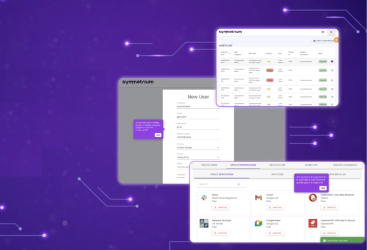
Modern platforms (like Symmetrium) offer integrated approaches that unify MDM, MAM, mobile threat defense, and endpoint intelligence into one seamless experience.
It’s not just about control. It’s about orchestration: the right policies, applied to the right users, with minimal friction.
Building a Robust Mobile Security Strategy
Choosing between MDM and MAM is just one step in building a broader mobile security architecture. A resilient strategy considers five major factors:
1. User Profiles
Define who needs what level of access. A traveling VP has different security needs than an on-site warehouse employee.
2. Device Ownership Models
Decide when and where to deploy corporate-owned, BYOD, or COPE policies. Each has pros and tradeoffs.
3. Regulatory Landscape
If you operate in finance, healthcare, legal, or government, compliance requirements must shape your mobile policies.
4. Threat Model
Understand the threats your organization faces: phishing, rogue apps, jailbroken/rooted devices, insecure Wi-Fi, etc.
5. User Experience
Security without usability leads to shadow IT. Your controls must be frictionless and intuitive.
Final Verdict: MDM vs. MAM Isn’t the Question
It’s tempting to treat MDM and MAM as an either-or decision, but the most secure organizations know better. The real question is how to orchestrate both to meet modern business needs.
MDM provides the foundation: centralized control, remote enforcement, and device hygiene. MAM adds flexibility, privacy, and app-level protection that keeps employees happy and IT safe.
Used together, they deliver a zero-trust, risk-aware, scalable mobile security strategy—built for how modern businesses actually work.
TL;DR: What You Need to Know
- MDM = Full device control. Best for corporate devices and strict compliance needs.
- MAM = App control only. Ideal for BYOD, executives, and flexible workforces.
- You can (and should) use both. Tailor access based on role, risk, and device type.
- Mobile security should support—not restrict—your business and users.
- Symmetrium helps make all this easy, secure, and scalable.
Ready to Upgrade Your Mobile Security?
Symmetrium gives you the tools to secure mobile workspaces without compromising experience or privacy. Our platform combines the best of MDM and MAM into one seamless solution, designed for hybrid teams, high-compliance industries, and forward-thinking IT leaders.
Book a demo today and discover what secure, native, zero-trust mobile access looks like.