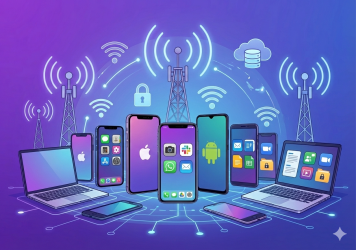
In our mobile-centric world, companies rely on a vast array of mobile devices, such as smartphones, tablets, and laptops, to facilitate operations and communication. With the unstoppable rise of mobile workforces, ensuring security and productivity across these devices is crucial. To achieve this, Enterprise Mobile Device Management (MDM) has become an increasingly essential solution for organizations. MDM, in short, is a centralized solution designed to manage, monitor, and secure mobile devices within an enterprise environment. But while enterprise MDM offers many benefits, it also comes with challenges. In this article, we’ll dive into the pros and cons of MDM solutions, highlighting its features, benefits, and potential limitations.
What is an MDM Solution?
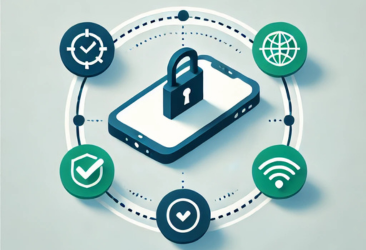
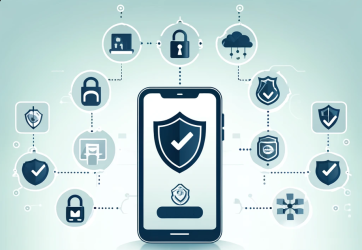
MDM is a technology solution that enables organizations to secure, control, and monitor mobile devices such as smartphones, tablets, and laptops used by employees. With the goal of safeguarding enterprise mobile device security, MDM provides businesses with centralized control over the devices accessing corporate networks and sensitive information. MDM solutions allow administrators to manage device configurations, enforce security policies, and, if necessary, remotely wipe data from lost or compromised devices.
Enterprise MDM solutions typically involve software tools that can be deployed on devices through cloud or on-premises platforms. The solution provides IT departments with greater visibility over mobile devices, helping to ensure that only authorized devices and users have access to company resources. This is especially crucial for organizations operating under regulatory compliance requirements, where maintaining enterprise mobile security is paramount.
Key Features of MDM Solutions
MDM solutions for enterprises vary in complexity, but most offer a suite of features to manage and protect devices within an enterprise setting. Here are some key features commonly found in enterprise device management platforms:
- Device Enrollment and Authentication
Simplifies the process of enrolling new devices and authenticating users, ensuring that only verified devices and employees can access corporate resources.
- Policy Enforcement and Compliance Management
Allows organizations to enforce security policies and monitor compliance, helping to ensure that devices adhere to specific standards, such as password protection, encryption, and app restrictions.
- Application Management
Provides the ability to manage applications on employee devices, including app deployment, updates, and removal, which helps keep software consistent and secure across the enterprise.
- Content Management
Allows for controlled access to company content, enabling secure file sharing and document collaboration while maintaining the integrity of sensitive information.
- Remote Device Control and Support
Enables IT administrators to remotely manage, troubleshoot, and control devices. This feature is invaluable for offering real-time support to employees, especially those working remotely.
- Data Loss Prevention (DLP) and Remote Wiping
DLP features safeguard against unauthorized data transfers, and remote wipe capabilities allow IT to erase data on lost or stolen devices to protect sensitive information.
- Real-Time Monitoring and Reporting
Provides insights into device usage, security compliance, and application performance, helping IT teams quickly identify potential issues or security threats.
Benefits of Implementing Enterprise MDM
The adoption of MDM offers numerous advantages that help streamline operations, enhance security, and improve productivity. Here are the primary benefits of implementing a MDM solution for your organization:
- Enhanced Enterprise Mobile Device Security
Security is the most significant driver behind enterprise MDM implementation. MDM solutions allow organizations to establish and enforce security policies across all devices, minimizing the risk of data breaches and unauthorized access. MDM provides tools such as encryption, secure access protocols, and the ability to monitor device compliance in real-time, ensuring that company data remains protected.
- Improved Device Visibility and Control
With MDM, IT departments have a centralized view of all mobile devices within the organization. This visibility makes it easier to monitor usage, detect unusual activity, and manage device settings. The ability to remotely control and support devices allows for quick resolution of technical issues and streamlined management of device configurations.
- Increased Employee Productivity
By giving employees access to secure, company-approved applications and data, MDM solutions enable a more productive mobile workforce. Employees can work from anywhere, using their devices to complete tasks without compromising security. Additionally, MDM solutions can restrict access to non-work-related apps, helping employees stay focused on their tasks.
- Streamlined IT Operations and Support
Enterprise MDM simplifies the management of multiple devices by consolidating them into one system. IT departments can quickly deploy updates, install apps, and provide troubleshooting support from a centralized platform. This efficiency reduces the time and resources needed to manage each device individually and allows IT staff to focus on more strategic tasks.
- Regulatory Compliance
Many industries, such as healthcare and finance, are subject to strict regulatory requirements for data security. MDM solutions support compliance by enforcing necessary security policies and tracking user activity. For organizations in regulated industries, MDM provides an added layer of assurance that they are meeting compliance standards for data protection.
- Cost Savings on Long Run
While MDM solutions require an upfront investment, they often result in long-term cost savings by reducing security breaches, minimizing device downtime, and lowering the time required for device management. MDM also helps prevent the loss of intellectual property, which can be financially devastating.
Potential Challenges and Drawbacks of Enterprise MDM
While enterprise MDM offers several benefits, it’s not without challenges. Here are some of the potential drawbacks and limitations of MDM:
- Privacy Concerns
MDM solutions monitor device activity and location, which may raise privacy concerns among employees, especially if they are using personal devices for work. The ability to remotely control and wipe devices can feel intrusive, creating potential tension between employees and IT departments. Organizations must balance security needs with respect for employee privacy by establishing clear policies and communication regarding device monitoring.
- Implementation Complexity
Setting up and managing an MDM solution can be complex, especially for large organizations with a diverse range of devices and operating systems. Deployment can require significant IT resources, and onboarding new devices may involve training employees on how to use MDM tools properly. Additionally, maintaining compatibility with various devices and operating systems can be challenging, particularly in organizations with bring-your-own-device (BYOD) policies.
- Upfront Investment Costs
Implementing MDM involves upfront costs, including software licensing fees and potential infrastructure upgrades. For smaller businesses, these costs may be prohibitive, and they may find it difficult to justify the expense relative to the benefits. Additionally, some MDM solutions charge on a per-device basis, which can lead to higher costs for organizations with a large number of mobile devices.
- Device Performance Issues
Some MDM solutions can impact device performance, particularly when operating system updates or security scans are running. Employees may experience slower device speeds or shorter battery life due to the constant background processes associated with MDM. Ensuring that MDM tools do not hinder employee productivity requires careful optimization and testing.
- Dependency on Network Connectivity
Since MDM relies on continuous communication between the device and the MDM server, network connectivity is crucial. In areas with poor network coverage or during times of internet outages, certain MDM features may be limited, affecting productivity and the effectiveness of security measures. Organizations need to consider these limitations and provide alternative solutions when network connectivity issues arise.
- Potential Resistance from Employees
Introducing an MDM solution can be met with resistance from employees who view the software as restrictive or invasive. Implementing a change management strategy and educating employees on the benefits of MDM is essential to fostering acceptance and compliance. Clear policies and transparent communication about how MDM supports security and protects both company and employee data can help alleviate concerns.
Symmetrium: The Optimal Scalable Solution for Enterprise Mobile Security
Symmetrium’s highly scalable zero-trust mobile solution is purpose-built to provide organizations the optimal secure and flexible mobile device management to secure data and meet regulatory requirements.
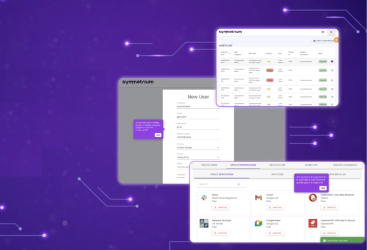
Symmetrium creates virtual devices within an organization’s IT environment that, when accessed remotely, serve as secure extensions of the organization’s security and compliance policies. The outcome is a seamless, native mobile experience, leveraging end-to-end encrypted streaming, that simplifies secure data access.
Unlike other MDM solutions that focus on protecting mobile devices and users, Symmetrium protects data no matter what device or user is accessing it. This is possible because using Symmetrium corporate data is always accessed virtually through the organization’s network and never physically leaves the security of the network to reside on the user’s device. This approach ensures sensitive data stays secure, even if a user’s device is compromised, eliminating potential risks.
Final Thoughts: Balancing Security and Usability
With key features like remote device management, application control, and data loss prevention, MDM solutions for enterprises can significantly enhance organizational mobile device security, streamline IT operations, and improve the overall user experience.
For enterprises considering MDM, the key to maximizing its benefits lies in selecting the right solution flexible to meet the organization’s specific needs and creating an environment of trust and collaboration between employees and IT teams. By doing so, businesses can achieve a robust mobile security strategy that supports productivity and growth in today’s fast-paced digital landscape.
Discover why Symmetrium is the optimal MDM to protect your organization from escalating mobile security threats by scheduling a demo today.