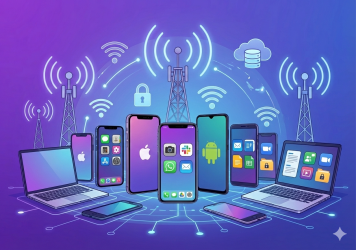
In an age where mobile devices are an indispensable element of the corporate landscape, understanding the anatomy of a mobile cyber attack is crucial for cyber security professionals. These threats are constantly evolving and organizations need innovative defenses to counter them. So, here’s an in-depth look at how mobile cyber attacks work and how we can protect ourselves.
Common Types of Mobile Cyber Attacks
With over 3.8 billion smartphone users globally, mobile devices have become prime targets for cybercriminals. These devices store vast amounts of personal and corporate data, making them lucrative for attackers.
Mobile cyber threats have evolved from basic SMS phishing to sophisticated malware capable of bypassing advanced security measures. Attackers employ various methods to compromise the security of these devices.
Here’s a detailed overview of the common types of mobile security attacks and how they are executed:
Malware Attacks
Malware is malicious software designed to damage, disrupt, or gain unauthorized access to a mobile device. Mobile malware includes viruses, worms, trojans, ransomware, spyware, and adware.
Phishing: Users may receive a link via email, SMS, or social media that, when clicked, installs malware on their device. Be warned, these attacks are on the rise.
Drive-by Downloads: Visiting a compromised website can trigger a download of malware on a mobile device without the user’s knowledge.
Malicious Apps: Attackers often disguise malware as legitimate apps, which are then downloaded by users from app stores or third-party websites onto their mobile device.
Phishing Attacks
Phishing is a social engineering attack where attackers trick users into providing sensitive information such as usernames, passwords, or credit card numbers.
SMS Phishing (Smishing): Attackers send fraudulent text messages that appear to be from trusted sources, prompting users to click on a link or provide sensitive information.
Email Phishing: Similar to smishing, attackers send emails that look legitimate, often mimicking banks, service providers, or even contacts from the user’s address book.
Voice Phishing (Vishing): Attackers use phone calls to mobiles to deceive users into revealing personal information.
Man-in-the-Middle (MitM) Attacks
In a MitM attack, the attacker intercepts and possibly alters the communication between two parties without their knowledge.
Public Wi-Fi: Attackers often set up fake Wi-Fi networks in public places. When users connect their mobile device, the attacker can intercept their data.
Rogue Access Points: Attackers create a fake access point that users unknowingly connect their device to, allowing the attacker to monitor or manipulate their data.
Session Hijacking: The attacker steals session cookies to take control of a user’s session on a website or app.
App-Based Attacks
These attacks involve malicious apps that are designed to exploit vulnerabilities in the mobile operating system or other apps.
Permission Abuse: Malicious apps may request excessive permissions to access sensitive data or control the device.
Backdoors: Some apps contain hidden code that allows attackers to control the device remotely.
In-App Advertisements: Malicious ads within legitimate apps can redirect users to harmful websites or install malware.
Spyware and Keyloggers
Spyware is software that secretly monitors and collects information about the user, while keyloggers record keystrokes to capture sensitive information.
Hidden Installations: Spyware and keyloggers are often installed without the user’s knowledge, sometimes bundled with legitimate software.
Phishing or Social Engineering: Users may be tricked into installing spyware through phishing attacks.
SIM Card Attacks (SIM Swapping)
SIM swapping involves fraudulently transferring a victim’s phone number to a SIM card controlled by the attacker.
Social Engineering: Attackers impersonate the victim and convince the mobile carrier to port the victim’s number to a new SIM card.
Physical Theft: In some cases, attackers steal the victim’s phone and swap the SIM card themselves.
Ransomware Attacks
Ransomware is a type of malware that locks the user out of their device or encrypts their data until a ransom is paid.
Malicious Links: Ransomware is often spread through links in phishing emails or malicious websites.
Infected Apps: Users may unknowingly download apps infected with ransomware, which then locks their device or data.
Bluetooth and NFC Attacks
These attacks exploit vulnerabilities in Bluetooth and Near Field Communication (NFC) to gain unauthorized access to the device.
Bluejacking: Attackers send unsolicited messages to nearby Bluetooth-enabled devices.
Bluesnarfing: Attackers exploit Bluetooth connections to access information on the device.
NFC Skimming: Attackers use NFC readers to steal information from NFC-enabled devices, such as contactless payment cards.
Physical Attacks
Physical attacks involve direct access to the mobile device, often leading to data theft or device compromise.
Theft: Stolen devices can be accessed by attackers to steal personal data or install malicious software.
Tampering: Attackers may tamper with a device to install keyloggers, spyware, or other malicious tools.
Network-Based Attacks
These attacks target the mobile network itself rather than the individual device.
Fake Cell Towers (IMSI Catchers): Attackers use fake cell towers to intercept calls, texts, and data.
DNS Spoofing: Attackers manipulate DNS requests to redirect users to malicious websites.
Zero-Day Exploits
Zero-day exploits target unknown vulnerabilities in mobile operating systems or apps before the developers can issue a patch.
Targeted Attacks: Attackers often deploy zero-day exploits to gain access to high-value targets, such as government officials or corporate executives.
Mass Exploitation: Some zero-day exploits are used in broad attacks, affecting many users before the vulnerability is patched.
Jailbreaking and Rooting Exploits
Jailbreaking (iOS) or rooting (Android) involves bypassing the device’s security restrictions, allowing the user (or attacker) to gain full control over the device.
Malicious Tools: Attackers may distribute jailbreaking or rooting tools that appear legitimate but contain hidden malicious code.
Exploiting Vulnerabilities: Attackers exploit vulnerabilities in the mobile operating system to jailbreak or root the device remotely.
Data Leakage via Unsecured Wi-Fi
Data leakage occurs when sensitive information is transmitted over an unsecured or untrusted Wi-Fi network.
Public Wi-Fi: Attackers set up open Wi-Fi networks that users connect to, allowing the attacker to monitor and steal data.
Packet Sniffing: Attackers use tools to intercept data packets on unsecured networks.
Staying Vigilant in the Face of Mobile Threats
As we’ve explored, the landscape of mobile cyber attacks is vast and constantly evolving. From malware and phishing to sophisticated zero-day exploits, the threats to our mobile devices are diverse and potentially devastating. Understanding these various attack vectors is the first step in developing a robust mobile security strategy.
Key takeaways:
- Mobile devices are prime targets due to their ubiquity and the wealth of data they contain.
- Attacks can come through multiple channels: apps, networks, physical access, and social engineering.
- Both individuals and organizations need to be aware of these threats and take proactive measures.
Remember, mobile security is an ongoing process, not a one-time fix. As cyber criminals continue to innovate, our defenses must evolve as well. By staying informed and vigilant, we can significantly reduce the risk of falling victim to mobile cyber attacks.
In Part Two of this series, we’ll delve into why your organization is vulnerable and the optimum solution for defending against these mobile threats.
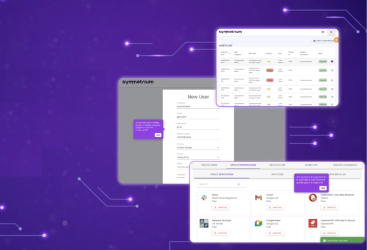
To see how Symmetrium can protect your organization from escalating mobile security threats, schedule a demo today.