There’s a version of enterprise BYOD that actually works. Employees use it willingly. Security teams trust it completely. And every active user generates recurring revenue for the operator who delivers it.
That version exists now. We’re launching it at MWC 2026.
The stuck market
Enterprise mobility has been stuck in the same standoff for years.
Control the device, and employees revolt: adoption stalls, work leaks to WhatsApp, and the IT investment is wasted.
Don’t control the device, and governance collapses: compliance gaps widen, audits fail, and the CISO is back at square one.
Neither path closes the loop. Traditional mobile security stacks don’t solve this. They just make the tradeoff more expensive.
What’s been missing is a way to separate the problem from the phone entirely.
Work that never touches the device
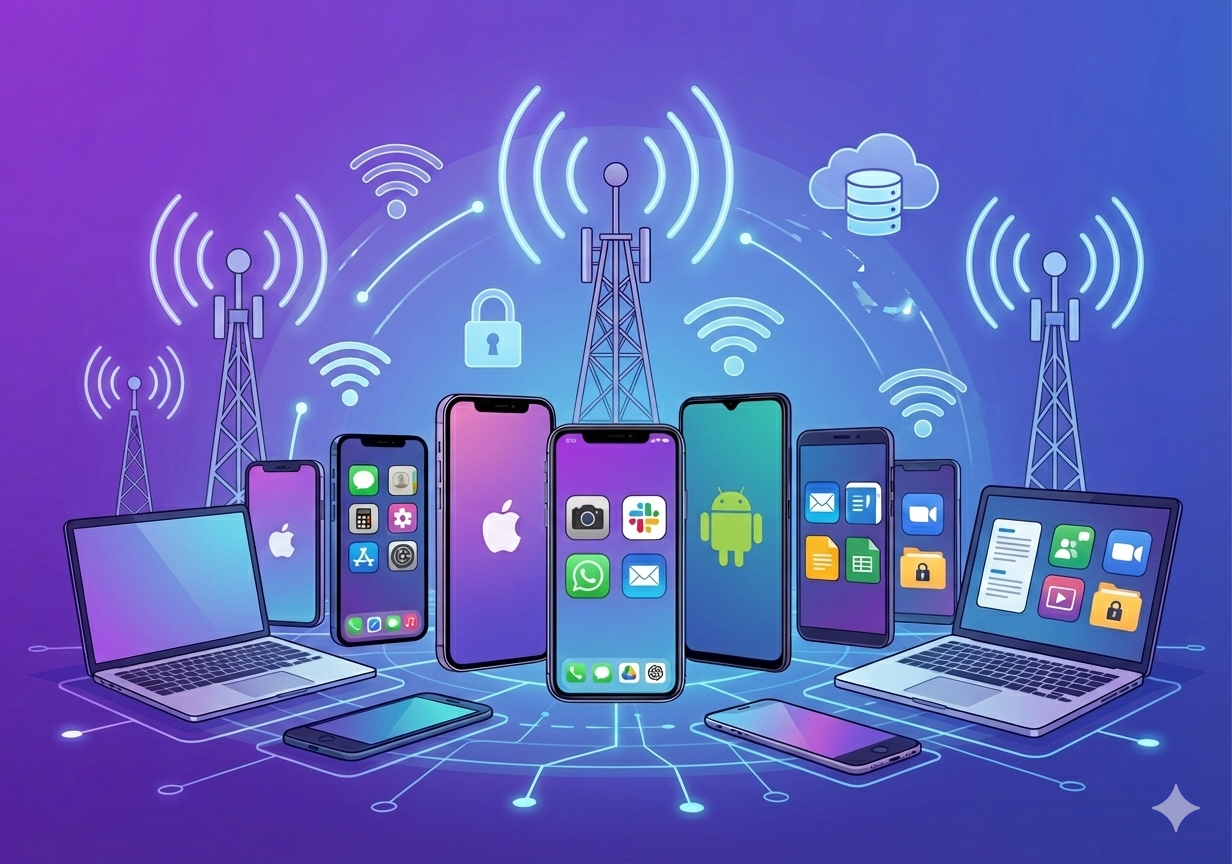
Symmetrium is a Virtual Mobile Workspace – a fully governed mobile environment streamed to any personal phone, with zero data stored on the device.
It looks and feels like a native phone. Employees get their apps, their communication tools, their work identity. But it all runs on the organization’s infrastructure. Nothing lands on the personal device. No MDM. No enrollment. No agents.
Employees adopt it because their privacy is genuinely protected. Not promised. Protected at the architecture level. Security teams get real governance: audit logs, policy enforcement, compliance by design. And the adoption gap that kills every traditional BYOD program? It closes.
That last part is what makes this interesting for mobile operators.
Adoption is what creates ARPU
Most enterprise security bundles sell controls. Controls that get licensed, partially deployed, and quietly abandoned when employees won’t use them.
Symmetrium sells something employees actually want: a mobile work experience that doesn’t touch their personal life. That’s why adoption happens. And adoption at scale is what turns a BYOD population ( previously impossible to monetize) into a recurring revenue line.
The model is straightforward:
A recurring workspace subscription per active user, billed through your platform
A dedicated enterprise work line per workspace for governed calling and messaging
Deployment and managed services that attach naturally to enterprise rollouts
Three revenue streams. One product motion. Delivered to an enterprise customer base that’s already struggling with a problem you can now solve.
The entry point is communications
If you’re looking for where to start the conversation with your enterprise accounts, start here: governed communications.
Every regulated organization – financial services, healthcare, government – is sitting on an urgent, unresolved problem. Their people are using WhatsApp, Telegram, and iMessage for business. That communication is ungoverned, unarchived, and in many cases a compliance violation waiting to be discovered.
Symmetrium lets those apps run inside a fully governed workspace. The enterprise work line anchors identity and policy at the operator layer. Archiving, when required, is built in, not bolted on.
And the best part, the UX feedback we’re getting from users is consistent: it feels like their regular phone. All while compliance controls are held throughout. Nothing touches the personal device.
That combination, natural experience and operational-grade governance, is what makes the product stick.
What we’re launching at MWC
At MWC 2026, we’re introducing a packaged offering built specifically for mobile operators – a go-to-market model that lets you bring enterprise-grade BYOD to your accounts with a clear commercial structure and two product tiers designed for different deployment needs.
The operator offering at a glance
Symmetrium Go
Symmetrium Platform (MWM)
Best for
Fast deployment, high adoption, unmanaged devices
Enterprises running multiple workspace programs under one governance layer
Deployment
Turnkey, integrates with existing mobile and identity stack
Full enterprise control plane with centralized management console
Symmetrium runs across any hosting model – no infrastructure rip-and-replace required.
Cloud
Hybrid
On-premises
Management + workspace servers in cloud
Management in cloud, workspace servers on-prem
Management + workspace servers fully on-prem
The opportunity is here, right now
Enterprise BYOD has been a problem without a good answer for years. The technology either alienated employees or left security teams exposed. The result was a massive, underserved market sitting in your existing customer base – enterprises that need secure mobile work but have never found a solution they could actually deploy at scale.
Symmetrium closes that gap. And because it’s built to be delivered through an operator’s commercial model – with recurring workspace revenue, enterprise work lines, and services attach – it turns a customer pain point into a new revenue line for you.
The same product works across financial services, healthcare, government, and enterprise BYOD broadly. Same motion, different entry conversations depending on where your accounts are.
We’re at MWC to show you what this looks like mapped to your specific portfolio.
As work becomes more mobile, flexible, and distributed, companies face a familiar tension: how to enable productivity from personal devices while protecting sensitive data. Employees want freedom. IT needs control. Security teams are caught in the middle.
Mobile containerization offers a practical solution to this challenge. Instead of locking down the entire phone or tablet, containerization creates a secure workspace within the device. This digital “container” isolates corporate apps and data, ensuring company resources stay safe, even on personal hardware.
This guide will break down how mobile containerization works, why it’s increasingly critical, and how to implement it as part of a scalable, user-friendly security strategy.
The Architecture of Mobile Containerization
To understand why mobile containerization is so effective, it helps to start with its architecture. At its core, a container is a logically separated environment within a mobile device—essentially, a walled-off workspace. This secure zone operates under its own set of enterprise-defined rules, including access controls, encryption policies, and app permissions.
Unlike traditional device-level controls, which impact the entire operating system, containerization focuses only on isolating and securing the corporate layer. The personal side of the device remains unaffected. Users can browse the web, message friends, take photos, and install personal apps without interference or oversight. Meanwhile, everything that happens within the container is governed by company policy.
This architectural split gives organizations control where it matters while preserving user privacy everywhere else.
There are two primary ways this is achieved:
1. Mobile Application Containerization
This method places enterprise-approved apps inside a managed container. Each app within the container is subject to specific security policies. IT teams can enforce features like data encryption, copy-paste prevention, biometric authentication, and the ability to remotely wipe only containerized data.
Mobile application containerization is ideal for companies with diverse app ecosystems that need to manage sensitive workflows, customer data, or regulated communications—without giving up usability.
2. Mobile App Wrapping
Mobile app wrapping is a lightweight approach that layers security policies onto existing applications without requiring access to their source code. IT can apply guardrails like mandatory passcodes, restricted file sharing, or screen capture blocking.
While it’s not as flexible for off-the-shelf third-party apps, it’s a fast and non-invasive way to secure internally developed tools or commonly used productivity apps.
Both techniques allow for fast deployment, minimal user resistance, and seamless day-to-day functionality. They form the foundation of mobile containerization, establishing a clear and secure boundary between the user’s personal space and the company’s data.
Why Mobile Containerization is Critical for Modern Enterprises
The enterprise perimeter no longer exists. Employees work from airports, cafés, home offices, and shared coworking spaces. They use a mix of company-issued and personal devices, often toggling between them in a single day.
Traditional mobile management approaches like MDM still play a role, but they can be overbearing. Full-device control often meets resistance, especially in Bring Your Own Device (BYOD) scenarios. Employees are understandably uncomfortable with giving IT full access to their personal phone.
This is where mobile containerization becomes essential. It delivers robust protection without violating user privacy or autonomy.
From a security standpoint, containerization ensures that:
Corporate data stays encrypted and separate
Sensitive files cannot be shared outside approved apps
Devices that are compromised or lost can be selectively wiped
User behavior inside the container can be monitored, logged, and reported
From a compliance perspective, containerization also helps meet regulatory expectations for data isolation, auditability, and access control. This is especially relevant in industries like healthcare, finance, and legal, where mobile workflows must align with strict security requirements.
For organizations using mobile device management platforms, mdm containerization offers a natural extension. It builds on the device-level enforcement MDM provides and adds an app-specific control layer, enabling hybrid models that adapt to different user types and risk levels.
Most importantly, containerization supports the idea that personal and professional life should be separated, not just culturally, but technically.
How Mobile Containerization Works: Advanced Insights
While mobile containerization might feel seamless to the end user, behind the scenes it relies on a carefully layered architecture. At a technical level, containerization brings together OS-level hooks, secure policy engines, and encrypted storage frameworks to establish a fully isolated corporate workspace on a mobile device.
Here’s how the core components work together to make that possible:
1. Secure App Environment
The foundation of any containerized experience is the controlled app environment. A mobile container typically houses a suite of pre-approved enterprise apps—think email, messaging, document editing, or customer support tools. These apps operate inside a managed zone, meaning all their functions are isolated from the rest of the device.
Any interaction that occurs within this zone—whether it’s opening an attachment, drafting a contract, or chatting with a teammate—is governed by centrally enforced security policies. This segmentation ensures that even if the user’s personal apps are risky or compromised, they cannot interfere with protected corporate workflows.
2. Data Encryption and Storage Controls
Security starts with strong encryption. All data inside the container is encrypted both at rest and during transmission. Administrators can configure how long files are accessible offline, whether data can be exported, and where it is stored (locally or in a managed cloud instance).
In many setups, data is automatically deleted after a period of inactivity, when access is revoked, or if the device fails compliance checks. These storage controls ensure sensitive business information never lingers longer than it should.
3. Authentication and Access Control
Before a user can access the container, they must pass through authentication gates. These may include passcodes, biometric scans (like Face ID or fingerprint), or multi-factor authentication linked to enterprise identity platforms.
Access controls are often dynamic. Policies can change based on contextual signals like geolocation, time of day, IP address, or device security posture. If a device is suddenly jailbroken or connected to a suspicious network, access can be throttled or denied automatically.
4. Policy Enforcement
What sets containerization apart from simple app management is the fine-tuned control it offers. Administrators can set highly specific rules inside the container to ensure safe data handling and limit risky behavior. Examples include:
Disabling copy and paste between work and personal apps
Blocking screenshots or screen recordings
Restricting file sharing to approved domains or contacts
Requiring re-authentication after a set period of inactivity
Logging activity for audit and compliance visibility
These controls make it extremely difficult for data to leak outside the container, whether intentionally or by accident.
5. Remote Management and Wipe
If a device is lost, stolen, or otherwise compromised, IT can issue a targeted wipe command that erases only the contents of the container. The user’s personal data—photos, messages, apps—remains untouched.
This selective wipe capability is what makes mobile containerization so powerful for BYOD environments. It respects privacy while enforcing corporate security, reducing resistance to enrollment and increasing adoption among users.
SDK Integration for Custom Apps
In more advanced implementations, some organizations choose SDK-based approaches that embed container features directly into their internally developed mobile apps. This allows for deeper integration of policy enforcement, analytics, and access control.
However, for companies looking to move fast or secure third-party apps, mobile app wrapping remains a practical and effective option. It offers many of the same protections with fewer development dependencies, making it ideal for hybrid environments.
Mobile Containerization for BYOD Security
Bring Your Own Device is no longer a trend. It’s the default reality for many organizations. It reduces hardware costs, speeds up onboarding, and empowers employees to work the way they want. But it also expands the threat surface in a major way.
Without the right controls, BYOD can lead to data leaks, compliance violations, and loss of intellectual property. Yet imposing full-device MDM controls on personal phones can feel invasive and overreaching.
Mobile containerization bridges that gap. It enables companies to create a secure zone on the device where business happens without touching the rest.
This approach, often referred to as BYOD containerization, is ideal for:
Contractors and freelancers who need short-term access to company resources
Executives who prefer to use their personal devices
Hybrid workers who move between managed laptops and personal phones
Field employees with limited access to company-issued devices
BYOD containerization also simplifies offboarding. When someone leaves the organization, their access to the container is revoked, and the data inside is instantly wiped. No awkward collection of physical hardware. No risk of lingering access.
In short, containerization delivers BYOD without compromise.
Implementing Mobile Containerization: Best Practices
Adopting containerization isn’t just about picking a tool. It requires thoughtful planning, policy alignment, and user education. Here are several best practices to follow when rolling out a mobile containerization strategy:
1. Define What Goes in the Container
Not every app or function needs to be containerized. Focus on apps that handle sensitive company data, such as email, file storage, internal messaging, and customer data systems.
2. Choose the Right Technology
Decide whether you’ll use app wrapping, SDK-based integration, or a combination. Choose a platform that supports both iOS and Android, and one that integrates cleanly with your MDM or EMM environment.
3. Align With Policy and Compliance Requirements
Ensure that your implementation meets industry regulations like HIPAA, GDPR, DORA, or SOC 2. Set controls for logging, retention, data separation, and encryption.
4. Deliver a Frictionless User Experience
Make it easy for users to access and use the container. Keep authentication simple but secure. Avoid performance lags or awkward app switching. A smooth experience is the best way to drive adoption.
5. Monitor and Evolve
Use reporting and analytics to monitor usage, detect anomalies, and refine policies. Containerization is not a one-and-done deployment. It must evolve with user behavior and business needs.
Mobile containerization is most successful when it is seen not as a wall, but as a bridge between control and flexibility.
Compliance and Control Without the Complexity
As organizations scale, the mobile footprint expands. New users, new devices, and new workflows appear almost daily. Mobile access is no longer an edge case. It is the standard. And it must be secured in a way that respects user autonomy without sacrificing IT visibility.
Mobile containerization offers one of the most effective tools for managing that balance. It simplifies policy enforcement, minimizes risk, and helps enterprises support modern work while staying compliant.
Symmetrium makes containerization seamless. Our platform provides secure mobile workspaces that separate personal and professional data, enforce enterprise-grade policies, and deliver zero-trust protection, without complexity or user friction.Whether you’re securing BYOD programs, enabling remote teams, or preparing for your next compliance audit, containerization can be the cornerstone of your mobile strategy. And Symmetrium is here to help you do it right. Speak to us today.
Recently, the world came dangerously close to learning U.S. military strike plans in Yemen before the operation took place. Not because of espionage. Not because of a cyber breach. Because of a Signal group chat.
A senior White House official created an unauthorized thread using the encrypted messaging app Signal. Inside that chat, officials discussed confidential details of an upcoming operation. Then, a journalist was added to the group.
This wasn’t an encryption failure. It was a system with no guardrails. Sensitive conversations happened off the record, on personal phones, through apps outside the organization’s control. The only reason those plans didn’t go public is because one journalist chose not to publish.
It was not a hack. It was a human decision. And it could have gone very differently.
The Anatomy of the Breach
The incident, now known as Signalgate, centered around a group chat created by former Fox News host and senior Trump advisor Pete Hegseth. Using Signal, he brought together current and former White House officials to discuss sensitive national security topics, including active military planning in Yemen.
This chat was not authorized. It operated outside official channels, on personal devices, without oversight or approval. Somewhere in the conversation, a journalist was added to the group. The messages kept flowing.
The journalist eventually stepped forward and exposed the existence of the chat. But they did not publish the operational details that had been shared inside it. That restraint is the only reason the situation didn’t escalate into a full-scale national security failure.
There was no hack. No hostile actor broke through Signal’s encryption. This was an internal failure of judgment, process, and control. It happened in plain sight.
This Is What No Control Looks Like
Signal didn’t fail. Encryption held. What broke down was the ability to control how sensitive information gets shared in the first place.
The group chat happened because nothing stopped it from happening. There were no systems in place to prevent officials from using personal phones or unauthorized apps. No monitoring. No visibility. No restrictions on who could be added. The journalist wasn’t slipped in through a backdoor. They were invited because nothing in the setup said they couldn’t be.
And this isn’t just a White House problem. It’s a pattern across every organization that allows sensitive work to spill over into personal devices and private channels. When guardrails don’t exist, users fall back on what’s fast, familiar, and convenient. Even if that means discussing classified operations in a consumer app with no oversight.
The breach wasn’t an anomaly. It was the natural outcome of letting policy become optional and letting enforcement disappear.
BYOD Isn’t the Enemy, Uncontrolled BYOD Is
What happened in that Signal chat wasn’t some rare edge case. It was the natural outcome of a world where personal phones double as work devices, and where people use whatever tools feel most convenient in the moment.
Bring Your Own Device policies are everywhere. They’re efficient, scalable, and in most cases, impossible to avoid. But without control, BYOD becomes a direct pipeline to risk. Employees install consumer apps. They spin up unofficial channels. They forward sensitive content into places no one can see or stop.
It’s not just that the system failed to block the Signal chat. The system didn’t exist. There was no secure workspace to default to. No boundaries between personal and professional activity. No way to enforce who could be part of the conversation or what could be shared.
The issue isn’t that people use their own phones. It’s that organizations haven’t done enough to contain what those phones can do.
The Alternative: Control Built In
Symmetrium doesn’t try to block every risky app or rely on users to follow policy. It removes the need for that kind of trust in the first place.
Sensitive work takes place inside a virtual mobile workspace. This workspace is isolated from the rest of the device, with pre-approved apps and fully controlled access. Everything inside it is governed by IT: who can use it, what they can do, and who they can contact.
No data is stored on the device. Not messages, not documents, not even temporary files. If the phone is lost, stolen, or compromised, there is nothing available to extract. If someone tries to bring in an outsider, the system prevents it. If they attempt to move the conversation elsewhere, there are no unofficial tools to fall back on.
Symmetrium creates an environment where the kind of misuse that led to the Signal breach simply isn’t possible under normal conditions.
Integrity Is Not a Security Strategy
The only reason the world didn’t see U.S. military plans in the headlines was because one person chose not to leak them. That choice wasn’t driven by policy. It wasn’t blocked by technology. It was a moment of personal restraint.
That isn’t how security should work.
You can’t build a strategy around people always doing the right thing. Even well-meaning employees make mistakes. Some take shortcuts. A few act with intent. None of that can be predicted, and none of it should be the last line of defense.
What happened in that Signal group chat wasn’t caught by a system. It was stopped by luck and conscience. The next incident might not be.
Lock It Down Before It Goes Public
By the time a journalist is sitting in a group chat about military operations, it’s already too late. This wasn’t a failure of technology. It was the absence of control.
Symmetrium gives teams the structure they need to keep sensitive work where it belongs. No off-channel apps. No invisible conversations. No reliance on people to get it right every time.
If your data can walk out the door with someone’s phone, the door is already open.
Let’s close it. Get in touch to see how Symmetrium works.
Remote access has become a business enabler, but also a growing liability. Whether your employees are accessing dashboards from home, checking email on mobile, or connecting to internal systems through cloud apps, every access point is a potential attack vector.
With hybrid and remote work becoming standard, attackers have shifted focus toward the weakest links in distributed access chains. That means organizations must shift their thinking too. What used to be an edge case is now a daily risk.
This article breaks down the 10 most common and dangerous remote access vulnerabilities, provides clear, actionable mitigations, and explores how platforms like Symmetrium provide secure remote access without locking down productivity.
Understanding Remote Access Vulnerabilities and Their Impact
Remote access is no longer an exception. It’s how business gets done. Employees log in from home offices, vendors manage systems from offshore, and executives approve workflows from phones mid-flight. But while access has evolved, security hasn’t kept up.
What was once protected behind firewalls is now reachable from any device, on any network, at any time. And that convenience comes with exposure.
It includes everything from VPNs and RDP to mobile apps and cloud collaboration tools like Microsoft 365. Most of these touchpoints weren’t designed for the pace, scale, and device diversity of today’s work environment. That mismatch is exactly where vulnerabilities begin to surface.
10 Vulnerabilities That Put You at Risk
Each of the following vulnerabilities is common across industries, and each one represents a soft target for attackers looking to exploit remote access systems.
1. Weak Authentication Methods
Too many systems still rely on single-factor authentication. Password reuse, predictable credential patterns, and the absence of multi-factor protection make it easy for attackers to brute-force or use stolen credentials to gain access.
2. Unsecured Mobile Devices
Phones and tablets are often the most exposed endpoints. A lost or stolen device, especially one that remains logged into apps or lacks a passcode, can hand over sensitive data with no resistance.
3. Outdated Software or Firmware
Attackers don’t need to invent new exploits when known vulnerabilities remain unpatched. VPNs, operating systems, browsers, and endpoint agents are all common entry points when update cycles lag behind.
4. Improper Network Configuration
Open ports, flat internal networks, and overly permissive access rules allow attackers to move laterally once inside. Misconfigured firewalls and exposed admin interfaces often act as an unlocked back door.
5. Lack of Encryption in Transit
Data transmitted over insecure channels (such as public Wi-Fi or outdated protocols) can be intercepted with minimal effort. Without enforced encryption, credentials and sensitive content are wide open.
6. Phishing and Social Engineering
Attackers no longer need to bypass technical controls when they can just trick users. Impersonating IT staff or vendors, they convince employees to hand over credentials, approve MFA prompts, or click malicious links.
7. Inadequate Logging and Session Visibility
When access is granted but not tracked, attackers can operate unnoticed. Without full visibility into sessions, including location, time, and device, suspicious behavior goes undetected for days or weeks.
8. Shadow IT and Unauthorized Tools
Employees often install unapproved apps to get work done faster. But those apps create blind spots. Without centralized oversight, IT teams can’t control or audit how data is accessed, stored, or shared.
9. No Session Timeout or Revocation Policies
An unattended laptop in a coffee shop. A forgotten open session on a shared tablet. Without session limits or auto-revocation rules, attackers can walk right into an active environment without needing to authenticate.
10. No Mobile Device Management Strategy
Allowing personal devices to access company data without clear policies or technical controls introduces massive risk. BYOD environments often lack encryption, isolation, or the ability to respond if a device is compromised.
Case in Point: Colonial Pipeline
The Colonial Pipeline breach remains one of the clearest examples of what happens when remote access is left unsecured. Attackers used stolen credentials to access an inactive VPN account with no multi-factor authentication. It wasn’t a zero-day; just a forgotten entry point. Once inside, they deployed ransomware, forcing a shutdown of the pipeline that supplies nearly half the East Coast’s fuel. Panic buying followed. The company paid $4.4 million. The real failure? A basic remote access gap that never should have existed.
The Impact of Vulnerabilities on Organizations
Remote access vulnerabilities don’t just expose systems, they disrupt business. A single compromised endpoint can cascade into widespread outages, data loss, regulatory violations, and long-term brand erosion. And in many cases, the breach itself is just the beginning of a much larger, more expensive response cycle.
When attackers gain access through poorly secured remote channels, they can do far more than snoop around. Entire workflows grind to a halt as systems are locked, users are disabled, and incident response kicks into overdrive. For organizations that rely on real-time access to data — like hospitals, logistics firms, or financial services — even an hour of downtime can translate to millions in lost revenue or missed SLAs.
Beyond operational disruption, there’s the financial fallout: ransomware payments, third-party forensic audits, PR crisis management, and skyrocketing cyber insurance premiums. Class-action lawsuits often follow, especially when consumer data is compromised.
Then there’s the brand impact. In a competitive market, a reputation for weak security can linger long after systems are restored.
Industries bound by regulation are especially vulnerable. Healthcare, finance, and education face strict mobile security compliance mandates under GDPR, HIPAA, PCI-DSS, FERPA, and more. Failure to enforce device-level controls or secure data in transit can trigger not just fines, but legal exposure and loss of certification.
Real-World Example: BYOD Gone Wrong
A hospital network allowed doctors to use personal tablets to access patient records during off-site consultations. It boosted flexibility, but lacked basic safeguards. The devices weren’t encrypted, had no enforced lock screens, and weren’t monitored centrally. When one tablet was lost in transit, it was later found with unprotected medical files still accessible. The investigation uncovered systemic gaps: no mobile access policy, no oversight, and no documentation of approved use. The fallout? A $3 million fine, months of remediation, and a complete BYOD overhaul. One device. No controls. A costly lesson.
Best Practices to Strengthen Remote Access Security
Mitigating remote access risks isn’t about checking a single box. It’s about building a layered, resilient defense that adapts to how people actually work. Below are five essential strategies to strengthen your organization’s remote access security posture without introducing unnecessary friction.
Use Strong Authentication Protocols
Passwords alone are no longer sufficient. Credential stuffing, phishing, and data leaks have made it easy for attackers to harvest or guess login details. To mitigate this, organizations should enforce multi-factor authentication (MFA) across all systems, with a strong preference for methods that resist phishing, such as hardware tokens or biometric authentication.
Where possible, go passwordless. Protocols like FIDO2 enable secure access without relying on credentials that can be stolen or shared. At a minimum, disable fallback mechanisms like SMS codes or email resets, which are easily intercepted or socially engineered. Authentication should never be the weakest link in your remote access chain.
Adopt a Zero Trust Access Model
Perimeter-based security models assume that once someone is in, they can be trusted. That assumption no longer holds. Zero Trust flips this on its head by verifying every user, every device, and every access request continuously.
This means implementing contextual controls based on user behavior, location, device type, and session risk. Access should be granted based on the principle of least privilege, just enough for the user to do their job, and nothing more. Sessions should terminate quickly if indicators of compromise are detected, minimizing potential exposure.
Zero Trust isn’t just a framework. It’s an operational mindset that assumes breaches will happen, and designs around that reality.
Reinforce BYOD Security Best Practices
Bring Your Own Device (BYOD) policies are convenient but introduce significant risk if not implemented properly. Organizations must clearly define which personal devices are allowed, what data can be accessed from them, and what controls are required.
Rather than enforcing full-device management, which raises privacy concerns and reduces adoption, companies can use containerized apps or virtual mobile environments that isolate work data from the rest of the device.
When thoughtfully implemented, these solutions align with established byod security best practices, giving users freedom while ensuring company data stays protected, auditable, and easily revocable.
Centralize Visibility and Alerting
It’s impossible to protect what you can’t see. Distributed workforces often generate fragmented access logs spread across cloud apps, devices, and VPNs. This visibility gap allows attackers to operate undetected.
Centralizing remote access telemetry into a single monitoring system — like a Security Information and Event Management (SIEM) platform — allows security teams to establish baselines, detect anomalies, and respond faster. Behavioral analytics can flag unusual access patterns, while consistent log auditing ensures that nothing slips through the cracks.
Without centralized oversight, incident response becomes reactive. With it, you can stop threats before they spread.
Make Security Training Stick
Even the most sophisticated controls can be undone by one distracted click. People remain the first line of defense, and sometimes the weakest.
To strengthen that line, organizations must invest in practical, engaging, and ongoing security awareness training. Short microlearning modules help maintain attention and retention. Simulated phishing tests prepare employees for real-world attacks. And lessons grounded in actual events make the stakes feel tangible.
When security education becomes part of the culture, and not just a once-a-year checkbox, people take ownership of the role they play in protecting the business.
Securing Your Organization Against Remote Access Threats
Tightening remote access security isn’t just about blocking threats. It’s about rethinking how access should work in a mobile-first world. Traditional approaches like VPNs and full-device MDMs create friction, require constant upkeep, and often fail to prevent data leakage from compromised or unmanaged endpoints.
Symmetrium takes a fundamentally different approach. It replaces the outdated model of trusting devices with one simple idea: don’t let the data live there in the first place.
No Data at Rest. No Data at Risk.
Symmetrium provides a virtual mobile workspace: a cloud-hosted, isolated environment where enterprise apps run securely and independently of the physical device. Users interact with the workspace as if it were native, but no data is ever stored locally. If the device is lost, stolen, or compromised, there’s nothing on it to exploit.
Everything runs in a containerized, encrypted session streamed in real time. That session can be paused, locked, or revoked instantly, no need to recover or wipe the device.
Designed for BYOD, Built for Control
Unlike traditional enterprise mobile device management systems, Symmetrium doesn’t require full-device control. It avoids the privacy pitfalls that make BYOD programs hard to scale. Security teams retain full control over the virtual workspace, not the user’s personal environment.
Every remote device is assigned a secure IP, enabling consistent policy enforcement and precise access monitoring. Sessions can be time-limited, geofenced, or tied to risk signals, giving IT granular control without end-user disruption.
Frictionless for Users, Powerful for Admins
Because Symmetrium runs as a seamless app, users don’t have to toggle between workarounds or tolerate laggy VPNs. There’s no extra setup, no configuration headaches, and no privacy tradeoffs.
Behind the scenes, security teams gain centralized visibility into access patterns, anomaly detection, and the ability to enforce policies instantly, all without depending on endpoint compliance.
The result: secure remote access that actually works, without compromising experience or control.
Final Thoughts
Remote access is no longer an edge caseץ t’s how we work. But the risks are growing. Weak authentication, insecure endpoints, and poor monitoring create real exposure that attackers are eager to exploit.
The good news? Every one of the vulnerabilities we covered can be addressed today with the right tools and approach. Start by fixing the basics. Then elevate your defenses with platforms like Symmetrium that are purpose-built for secure remote access in a mobile world.
Because when you stop treating access like a convenience and start treating it like a security function, everything changes, and your team can work safely from anywhere. Want to hear more how Symmetrium can help? Book a demo.
The modern workforce is mobile, fast-moving, and rarely sitting at a desk. Employees now work from airports, cafés, home offices, and job sites, using smartphones, tablets, and laptops to stay productive wherever they are. This shift brings more agility, but it also creates more surface area for risk.
Mobile workforce management is how organizations keep that surface under control. It ensures that mobile employees have secure access, protected data, and the tools they need to operate efficiently. Without it, productivity slows, compliance falters, and data becomes harder to safeguard.
Managing a mobile workforce requires more than just devices. It demands policy alignment, continuous visibility, and smart tooling like mobile application management that enforces controls at the app level without slowing people down.
This guide outlines 15 practical best practices for leading mobile teams with confidence. These are field-tested strategies that help organizations stay secure, stay compliant, and keep work moving. If your workforce is mobile, these are the systems that make it manageable.
What is Mobile Workforce Management and Why It Matters
Mobile workforce management is the process of coordinating people, policies, apps, and devices to support employees working outside the traditional office. It is how companies enable real-time work across roles, locations, and platforms, while maintaining control, security, and compliance.
Mobile teams today include field technicians, sales reps, hybrid employees, consultants, and distributed support staff. All of them rely on mobile access to critical systems and workflows. Without a clear management framework in place, that access can become inconsistent, insecure, or unreliable.
Organizations use mobile workforce management software to create structure. These tools help provision devices, assign access, enforce updates, and monitor compliance. They also integrate with support systems and mobile security solutions to give IT and security teams full oversight.
Many companies adopt broader enterprise mobile management frameworks to handle everything from device policy to app governance. These systems bring together mobile configuration, patching, identity, and analytics, giving security teams the context they need to detect risk and respond fast.
Unmanaged mobile environments increase exposure. Misconfigurations, unapproved apps, and inconsistent access controls become easy targets. That is why mobile workforce management is not just an operational concern. It is a core business strategy. Organizations that get it right gain flexibility without losing control.
15 Best Practices for Mobile Workforce Management
Managing a mobile workforce means finding the right balance between agility and control. Employees expect flexibility, but organizations must enforce policy, protect data, and ensure consistent performance. These 15 best practices are grouped into three core areas – foundation, security, and productivity – to help you build a mobile workforce strategy that scales without compromise.
Foundation and Policy
1. Develop a clear mobile workforce policy Every successful mobile program begins with clear expectations. A mobile workforce policy should define approved devices, usage guidelines, app restrictions, security requirements, and acceptable behavior. It should also outline escalation procedures for lost devices, support boundaries for personal equipment, and legal considerations tied to data access. A well-communicated policy prevents confusion and keeps every team aligned.
2. Define BYOD vs. corporate-owned device rules Personal devices and company-issued hardware come with different risks and responsibilities. Define which roles are eligible for each, what configurations are required, and how enforcement differs. BYOD users may require lighter-touch management, such as containerization, while corporate devices can be subject to full device controls. Make the distinction clear to avoid compliance blind spots.
3. Align mobile use with business roles and permissions Not every employee needs access to the same resources. A field technician may need access to job apps and location tools, while an executive might require real-time dashboards and communication tools. Define access by job function, not department, and tailor tools and controls accordingly. This makes security more targeted and user experience more intuitive.
4. Centralize access and provisioning Provisioning and deprovisioning should never be manual. Integrate mobile access with your identity provider so that access can be granted or revoked automatically based on role, device status, or employment status. Centralization avoids gaps during transitions and ensures a uniform security posture across the organization.
5. Create mobile onboarding and offboarding protocols First impressions matter – and so does clean removal. Onboarding should include secure delivery of apps, login credentials, and usage guidance. Offboarding should revoke access instantly, wipe containers where needed, and confirm the removal of sensitive data. Automating this process reduces risk during turnover or device loss.
Security and Compliance
6. Enforce mobile device compliance for regulated environments Regulatory requirements do not stop at the office firewall. Standards like GDPR, HIPAA, and SOX apply to mobile endpoints too. That means data must be encrypted, access must be logged, and policy enforcement must be consistent. Use configuration profiles and app containers to maintain compliance without creating friction for users.
7. Require MFA and device posture checks Passwords are no longer enough. Enforce multi-factor authentication for every sensitive system, and evaluate the device’s security posture before granting access. Devices should meet a baseline, patched OS, no jailbreaking, and encryption enabled, before they are allowed to interact with enterprise services. This reduces the risk of compromised endpoints acting as attack vectors.
8. Apply role-based access and dynamic permissions Access should be conditional, not static. Map permissions to roles and adjust them based on device risk, geographic location, or time of day. For example, limit access to financial systems after business hours or from unknown networks. Dynamic rules allow your team to adapt security in real time, without blocking legitimate workflows.
9. Set automated session timeouts and geofencing Inactive sessions create unnecessary risk. Timeouts should be enforced based on app type, data sensitivity, and context. A geofence adds another control layer by automatically denying access from high-risk regions or locations outside predefined boundaries. This gives your team granular control over how and where data is accessed.
10. Audit and log mobile sessions regularly Session logging is essential for both security and compliance. Every session should capture device ID, user identity, app accessed, duration, and geographic information. Anomalies, like unexpected access times, unknown devices, or out-of-region logins, should be flagged and reviewed. Routine audits ensure policies are followed and help detect subtle breaches early.
Productivity and Tooling
11. Use mobile application management software for secure app control Controlling apps is often more effective than controlling devices. Mobile application management software enables your team to push, configure, restrict, and revoke apps without affecting personal data or usage. This is especially valuable in BYOD environments, where full-device management can create privacy concerns and adoption resistance.
12. Provide productivity apps that meet both user and compliance needs Employees will find workarounds if tools are slow, clunky, or unavailable. Choose productivity apps that are secure, easy to use, and compliant with your organization’s requirements. This includes secure messaging, file sharing, project tracking, and remote support tools. The better the tools, the lower the risk of shadow IT.
13. Regularly update and patch mobile OS and apps Unpatched software is one of the most common causes of mobile compromise. Use automated update policies to keep devices current, and monitor for OS versions that fall behind. Include third-party app patching in your workflows, especially for widely used tools like browsers, communications apps, and productivity platforms.
14. Enable real-time support and troubleshooting tools When something breaks in the field, downtime can cost more than just lost productivity. Provide real-time support options — including live diagnostics, secure messaging, app reinstallation, and remote session assistance — to help users resolve issues quickly. The faster the response, the lower the disruption.
15. Collect user feedback and iterate on mobile workflows Your mobile workforce is the best source of insight into what is working and what is not. Create lightweight feedback loops to gather input on app performance, access issues, and workflow gaps. Use this feedback to improve tools, simplify processes, and eliminate frustration before it impacts productivity.
Challenges in Mobile Workforce Management
Building a high-performing mobile workforce is not without its challenges. Many organizations struggle to strike the right balance between control and flexibility, especially when trust, autonomy, and speed are critical to how employees work.
Balancing security with productivity is one of the most persistent friction points. Locking down devices too tightly can frustrate teams and slow workflows. Loosening policies too much increases the risk of exposure and noncompliance. The key is to enforce policy without obstructing performance.
Maintaining visibility and control without user resistance is another challenge. Workers do not want to feel monitored or micromanaged. Security teams need tools that offer oversight without becoming invasive. That means focusing on app-level control, clear communication, and transparency around what is and is not being tracked.
Device diversity adds another layer of complexity. Companies must support multiple operating systems and device types while still enforcing consistent controls. Android, iOS, and hybrid environments all require slightly different approaches.
Finally, compliance across borders is an evolving challenge. Privacy laws, data residency requirements, and enforcement expectations differ from one region to the next. Teams need centralized control with flexible policy engines that adapt to geography and industry.
This is where an enterprise mobile management strategy becomes essential. It provides the structure and oversight needed to manage complexity while giving mobile workers the freedom to move at speed.
How Symmetrium Supports Secure Mobile Workforce Management
Symmetrium brings everything covered in this guide into one platform — without the friction of traditional endpoint control.
It starts with workspace virtualization, which delivers a fully functional mobile environment that is separate from the physical device. That means there is no data at rest, no dependency on full-device MDM, and no conflict between security and privacy.
Security teams get real-time visibility, policy-level control, and session-based enforcement. Whether employees are on corporate devices or personal phones, access is containerized, managed, and always revocable.
For IT and compliance leaders, Symmetrium offers the ability to enforce all 15 best practices across provisioning, access, monitoring, and governance without creating roadblocks for the people using it.
It also makes BYOD programs viable at scale. Employees get a native, seamless experience. Admins get the control they need. Legal and compliance teams get the audit trails and risk reduction they require.
If you are looking for a single architecture that supports mobile workforce policy, visibility, compliance, and user experience. Symmetrium was built for it.
Driving Mobile Workforce Management Success
Success in mobile workforce management does not come from any single tool or policy. It comes from aligning the right technologies with clear processes and a workforce that understands how to use both effectively.
At its core, managing a mobile workforce is about combining flexibility with control. Employees need freedom to work wherever they are. Security teams need confidence that data, access, and compliance are consistently enforced. When those two goals are in conflict, productivity suffers and risk increases.
The organizations that thrive in this environment are the ones that treat mobile access as a strategic layer of operations — not just an IT responsibility. They build clear policies, enable secure workflows, and choose platforms that reduce complexity rather than add to it.
If you have not recently audited your mobile environment, now is the time. Review your current policies. Identify the tools that are missing or underused. Then take action to strengthen the foundation.Platforms like Symmetrium make this process easier by tying everything together in a single, secure architecture. When execution is simplified, policy becomes enforceable and mobile work becomes sustainable. That is how real mobility scales.
Mobile devices are now central to how modern organizations operate. They enable real-time collaboration, streamline remote work, and allow employees to access sensitive data from anywhere. However, this convenience comes with serious responsibility. With growing threats, expanding regulatory frameworks, and increasingly complex tech stacks, businesses must ensure every mobile device that touches corporate data is compliant with industry standards.
Mobile device compliance refers to the ability to align mobile usage, configurations, and apps with applicable laws, regulations, and internal policies. Failing to do so can expose a company to fines, breaches, and reputational damage.
In this post, we’ll walk through why compliance matters, what risks you need to address, how to build a strategy that works, and which metrics matter most. Whether you manage a small fleet of tablets or oversee thousands of smartphones in the field, getting mobile device compliance right is no longer optional.
The Importance of Mobile Device Compliance in Modern Enterprises
At its core, mobile device compliance is about accountability. When a mobile phone or tablet is used to access, transmit, or store company data, it becomes part of the compliance surface. This means the device must meet the same standards that apply to laptops, servers, or cloud apps.
Many compliance frameworks now explicitly include mobile endpoints. Regulations like HIPAA, PCI-DSS, GDPR, and ISO 27001 all require organizations to control how sensitive data is accessed and protected, regardless of the device being used. If an employee accesses confidential records on a phone with outdated software or a compromised app, that interaction can put your entire compliance posture at risk.
Compliance is especially critical in industries that handle regulated data. Healthcare organizations must ensure mobile access to patient data meets HIPAA safeguards. Financial institutions are expected to protect consumer financial information under GLBA. Legal and consulting firms often deal with privileged client data and must ensure it stays protected even when accessed from personal devices.
Beyond regulations, application security compliance is also coming into sharper focus. Whether your teams use mobile apps for communication, productivity, or client engagement, those apps must also adhere to encryption standards, secure authentication practices, and access controls.
Getting mobile compliance right can increase stakeholder trust, reduce audit headaches, and prevent legal fallout. It is no longer just a checkbox, it is a strategic necessity.
Evaluating Mobile Device Risks for Regulatory Compliance
To ensure mobile device compliance, you must first understand what risks need to be addressed. Mobile risk can be divided into three broad areas: device-level, app-level, and network-level.
Device-level risks include using outdated operating systems, turning off encryption, or allowing rooted and jailbroken devices. These weaken security controls and increase exposure to threats. Devices that bypass built-in protections often fail to meet baseline compliance requirements and should be automatically flagged or blocked.
App-level risks stem from unvetted applications, vulnerable code, or insufficient access controls. Employees might install apps that include third-party trackers or inadvertently leak sensitive data through unsecured APIs. This is where mobile app security standards come into play. Enterprises should have clear policies for which apps can be used, how they are updated, and how data is managed within them.
Network-level risks are also significant. Many users connect to public Wi-Fi without realizing that such networks can be intercepted. A man-in-the-middle attack on a coffee shop network can expose login credentials, business communications, and sensitive attachments.
Another growing concern is shadow IT—when employees download unauthorized apps or use personal devices for work without enrolling them in an approved system. These endpoints can easily bypass your existing compliance infrastructure.
To evaluate risk properly, organizations must consider not only the technical setup but also user behavior. Security is not just about hardening devices. It is about shaping policies that reflect how people actually work.
Building a Mobile Device Compliance Strategy
Once risks are understood, the next step is to design a compliance program that aligns with your organization’s structure, goals, and obligations. A successful mobile compliance strategy typically includes the following six steps.
1. Define Relevant Standards and Requirements
Every industry has unique regulatory obligations. Determine which standards apply to your business, including regional laws (like GDPR), sector-specific rules (like HIPAA or FINRA), and internal corporate policies.
2. Conduct a Mobile Security Audit
Assess your current environment. Identify which devices access corporate data, whether they are managed, which apps are in use, and where gaps exist. This provides a baseline for improvement.
3. Establish Policies for Device Use and Access
Set clear guidelines on approved devices, acceptable use, remote access, and BYOD participation. Define who can use personal devices, under what conditions, and what level of control IT will retain.
4. Enforce Policies Using Technical Tools
Deploy MDM or EMM platforms to configure devices, enforce encryption, restrict app installations, and remotely wipe lost or compromised endpoints. These tools serve as the foundation for technical enforcement.
5. Train and Inform Employees
No compliance strategy is complete without user education. Train employees on how to use mobile devices securely, report suspicious activity, and comply with mobile access policies.
6. Monitor, Measure, and Improve
Compliance is not a one-time event. Use monitoring tools and audit logs to track performance, flag violations, and adjust policies as technology and regulations evolve.
As part of your enforcement layer, make sure any business-critical apps you build or deploy meet mobile application security requirements. These might include secure coding practices, encrypted data storage, biometric authentication, and strong session management.
A visual checklist or flowchart that maps policy to enforcement action can also help users and auditors understand how your strategy works in practice.
Key Metrics for Tracking Mobile Device Compliance
To manage compliance effectively, you must be able to measure it. That means identifying meaningful metrics that reflect your organization’s risk posture and readiness.
Here are several important metrics worth tracking:
Encryption Coverage: The percentage of devices with full-disk encryption enabled.
OS Version Compliance: How many devices are running a current, supported version of their operating system.
Unapproved App Detection: How often unauthorized or blacklisted apps are installed on devices accessing company data.
Security Incident Response Time: The average time it takes to detect, respond to, and resolve a mobile-related compliance violation.
Audit Score or Pass Rate: Results of internal or third-party audits focused on mobile controls.
These metrics allow teams to surface issues early and track whether corrective measures are effective. They also help demonstrate compliance readiness to stakeholders and regulators.
From an application security compliance perspective, you might also track metrics like app update cadence, penetration test frequency, or secure coding audit results.
Above all, metrics help turn compliance from a reactive function into a proactive, continuously improving program.
Overcoming Challenges in Mobile Device Compliance
Even with the right tools and strategy, mobile device compliance is rarely smooth. Several recurring challenges make it difficult for organizations to stay aligned with evolving standards.
BYOD pushback is a top concern. Employees often resist enrolling personal devices into company systems, fearing surveillance or loss of privacy. Addressing this requires transparency, selective controls, and clear communication about what IT can and cannot access.
Device diversity is another hurdle. Organizations must support multiple operating systems, screen sizes, and device types, all of which introduce variation and potential risk. Standardizing configurations and using platform-agnostic tools can help.
Enforcement without friction is also tricky. Overly aggressive controls can harm productivity and frustrate users. The best compliance programs strike a balance between security and usability by offering tiered access or adaptive controls based on user role or context.
Keeping up with evolving standards is a final challenge. Regulatory frameworks change often. Ensuring your policies reflect the latest legal, technical, and ethical expectations requires regular policy reviews and ongoing investment in compliance tooling.
To simplify this, some organizations use platforms like Symmetrium, which offer a unified way to manage device and app compliance while minimizing user resistance. By embedding privacy-preserving enforcement and real-time policy controls, these solutions help teams stay audit-ready without creating unnecessary friction.
Compliance Starts at the Edge
Mobile devices are not just convenience tools. They are active, persistent endpoints with access to sensitive data and core business systems. That makes them a compliance priority.
The stakes are high. A single compromised mobile session can jeopardize client trust, trigger regulatory fines, and put entire systems at risk. But with the right strategy, tools, and training, your organization can turn mobile compliance from a vulnerability into a competitive advantage.
Make compliance a living process. Define clear standards, enforce them intelligently, and adjust as your workforce and technology evolve. Whether your team uses company-owned phones, personal tablets, or a mix of both, the responsibility for securing them falls on you.
Symmetrium helps you meet that responsibility with confidence—offering privacy-first mobile security and compliance enforcement without the friction. From lightweight access controls to full audit readiness, Symmetrium gives IT and security teams the visibility and precision they need to stay ahead of risk.Mobile access may be decentralized, but compliance starts at the edge, and that edge is always in motion. To find out more, book a demo today.
Healthcare organizations face an escalating threat from cyberattacks, putting sensitive patient data and patient lives at risk. The rapid digitization of healthcare has significantly broadened the attack surface, leading to a surge in ransomware attacks and data breaches. In 2023 alone, the U.S. reported over 725 healthcare data breaches, exposing more than 133 million patient records. Attackers exploit the critical nature of healthcare services, recognizing hospitals will often pay ransoms to swiftly restore essential operations.
The devastating WannaCry ransomware attack of 2017 starkly illustrates the consequences of weak cybersecurity. Within days, WannaCry infected medical devices in hospitals worldwide, severely disrupting critical patient care services. In the UK alone, over 80 NHS hospitals suffered operational shutdowns, underscoring the extreme vulnerability posed by outdated and unpatched medical systems. With damages exceeding $100 million globally, WannaCry became a turning point, highlighting the urgent need for better cyber hygiene and the enforcement of strict security standards in healthcare.
Mobile devices represent a particularly vulnerable entry point. Ubiquitous in healthcare for telemedicine, patient communications, and data access, smartphones and tablets introduce significant risks from unsecured Wi-Fi, device theft, phishing attacks, and poor device management practices. A recent industry analysis revealed that nearly 70% of healthcare data breaches were due to the loss or theft of mobile devices or files. As healthcare continues its digital expansion, effective mobile security has become as essential as traditional network protections.
The SingHealth data breach of 2018 provides a clear example of why regulatory frameworks are becoming increasingly strict. Attackers breached Singapore’s largest healthcare provider, accessing 1.5 million patient records, including sensitive government data. Fundamental security gaps—such as the lack of enforced multi-factor authentication, inadequate employee training, and weak incident response protocols—allowed attackers to operate unnoticed for months. The severity of the breach prompted Singapore to implement stringent new cybersecurity regulations, reflecting global trends toward tighter controls, such as the GDPR, HIPAA, and the new NIS2 directive.
This guide explores critical lessons from these incidents and outlines practical measures healthcare organizations can implement to safeguard against emerging mobile cyber threats.
The guide is structured as follows:
Mobile-Specific Attack Vectors: Analysis of common mobile vulnerabilities illustrated through real-world incidents.
Global Regulatory Changes: Overview of the evolving regulatory landscape and its impact on healthcare security requirements.
Critical Security Measures: Discussion of essential measures such as multifactor authentication, zero-trust policies, and privilege access management.
Symmetrium’s Approach: How Symmetrium specifically addresses mobile security challenges highlighted in this guide.
Conclusion: Key takeaways and recommended next steps for healthcare leaders.
By understanding the threat landscape and proactively strengthening mobile security defenses, healthcare organizations can protect their operations, secure sensitive patient data, and maintain critical care services.
Mobile Threat Vectors: Understanding the Risks and Real-World Consequences
Mobile devices have become indispensable in modern healthcare—but they also introduce unique and dangerous vulnerabilities. This section analyzes the most common mobile-related attack vectors, from insecure devices and applications to compromised communication channels, and illustrates their real-world impact through a series of high-profile case studies.
Technical Analysis of Mobile Attack Vectors
Vulnerabilities in Mobile Devices
Mobile devices inherently pose significant risks due to portability and susceptibility to loss or theft, which can easily expose sensitive healthcare data. Personal devices used under BYOD policies often run outdated operating systems or applications, increasing exposure to known vulnerabilities. Unlike corporate-managed devices, personal smartphones and tablets frequently lack critical security controls, including strong encryption and enforced multi-factor authentication, making them attractive targets for cybercriminals. Managing diverse personal devices adds complexity, amplifying the difficulty of securing healthcare environments.
Vulnerabilities in Mobile Applications
Healthcare mobile applications themselves frequently contain critical security weaknesses. Common issues include insecure data storage practices, inadequate server-side protections, insecure communication protocols, improper user authentication, and weak cryptography. Other prevalent vulnerabilities include client-side injection, insecure session handling, and inadequate binary protection, which allow attackers to reverse-engineer apps. Additionally, healthcare apps often contain embedded, hard-coded API keys or user credentials, dramatically increasing the risk of unauthorized access to patient information.
Vulnerabilities in Communication Protocols
Mobile communication in healthcare environments faces multiple security challenges. Employees frequently connect to unsecured Wi-Fi networks, making sensitive patient data vulnerable to interception. Standard SMS or free messaging apps used to communicate protected health information (PHI) often do not comply with HIPAA or similar regulatory standards due to inadequate security measures. Mobile devices are also increasingly targeted through phishing and SMS phishing (“smishing”) attacks, exploiting the simplified interfaces and reduced visibility of security indicators, making it easier for attackers to bypass defenses like multi-factor authentication (MFA).
Real-World Case Studies of Mobile-Related Breaches
Theft of Unencrypted Devices
Mobile device theft remains a persistent risk in healthcare, especially when devices are not properly secured. In October 2024, Roswell Park Comprehensive Cancer Center reported that an employee’s mobile phone was stolen, and the device had access to a hospital email account via the Microsoft Outlook app. While no evidence confirmed that patient data was viewed or extracted, the account did contain sensitive information, including names, medical record numbers, dates of birth, treatment details, and encounter numbers for over 11,000 patients. This incident highlights the critical need for enforced device-level security, strict access controls, and user training, particularly when mobile devices are used to access protected health information (PHI).
Compromised Credentials via Mobile Devices
Mobile devices frequently serve as entry points for credential compromise. The 2015 Medical Informatics Engineering breach, involving stolen credentials affecting millions, likely originated from phishing attacks targeting employee mobile devices. Similarly, the L’Assurance Maladie breach in 2022 saw attackers leveraging compromised credentials potentially acquired via mobile devices. These examples highlight how mobile vulnerabilities can escalate into broad systemic breaches.
Mobile Apps and Data Exposure
Vulnerabilities within healthcare mobile apps have directly caused significant data breaches. For example, in 2022, Regal Medical Group’s mobile apps exposed PHI to third parties due to improperly configured tracking pixels. Advocate Aurora Health faced a similar incident where patient portals using Meta Pixel inadvertently shared millions of patient records with Facebook. These incidents underscore the critical need for strict application security and privacy controls.
BYOD and Insufficient Security Controls
Personal devices used under BYOD policies have facilitated major breaches. In 2020, the ransomware attack on the University of Vermont Health Network originated from malware introduced when an employee accessed personal email on a work device lacking sufficient security controls. This highlights how blurred boundaries between personal and professional device use can drastically amplify risks in healthcare settings.
Table 1: Case Studies of Mobile Endpoint Attacks in Healthcare
Case Study
Year
Attack Vector
Impact
Roswell Park Comprehensive Cancer Center
2024
Mobile Device Theft (Email Access via Unsecured App)
Potential exposure of PHI for 11,435 patients, triggered policy overhaul
Regal Medical Group
2022
Mobile App Vulnerability (Tracking Pixels)
Exposure of PHI to third parties, HIPAA violation
Advocate Aurora Health
2022
Mobile App Vulnerability (Website Tracking Device)
The Global Regulatory Climate: Frameworks and Compliance
Global regulators have established stringent laws mandating robust cybersecurity practices for healthcare organizations, reflecting the critical need to protect patient data and ensure operational continuity.
United States: HIPAA
In the United States, the Health Insurance Portability and Accountability Act (HIPAA) sets the baseline. The HIPAA Security Rule “requires appropriate administrative, physical and technical safeguards to ensure the confidentiality, integrity, and security of electronic protected health information.” Healthcare providers and their business associates must implement measures like access controls, audit logs, data encryption, and device security policies to prevent breaches of patient information. Failure to do so can result in heavy penalties – U.S. regulators have issued multi-million dollar fines for breaches caused by insufficient access controls or risk management. For instance, in 2023 a U.S. health system paid $5.5 million to settle HIPAA violations after a cyber incident tied to poor oversight of privileged access (no regular access reviews or log audits). In short, U.S. law makes clear that healthcare organizations are expected to proactively secure patient data, including data on mobile devices, or face legal and financial consequences.
European Union: GDPR and NIS2
In Europe, data protection and cybersecurity laws are particularly stringent. The EU General Data Protection Regulation (GDPR) classifies health data as sensitive “special category” information, requiring organizations to apply extra safeguards and obtain patient consent for its use. GDPR’s “privacy by design” principle means security controls must be baked into any system handling personal health data, and breaches must be reported within 72 hours. Fines for non-compliance can reach up to 4% of global annual turnover, incentivizing strong security practices. In addition, Europe’s newly adopted NIS2 Directive directly targets cybersecurity in critical sectors like healthcare. NIS2 “establishes a unified legal framework to uphold cybersecurity in 18 critical sectors across the EU”, including healthcare providers. It mandates that hospitals and clinics implement comprehensive cyber risk management measures and incident reporting. Concretely, “NIS2 requires healthcare organizations to protect patient data from cyber threats by implementing cyber risk management measures, having a clear incident-reporting process, and securing patient data through proper storage and handling practices.”. Healthcare entities must also ensure continuity of care by minimizing the risk of outages from cyberattacks, reflecting regulators’ recognition that a cyber incident can threaten lives, not just data. GDPR and NIS2 thus work in tandem – one focusing on data privacy and breach response, and the other on overall network and system resilience – to raise the bar for healthcare cybersecurity in Europe. Compliance is challenging, as noted by EU guidance, since NIS2 “adds an additional layer of cybersecurity regulations that healthcare organizations must comply with” on top of HIPAA or GDPR. Nonetheless, these frameworks are spurring healthcare providers to strengthen identity controls, encryption, incident response, and supply chain security, with a particular eye on newer risk areas like cloud services and connected devices.
MENA and APAC: Evolving Regulatory Trends
Across the MENA and APAC regions, regulatory trends are converging toward those in the U.S. and EU, although implementation varies by country. The influence of the GDPR is evident – as one analysis notes, the EU’s regulation “has shaped the regulatory landscape far beyond the European Union”, with many jurisdictions in Asia-Pacific and the Middle East emulating its strict protections. For example, Saudi Arabia enacted a Personal Data Protection Law in 2023 and the UAE’s Federal Data Protection Law (2021) now governs personal data handling, including health information, in those nations. These laws often mirror GDPR principles like consent, data minimization, and breach notification, and are supplemented by sector-specific rules.
The UAE law, for instance, is “supplemented by a set of consumer protection standards that apply exclusively to the finance and healthcare industries.” This indicates extra requirements for safeguarding health data. Meanwhile, governments in the Middle East have also published national cybersecurity standards for critical infrastructure: for instance, Qatar’s National Cyber Security Agency issued frameworks in 2021, and Saudi Arabia’s NCA has Essential Cybersecurity Controls that likely apply to healthcare providers. In the Asia-Pacific Region, several countries label healthcare as critical infrastructure in their cyber laws. Singapore’s Cybersecurity Act mandates that healthcare institutions (as designated Critical Information Infrastructure) adhere to government codes of practice and report incidents promptly, following the lessons of its 2018 SingHealth breach. Australia and Japan enforce breach notification and health data privacy under their respective laws (Australia’s Notifiable Data Breaches scheme, Japan’s APPI), and are updating regulations to address medical device security and telehealth. Overall, while MENA and APAC regulatory frameworks are still evolving, there is a clear increased commitment to protection of the personal information of patients in these regions. Healthcare organizations in MENA/APAC are thus increasingly expected to implement strong mobile device security, encryption, and identity management in line with global best practices – even in countries where explicit health cybersecurity laws are nascent. In summary, whether by legal requirement or prudent risk management, compliance pressures worldwide now demand robust safeguards for healthcare data, especially as it flows through mobile and connected technologies.
Table 2: Summary of Key Healthcare Cybersecurity Regulations by Region
Region
Key Regulations
Key Requirements Related to Mobile Security
US
HIPAA, HITECH Act, FDA Guidelines
Protection of ePHI, implementation of safeguards, breach notification, cybersecurity for medical devices
Europe
GDPR, NIS2 Directive, EU Action Plan
Data protection principles, enhanced cybersecurity measures for critical sectors, incident reporting
MENA
UAE Data Protection Law, Saudi PDPL, Qatar PDPPL
Safeguarding personal data, strict access controls, specific requirements for health data processing
APAC
Various national data protection laws (e.g., Australia Privacy Act, India Digital Information Security in Healthcare Act)
Often resemble GDPR, focus on data security, consent, and breach notification
Globally, healthcare organizations face growing pressure, both legal and reputational, to implement robust cybersecurity frameworks, especially securing patient data across increasingly mobile and interconnected environments.
Critical Security Measures: MFA, Zero Trust, and PAM
Analysis of healthcare data breaches consistently reveals three critical weaknesses: weak authentication, implicit network trust, and poorly controlled privileged access. To mitigate these vulnerabilities, healthcare organizations are encouraged to implement three cornerstone measures: Multi-Factor Authentication (MFA), Zero Trust policies, and Privileged Access Management (PAM).
Multi-Factor Authentication (MFA)
MFA requires users to present multiple verification factors, such as a password combined with a one-time code or biometric, to access sensitive data. It directly addresses the risk posed by stolen or weak credentials, a common entry point in breaches. The SingHealth incident vividly illustrates MFA’s necessity: attackers breached critical administrator accounts because two-factor authentication was not fully enforced, allowing unauthorized access with stolen passwords alone. Robust MFA could have significantly mitigated or even prevented this breach.
In healthcare, implementing MFA for remote access, Electronic Health Records (EHR), and particularly for high-level accounts (administrators, physicians, executives) is now widely considered a baseline security requirement. Regulations such as the HIPAA Security Rule implicitly mandate robust authentication methods, recognizing MFA as a key control. MFA’s effectiveness extends specifically to mobile healthcare scenarios; apps accessing patient data must always prompt for an additional authentication factor or use device biometrics, safeguarding against risks from lost or stolen devices.
Zero Trust Policies
Zero Trust security fundamentally changes traditional security models by adopting a “never trust, always verify” approach. Instead of assuming devices or users within a network perimeter are safe, Zero Trust continuously authenticates and authorizes every access request, significantly limiting lateral movement within networks. Implementing this in healthcare means adopting measures such as network micro-segmentation—separating clinical devices, administrative systems, and payment gateways—and enforcing dynamic access controls.
Had Zero Trust been fully implemented during the WannaCry ransomware attack, the malware’s ability to spread unchecked across hospital systems would have been significantly curtailed, as every network connection would be continuously assessed. Similarly, Zero Trust would have identified and potentially blocked unusual database queries during the SingHealth breach. Technologies supporting Zero Trust—such as software-defined perimeters, identity-aware proxies, and real-time device compliance checks—are essential to protect modern healthcare environments, particularly given the high prevalence of legacy systems with inherent security gaps.
Privileged Access Management (PAM)
Privileged accounts, including system administrators, database administrators, and service accounts, represent a significant risk if compromised. PAM solutions directly address this risk by ensuring strict control over these high-level accounts. Best practices include individual account accountability, ephemeral credentials (temporary, one-time-use passwords), logging and continuous monitoring of all privileged sessions, and implementing just-in-time privilege elevation to minimize exposure.
The critical importance of PAM in healthcare security has been underscored repeatedly in major breaches. The U.S. Department of Health and Human Services has explicitly warned that strong PAM practices can prevent significant financial and reputational damage. In the SingHealth case, attackers essentially gained administrative privileges, enabling them unrestricted access to patient data, precisely what PAM is designed to prevent. With proper PAM controls, unusual administrative activity would trigger immediate alerts or session termination, dramatically reducing attackers’ ability to move freely and escalate privileges.
In the mobile and cloud context, PAM extends to ensuring any privileged session—whether initiated from a workstation or mobile device—requires authentication through secure PAM gateways, eliminating direct root access with static credentials. By significantly limiting the window of opportunity for privilege abuse, PAM substantially reduces the potential impact of breaches.
Together, MFA, Zero Trust, and PAM constitute a powerful, complementary framework for addressing the most common and damaging vulnerabilities observed in healthcare cybersecurity breaches. Implemented cohesively, these measures significantly enhance protections around user access, network security, and administrative privileges, establishing essential defenses to safeguard patient data and healthcare operations.
Implementing Best Practices for Enhanced Mobile Security and Compliance
To effectively counter mobile-related threats, healthcare organizations must go beyond basic safeguards and adopt strategic, policy-driven security frameworks. This section outlines practical, high-impact actions organizations can take to strengthen their mobile security posture while aligning with global compliance requirements.
Practical Strategies for Adoption
Adopt Zero Trust Framework: Implement comprehensive authentication and least-privilege controls for all mobile access. Zero Trust requires continuous verification of users and devices, ensuring every access attempt aligns with stringent policies. Solutions like Symmetrium, built explicitly with Zero Trust architecture, simplify the adoption of this framework for mobile endpoints.
“No Data at Rest” Strategy: Healthcare organizations should eliminate local storage of sensitive data on mobile devices by employing secure streaming technologies. Symmetrium’s VMD approach ensures data remains securely within organizational boundaries, significantly reducing breach risks associated with endpoint compromises.
Robust Mobile Device Policies: Develop clear and enforceable policies covering BYOD scenarios, mandating strong passwords, biometric authentication, screen locks, encryption, and prohibiting unauthorized app usage. Regular policy updates are essential to address evolving threats.
Staff Training and Awareness Regularly educate healthcare personnel on mobile security policies and threat recognition,especially phishing and smishing. Training must clearly communicate the risks associated with BYOD and personal device usage.
How Symmetrium Helps: Technical Breakdown of Symmetrium’s Security Offerings
Implementing advanced mobile security practices can be challenging, especially when enforcement depends on individual behavior, device diversity, or fragmented tools. Symmetrium eliminates these blind spots by shifting mobile security enforcement from the user to the infrastructure. Its platform wraps critical best practices like Zero Trust, MFA, and PAM into a single, centralized solution, ensuring consistent protection without relying on end-user compliance.
Virtual Mobile Device (VMD) Architecture
Symmetrium integrates critical security principles—MFA, Zero Trust, and Privileged Access Management—into its innovative Virtual Mobile Device (VMD) platform, designed specifically to secure mobile usage in healthcare. Each user’s mobile device acts solely as a thin client, streaming an interactive interface from a securely hosted virtual workspace within the organization’s data center or cloud environment. No patient or sensitive data ever resides on the physical mobile device, effectively eliminating risks related to device loss, theft, or endpoint malware.
Multi-Factor Authentication (MFA) Enforcement
Symmetrium mandates robust MFA, supporting biometric authentication (e.g., Face ID, fingerprint) and integrating seamlessly with enterprise directories like Active Directory. When clinicians or administrators attempt access, they must verify their identity through multiple authentication factors. This strict authentication directly mitigates credential theft risks, as seen in high-profile breaches such as SingHealth.
Zero Trust Principles
Operating fully within a Zero Trust Architecture (ZTA), Symmetrium continuously authenticates and monitors every session. Any abnormal behavior—such as sudden changes in network status or device posture—triggers immediate session termination or quarantine. Granular, group-based policies restrict user actions within the virtual environment, applying least-privilege principles and network micro-segmentation. For instance, hospital staff can be restricted from transferring patient data outside approved applications or beyond defined geographic perimeters (geo-fencing).
Privileged Access Management (PAM) & Auditability
All activities within the VMD sessions are centrally logged and monitored, creating a detailed audit trail essential for compliance and incident investigation. This comprehensive visibility ensures even privileged administrative sessions occur transparently, eliminating anonymous access risks. Secure instant messaging and enforced compliance controls (e.g., archiving of PHI messages) further prevent unauthorized shadow IT usage.
Reduced Risk Surface by Design
Symmetrium’s design significantly reduces the mobile threat surface. By isolating all sensitive data and applications within secure server environments—consistently patched, monitored, and protected—the risk from vulnerabilities on endpoint devices is dramatically reduced. Even if endpoint malware compromises a user’s physical device, attackers cannot access or exfiltrate sensitive data, as it never resides on endpoints (“no data at rest means no data at risk”).
Aligning Symmetrium with Regulatory Compliance
Compliance in healthcare isn’t optional. It’s a legal and operational imperative. Symmetrium is built to help healthcare organizations meet the world’s most demanding data protection and cybersecurity regulations. By embedding technical safeguards directly into the infrastructure, Symmetrium simplifies compliance across regions and use cases, whether it’s HIPAA in the U.S., GDPR and NIS2 in Europe, or emerging data protection frameworks in MENA and APAC.
United States (HIPAA)
Symmetrium’s architecture inherently aligns with HIPAA Security Rule requirements through robust authentication, stringent access control measures, comprehensive audit logging, and secure handling of electronic Protected Health Information (ePHI).
European Union (GDPR)
Symmetrium supports GDPR compliance by applying data minimization (no data at rest), end-to-end encryption, and strict access control. Its approach satisfies GDPR’s principles of privacy by design, data protection by default, and timely breach notification.
MENA & APAC Data Protection Laws
Symmetrium’s robust security—zero trust, encryption, and detailed auditing—facilitates compliance with emerging data protection laws across the MENA and APAC regions, including UAE’s Data Protection Law and Saudi Arabia’s PDPL, both of which mandate strict access controls and data protection measures.
Medical Device Security Regulations
Symmetrium provides an additional security layer for mobile interfaces to medical devices. By using secure, segmented virtual environments that isolate medical-device interactions, the platform aligns with regulatory guidelines from the FDA and similar global agencies, reducing risks of unauthorized access or manipulation.
Table 3: Comparative Analysis of Mobile Security Countermeasures
Can be intrusive on personal devices, data may still reside on the device
Provides some security but doesn’t fully address “no data at rest”
MTD (Mobile Threat Defense)
On-device threat detection and prevention
Protects against malware, phishing, network attacks
Doesn’t prevent data storage on the device, effectiveness depends on updates
Valuable for endpoint protection but doesn’t eliminate data breach risk from device loss
Symmetrium
Virtual Mobile Device, no data at rest, zero trust architecture
Non-invasive, eliminates data on device risk, centralized management, robust security framework
Requires infrastructure for VMD hosting
Highly relevant, addresses key vulnerabilities and regulatory requirements in healthcare
By integrating best practices into its secure VMD architecture, Symmetrium directly addresses key vulnerabilities revealed by major healthcare breaches. Its comprehensive mobile security capabilities—rooted in MFA, Zero Trust, and PAM—enable healthcare providers to effectively protect sensitive data, ensure regulatory compliance, and confidently embrace mobile innovation without compromising security.
Strengthening Healthcare Cybersecurity: A Roadmap for Mobile Protection
As healthcare continues its rapid digital transformation, the need for robust cybersecurity strategies to protect patient data, maintain compliance, and safeguard critical operations has never been greater. The evolving threat landscape—marked by increasingly sophisticated ransomware, credential theft, mobile vulnerabilities, and regulatory scrutiny—requires healthcare organizations to proactively embrace advanced security frameworks and best practices.
This guide underscores the critical role that Multi-Factor Authentication (MFA), Zero Trust, and Privileged Access Management (PAM) play in addressing vulnerabilities repeatedly exploited by attackers. These measures, when properly implemented, significantly reduce risks associated with compromised credentials, lateral network movement, and unauthorized privileged access—core elements observed in high-profile breaches like WannaCry and SingHealth.
Symmetrium uniquely bridges the gap between stringent cybersecurity demands and practical mobile usage. By leveraging its innovative Virtual Mobile Device (VMD) architecture, enforcing a “no data at rest” policy, and embedding zero trust principles directly into its solution, Symmetrium effectively neutralizes the primary risks associated with mobile devices. Healthcare organizations using Symmetrium not only achieve stronger security but also meet rigorous regulatory requirements globally—be it HIPAA in the U.S., GDPR and NIS2 in Europe, or emerging standards in MENA and APAC.
Moving forward, healthcare leaders must prioritize mobile security, recognizing it as an integral component of their overall cybersecurity strategy. By aligning technology investments, policies, and user training with solutions like Symmetrium, organizations can confidently navigate the evolving threat landscape, ensure compliance, and continue to provide uninterrupted, secure patient care. To find out more, book a demo today.
Modern businesses depend on mobile access, whether that’s a sales rep closing deals from their phone, an executive approving contracts on a tablet, or a contractor joining a secure video call on a personal device. But that access brings risk, and with risk comes the need for control.
For years, Mobile Device Management (MDM) was the answer. It allowed IT teams to configure, manage, and wipe devices remotely. But as workforces became more mobile, personal devices entered the picture, and applications, not just devices, became central to productivity, Enterprise Mobility Management (EMM) emerged as the evolution.
So what’s the real difference between MDM and EMM? Is one better than the other, or are they meant to work together?
Let’s break it down.
MDM vs. EMM: A High-Level Overview
Mobile Device Management (MDM) focuses on controlling the physical device. IT admins use MDM platforms to push configurations, enforce security policies, install or block apps, monitor usage, and wipe lost or stolen phones. It’s an essential tool for managing company-owned devices where security, standardization, and control are critical.
Enterprise Mobility Management (EMM) expands on MDM’s foundation. It includes not just device management, but also Mobile Application Management (MAM), identity and access management (IAM), secure content distribution, data loss prevention, and analytics. With EMM, businesses can manage access based on the app, user, device state, or even location.
In short: MDM manages devices. EMM manages mobility.
EMM solutions allow enterprises to secure data across a much broader surface. Instead of locking down an entire phone, EMM can restrict a single app, protect sensitive files, and ensure that only verified users access the company’s resources, even on personal or third-party devices.
This distinction has become more critical as enterprise mobile device management grows more complex. With hybrid work, BYOD, and app-based collaboration, organizations need flexible, layered solutions that go beyond the device itself.
Key Differences Between EMM and MDM
To fully understand the debate around EMM vs. MDM, it’s important to move beyond surface-level comparisons. While MDM was originally built to give IT departments firm control over devices, EMM emerged in response to a more complex, app-driven, and identity-aware enterprise landscape. The two share some overlap, but their differences reflect deeper architectural shifts in how modern businesses manage risk and enable productivity.
Scope of Control
The most fundamental distinction lies in the breadth of what each solution can manage. MDM is device-centric. It focuses on managing the physical phone or tablet, enabling IT to configure hardware settings, control OS updates, define network access rules, and restrict usage across the entire device. This is ideal when the organization owns the hardware and needs top-down control.
EMM, on the other hand, extends far beyond the device. It incorporates not only MDM capabilities but also app-level, content-level, and identity-level controls. This allows enterprises to apply policies dynamically, based on who the user is, what they’re trying to access, and the context in which they’re doing so (e.g., location, device health, or risk score).
Security Layers
When it comes to security, MDM offers essential protections like encryption enforcement, remote wipe, passcode policies, and app blacklisting. It provides a strong perimeter for corporate-owned devices, but that perimeter often stops at the device edge.
EMM introduces deeper, more adaptive security. With features like app containerization, Single Sign-On (SSO), data loss prevention (DLP), and conditional access, EMM allows businesses to enforce nuanced, context-aware policies. For example, access to sensitive apps can be blocked if the user is outside a trusted location or fails multi-factor authentication. These layered defenses are essential for organizations embracing zero-trust frameworks.
User Experience
MDM can feel heavy-handed, especially in Bring Your Own Device (BYOD) environments. Users may hesitate to enroll personal devices if it means giving IT full visibility or the ability to wipe personal data.
EMM offers a more privacy-conscious alternative, enabling secure access to corporate resources without compromising the rest of the user’s device. Lightweight enrollment, selective wipe, and app-specific controls make EMM far more user-friendly, especially for executives, contractors, and employees using personal hardware.
Use Case Fit
MDM is best suited for fully managed devices—think hospital tablets, field service phones, or standardized employee endpoints. It shines in environments where uniformity, compliance, and reliability are paramount.
EMM excels in flexible, mixed environments where users toggle between personal and corporate apps. Whether it’s a remote knowledge worker accessing Salesforce from a personal tablet or a contractor logging into a secure app suite for three weeks, EMM adapts to the complexity of real-world workflows.
Integration and Ecosystem Support
EMM platforms are built for the modern enterprise stack. They integrate with identity providers (like Azure AD or Okta), security tools (like SIEMs or EDR platforms), and collaboration apps (like Microsoft 365 or Google Workspace). This allows for unified policy enforcement across endpoints, users, and cloud environments.
While MDM can be a standalone solution, EMM is typically part of a broader mobile security and productivity ecosystem, helping organizations tie mobility strategy into their overall IT posture.
From a strategic perspective, EMM reflects the reality of today’s workplace: work happens across apps, devices, networks, and user contexts. It’s no longer enough to just manage the device. You have to manage how, when, and why the device is being used. EMM brings that visibility and control, helping security leaders reduce risk without increasing friction.
Use Cases for MDM in Enterprise Environments
Despite the growth of EMM, Mobile Device Management still plays a central role in many enterprise environments, especially those that rely on company-issued hardware.
1. Corporate-Owned Devices
In tightly regulated sectors like finance, defense, or healthcare, organizations need full control over the hardware employees use. MDM allows admins to configure security from the ground up, enforce OS patching, and remotely wipe devices in case of breach or loss.
2. Frontline and Field Workers
Field technicians, warehouse teams, delivery drivers—these roles often rely on rugged or shared devices. MDM helps IT enforce kiosk modes, limit app installations, and ensure devices remain functional and compliant in tough conditions.
3. Network and VPN Policy Enforcement
For companies that restrict access to internal networks, MDM allows precise control over Wi-Fi, VPN configurations, and certificate management, ensuring devices don’t become entry points for lateral threats.
4. Simpler Device-Centric Workflows
In environments where the device is the core work hub (not just an access point), MDM offers an efficient, centralized solution for management, monitoring, and lifecycle control.
In short, MDM still powers the backbone of enterprise device management where total device oversight is non-negotiable.
Use Cases for EMM in Enterprise Mobility Strategies
Enterprise Mobility Management shines when flexibility, privacy, and scale are just as important as control.
1. BYOD (Bring Your Own Device)
Allowing employees to use personal phones or tablets creates cost savings—but also risks. EMM enables organizations to enforce app-level controls (via MAM), isolate corporate data, and selectively wipe information—without infringing on personal privacy.
2. Hybrid and Remote Workforces
With employees logging in from home, airports, or client sites, IT must apply policies based on device trust, user identity, and location. EMM provides the tools for conditional access, geo-fencing, and identity verification.
3. Role-Based Access and App Governance
EMM helps IT segment access by role or department. A contractor may get limited access to a secure workspace, while a full-time employee sees the full app suite. EMM makes onboarding and offboarding faster and more secure.
4. Data Loss Prevention and Compliance
Organizations in legal, media, or healthcare must comply with strict data controls. EMM allows real-time enforcement of copy/paste restrictions, watermarking, encryption, and more, safeguarding sensitive information across mobile endpoints.
5. Multi-OS, Multi-App Environments
From iOS to Android to macOS, EMM unifies the management of mobile endpoints across platforms. It can monitor app versions, enforce app usage policies, and support app wrapping or containerization.
These capabilities make EMM an ideal EMM solution for companies undergoing digital transformation, especially those moving toward zero-trust frameworks and identity-first access models.
Choosing the Right Solution: EMM, MDM, or Both?
The good news? You don’t have to choose just one.
Choosing between MDM and EMM depends on a few core factors:
Device Ownership Model
If you only manage company-owned devices, MDM may be enough. But the moment BYOD enters the equation, EMM becomes essential.
Security and Compliance Requirements
Highly regulated industries may require full device control (MDM), app-level DLP (via EMM), or both. EMM can also integrate with SIEM or SOC tools for better compliance visibility.
Workforce Distribution
Remote, hybrid, or distributed teams benefit more from EMM’s contextual access control and flexible policy enforcement.
Use Case Complexity
If your needs are device-focused and relatively static, MDM offers simplicity. If your organization needs layered, identity-based protection, EMM is the smarter fit.
Ultimately, most mature organizations adopt a hybrid model. They use MDM for full-device control where needed, and layer in EMM features for advanced app and identity protection elsewhere.
Symmetrium is designed with this flexibility in mind—bridging MDM and EMM capabilities into a single, unified platform built for today’s security-conscious, privacy-aware organizations.
The Future of Enterprise Mobility Isn’t Either/Or
The conversation around EMM vs MDM isn’t really a competition. It’s a progression. MDM gave enterprises a way to control mobile hardware. EMM gave them a way to manage the entire mobile experience.
The real power lies in combining both approaches to match each user’s risk level, access needs, and context, without overburdening IT or disrupting user experience.
If your organization is still relying solely on MDM, it may be time to explore how EMM can fill the gaps in your mobile security strategy. And if you’re already using EMM, consider whether it’s integrated with your existing systems, identity providers, and workflows as seamlessly as it should be.
Mobile access isn’t going away. It’s accelerating. The more prepared your mobile management strategy is, the more confident your team can be, wherever and however they work.
Symmetrium makes that preparation seamless by unifying MDM and EMM capabilities into a single platform built for zero-trust, high-compliance, and mobile-native teams. To find out more, book a demo today.
The modern workplace is increasingly mobile, with employees accessing corporate data from smartphones, tablets, and other connected devices. While mobile technology boosts productivity and flexibility, it also introduces security risks, compliance challenges, and management complexities. Without a structured mobile device management policy, organizations expose themselves to data breaches, unauthorized access, and compliance violations.
A well-crafted mobile device management (MDM) policy ensures that only authorized users and devices can access company resources while maintaining security and efficiency. Companies must define clear guidelines for device usage, security protocols, access permissions, and compliance measures.
This guide explores the essential components of a foolproof mobile device management policy, key strategies for implementation, best practices for deployment, and the role of advanced MDM solutions in securing enterprise data. Whether you are starting from scratch or refining an existing policy, these insights will help you build a robust mobile device management strategy that aligns with your organization’s needs and regulatory requirements.
Why a Robust Mobile Device Management (MDM) Policy is Essential
As mobile devices become integral to business operations, managing them effectively is critical. Employees use smartphones, tablets, and other connected devices to access corporate data, whether remotely or in-office. While this enhances flexibility and productivity, it also introduces security vulnerabilities. A mobile device management (MDM) policy ensures that organizations maintain control over their mobile ecosystem, mitigating risks and enforcing mobile device management policy best practices.
The Risks of an Unmanaged Mobile Environment
Data Breaches: Lost or stolen devices without proper security controls can grant unauthorized users access to sensitive information.
Malware and Phishing Attacks: Mobile devices are frequent targets for cybercriminals due to inconsistent security configurations.
Compliance Violations: Regulations such as GDPR, HIPAA, and SEC mandates require strict controls over data access and storage, which an unmanaged device environment may fail to meet.
Shadow IT: Employees using unauthorized apps or services can expose the company to data leaks, compliance risks, and operational inefficiencies.
An MDM strategy mitigates these risks by enforcing device authentication, encryption, and remote management capabilities. Leading security frameworks, including the mobile device management policy NIST guidelines, outline best practices for securing mobile endpoints and preventing unauthorized access.
By implementing an MDM policy aligned with industry standards, organizations can reduce vulnerabilities, improve compliance, and maintain operational efficiency, ensuring that mobile devices remain assets rather than liabilities.
Core Components of a Foolproof MDM Policy
A mobile device management (MDM) policy must balance security, compliance, and usability to effectively safeguard enterprise data. Organizations should define clear guidelines to regulate device access, enforce security measures, and ensure compliance with industry standards. The following key components form the foundation of a mobile device security policy:
1. Device Enrollment & Authentication
Ensuring only authorized devices can access corporate resources is critical. Organizations should:
Require mandatory device registration to track and manage all endpoints.
Enforce multi-factor authentication (MFA) for an added security layer.
Implement biometric authentication (fingerprint, facial recognition) for enhanced protection.
2. Security & Encryption Standards
Encryption and secure access protocols prevent unauthorized data exposure. Best practices include:
Enabling full-disk encryption to protect stored data.
Using secure boot processes to prevent device tampering.
Requiring VPN or private network access for external connections to corporate systems.
3. Application & Software Management
Unauthorized apps can introduce security risks. Organizations should:
Restrict access to enterprise-approved applications only.
Block unverified third-party app installations to reduce attack surfaces.
Enable real-time malware and threat detection to identify vulnerabilities.
4. Access Controls & Role-Based Permissions
Managing access ensures that employees only use the data necessary for their roles. Organizations should:
Define user access levels based on job function.
Implement least privilege access (LPA) to minimize exposure risks.
Monitor login attempts and unusual activity for early threat detection.
5. Incident Response & Device Management
A proactive incident response strategy reduces downtime and mitigates security threats. Organizations should:
Enable remote wipe capabilities to prevent data leaks from lost or stolen devices.
Establish an escalation procedure to handle security breaches effectively.
Set up real-time monitoring and alert systems to detect and respond to threats.
A well-structured mobile device management policy template ensures consistency across the organization, helping IT teams enforce security protocols while maintaining a seamless user experience.
Key Strategies for Crafting an Effective MDM Policy
A mobile device management (MDM) policy must be strategically designed to align with business objectives while maintaining strong security and compliance. A well-structured policy not only safeguards corporate data but also ensures a seamless user experience. The following key strategies help create a robust and adaptable MDM policy:
1. Align Policy with Business Needs
Every organization has unique mobility requirements. An effective MDM policy should:
Support remote work, hybrid environments, and BYOD models to enhance flexibility.
Integrate with existing cybersecurity frameworks to maintain a unified security posture.
Address industry-specific regulations such as GDPR, HIPAA, and NIST guidelines to ensure compliance.
2. Develop a Clear Policy Template
Standardizing the MDM policy ensures consistent implementation across all departments. Organizations should:
Use a structured mobile device management policy template to simplify rollout.
Clearly define device provisioning and security configurations for both company-owned and personal devices.
Establish acceptable use policies for work-related and personal applications.
3. Balance Security with User Experience
Security measures should not interfere with productivity. To achieve this balance:
Implement security controls that operate in the background without disrupting workflows.
Enable Single Sign-On (SSO) authentication to reduce login complexity.
Provide clear guidelines to employees on best practices for device security.
4. Implement Zero Trust Security
A Zero Trust approach ensures continuous validation of users and devices. Best practices include:
Requiring verification for every access request, regardless of location or device.
Applying conditional access policies that factor in risk-based authentication and behavioral analysis.
5. Regularly Review and Update the Policy
Cyber threats evolve, and so should the MDM policy. To stay ahead:
Conduct quarterly security audits to assess vulnerabilities and gaps.
Adapt policies based on emerging threats and compliance changes.
Leverage AI-driven security solutions to automate policy updates and threat detection.
By implementing these key strategies, organizations can ensure that their MDM strategy remains effective, secure, and adaptable to evolving security risks.
Best Practices for Successful Policy Deployment
Designing an MDM policy is only the first step—successful implementation requires strict adherence to best practices. By focusing on training, authentication, remote management, compliance audits, and policy updates, organizations can strengthen security while maintaining operational efficiency.
1. Employee Training & Awareness
A well-informed workforce is the first line of defense against mobile security threats. Organizations should:
Conduct regular security training to educate employees on phishing risks, secure mobile usage, and corporate policy adherence.
Implement real-time security notifications to alert users about potential threats and required actions.
Unauthorized access is one of the leading causes of mobile security breaches. To mitigate this risk:
Require multi-factor authentication (MFA) and biometric verification for secure logins.
Restrict access based on high-risk locations and unrecognized IP addresses.
3. Enable Remote Management & Security Features
In the event of a lost, stolen, or compromised device, rapid response is critical. Organizations should:
Utilize remote wipe capabilities to remove corporate data instantly.
Implement device tracking and geo-fencing to prevent unauthorized access outside designated locations.
4. Regularly Audit & Monitor Compliance
Proactive monitoring ensures that mobile security remains aligned with industry regulations and evolving threats. Best practices include:
Conducting regular internal security audits to assess vulnerabilities.
Leveraging real-time threat intelligence to detect and mitigate potential breaches.
5. Update Policies Based on Emerging Threats
Mobile security is constantly evolving, requiring continuous policy enhancements. Organizations should:
Adapt policies in response to new cyber threats and compliance regulations.
Automate policy updates using AI-driven security solutions for real-time enforcement.
By following these best practices, organizations ensure that their mobile device management policy remains secure, adaptable, and scalable, protecting both corporate data and user privacy.
Tools and Technologies to Support Your MDM Policy
Implementing a mobile device management (MDM) policy requires the right technology stack to ensure security, compliance, and operational efficiency. The following tools and solutions are essential for effective MDM strategy execution:
1. Enterprise MDM Solutions
A dedicated MDM platform enables organizations to centrally manage all mobile endpoints while enforcing security policies. Key capabilities include:
Automated security updates to protect against vulnerabilities.
Compliance monitoring to ensure adherence to industry regulations.
2. Endpoint Security & Threat Detection
Mobile devices are frequent targets for cyber threats. Advanced endpoint security solutions help organizations:
Use AI-powered monitoring to detect malware, phishing, and network anomalies.
Receive real-time alerts for suspicious activity, enabling rapid incident response.
3. Secure Identity & Access Management (IAM)
Controlling user access is critical for preventing unauthorized data exposure. IAM tools offer:
Role-based access controls (RBAC) to grant permissions based on job function.
Single sign-on (SSO) for streamlined authentication and reduced login friction.
4. Symmetrium’s Mobile Security Solutions
For enterprises seeking high-security, compliance-driven mobile solutions, Symmetrium provides:
Zero Trust architecture to eliminate implicit trust and continuously verify users.
Full data encryption to protect sensitive corporate information.
Policy automation and compliance monitoring, ensuring real-time enforcement of security protocols.
By leveraging these MDM tools and technologies, organizations can maintain full control over mobile devices, mitigate security risks, and ensure seamless compliance with regulatory standards.
Ensuring Compliance with Industry Standards with Symmetrium
A mobile device management (MDM) policy must align with industry regulations to protect sensitive data and avoid compliance penalties. Symmetrium’s security solutions help organizations meet compliance mandates while enhancing mobile security.
1. Meeting Industry-Specific Regulations
Regulatory bodies impose strict security and data protection requirements. Organizations must:
Ensure compliance with NIST, GDPR, HIPAA, and SEC regulations by enforcing encryption, data access controls, and secure storage practices.
Implement audit logs and reporting tools to track mobile device activity, ensuring transparency and adherence to compliance standards.
2. Symmetrium’s Security Approach
Symmetrium provides enterprise-grade mobile security, ensuring that organizations meet regulatory expectations while maintaining operational efficiency:
End-to-end encryption and secure workspaces protect corporate data from unauthorized access.
Remote policy enforcement and security automation allow IT teams to enforce policies in real time, ensuring that compliance is maintained across all devices.
3. Future-Proofing Your MDM Strategy
As cyber threats evolve and regulatory landscapes shift, organizations need a flexible, scalable MDM solution. Symmetrium helps businesses stay ahead by:
Adapting policies to emerging security threats and new compliance requirements.
Using intelligent automation to simplify enforcement and ensure policies remain up to date.
By integrating Symmetrium’s security solutions, organizations can maintain full regulatory compliance, secure their mobile ecosystem, and proactively address future risks.
Conclusion
A foolproof mobile device management (MDM) policy is critical for protecting enterprise data, maintaining compliance, and reducing security risks. Without a structured approach, organizations face vulnerabilities such as unauthorized access, data breaches, and regulatory violations. Implementing security best practices, leveraging advanced MDM solutions, and ensuring continuous monitoring are key to building a resilient mobile security framework.
Symmetrium offers an enterprise-grade MDM solution that streamlines mobile security without disrupting productivity. With zero trust architecture, automated compliance enforcement, and AI-driven monitoring, Symmetrium ensures that your organization stays secure and compliant in an ever-evolving threat landscape.
The modern workplace is increasingly reliant on mobile applications to drive productivity, enable remote work, and streamline communication. With the rise of mobile workforce management applications, organizations must address the growing security challenges posed by mobile devices accessing corporate networks and sensitive data.
Mobile Application Management (MAM) emerges as a critical security solution, allowing businesses to secure and manage mobile applications without imposing restrictions on entire devices. Unlike Mobile Device Management (MDM), which takes a device-centric approach, MAM focuses solely on securing corporate applications while preserving user privacy and device autonomy. This enables organizations to maintain strong security controls without disrupting employee workflows or personal device usage.
The Importance of MAM in the Modern Workplace
As businesses adopt mobile-driven work environments, securing application access becomes a top priority. Employees increasingly use their smartphones, tablets, and laptops to access corporate resources, creating security vulnerabilities if applications are not properly managed. MAM ensures that only authorized users can access corporate apps while preventing data leaks and cyber threats.
MAM vs. MDM: Key Differences
Many organizations assume that Mobile Device Management (MDM) is the best solution for securing enterprise mobility, but a mobile device management application often comes with excessive control over employees’ personal devices, making it intrusive and difficult to implement in BYOD (Bring Your Own Device) environments. MAM, on the other hand, offers a more flexible approach by applying security measures at the application level rather than the device level.
For businesses that rely on BYOD policies, MAM ensures that corporate applications remain secure while leaving personal apps and data untouched. Even in corporate-owned device environments, MAM provides precise control over app permissions, updates, and remote wiping of sensitive corporate data if necessary.
Why Organizations Need Robust App Security in Modern Workplaces
Mobile applications have become an integral part of business operations, but they also introduce security risks. Without robust security policies, employees may download unapproved applications, access corporate data on unsecured networks, or fall victim to phishing attacks.
Common Threats of Unsecured Mobile Applications
Data leakage – Employees often store sensitive business information within apps, and without proper security controls, data can be accidentally or maliciously shared outside the organization.
Malware attacks – Cybercriminals use mobile applications as an attack vector to distribute malware, compromising an organization’s entire network.
Unauthorized access – Weak authentication mechanisms can expose corporate applications to unauthorized users, increasing the risk of data breaches.
How Mobile Application Management Software Enhances Security
MAM solutions enforce security policies by encrypting data, controlling app access, and enabling administrators to monitor usage. This ensures that sensitive business data remains protected without affecting employees’ ability to work efficiently.
Case Study Example: A global enterprise faced a data breach when an employee’s personal device, containing a corporate app, was lost. Because the company had MAM in place, IT administrators were able to remotely wipe all corporate app data while leaving personal content untouched, effectively mitigating the risk of data exposure.
Key Features of Mobile Application Management Solutions
To effectively secure corporate apps while maintaining a seamless user experience, Mobile Application Management solutions provide a range of security-enhancing capabilities. These features ensure that sensitive business data remains protected while allowing employees to work efficiently on their mobile devices.
Core Features of MAM Solutions:
Application Wrapping & Containerization – These techniques create secure, isolated environments within mobile applications, preventing unauthorized access. Even if a device is compromised, corporate data remains protected, as it is stored separately from personal applications and files.
Policy Enforcement – Businesses can apply role-based access control, encryption, and compliance rules at the application level. This ensures that only authorized users can access sensitive information and that security policies remain consistent across all managed applications.
Remote App Management – IT administrators can push security updates, disable applications, and remotely wipe corporate data from devices if lost, stolen, or compromised—without affecting personal files or apps.
Seamless IAM Integration – Single Sign-On (SSO) and Multi-Factor Authentication (MFA) enhance security by ensuring only verified users can access corporate apps. This integration simplifies authentication while maintaining strict access controls.
Compliance & Auditing Capabilities – MAM solutions help businesses meet GDPR, HIPAA, and other industry regulations by tracking app usage, enforcing security measures, and providing audit logs for compliance reporting.
By implementing these key features, organizations can strengthen mobile security, ensure compliance, and enable employees to safely use corporate applications without disruptions.
Benefits of MAM for Data Protection and Employee Privacy
Implementing Mobile Application Management (MAM) provides organizations with a strategic way to secure corporate applications while maintaining a seamless employee experience. Unlike Mobile Device Management (MDM), which controls entire devices, MAM focuses solely on corporate apps, ensuring employees retain full control over their personal data and applications.
Key Benefits of MAM:
Secures corporate apps without infringing on personal data – Employees can use their personal devices for work without IT having access to their private files, apps, or activities.
Reduces IT burden – IT teams can centrally enforce security policies, manage apps remotely, and minimize support tickets related to mobile security.
Improves user experience – Employees access corporate apps without frustrating security barriers, ensuring productivity without friction.
Minimizes data breaches – Encryption, authentication, and remote app management help prevent security incidents and unauthorized access.
Enables remote control over corporate data – If a device is lost or compromised, IT can wipe corporate app data without affecting personal content.
By balancing security, privacy, and usability, MAM is essential for organizations looking to protect corporate data while ensuring a seamless employee experience.
How to Choose the Right MAM Solution for Your Business
With numerous Mobile Application Management (MAM) solutions available, selecting the right one requires careful evaluation of security, scalability, and compliance to ensure it aligns with your business needs. The ideal solution should integrate smoothly with existing enterprise security tools, be adaptable to future growth, and meet industry regulations.
1. Compatibility with Security Infrastructure
A robust MAM solution must integrate seamlessly with Mobile Device Management (MDM), Identity and Access Management (IAM), and Security Information and Event Management (SIEM) tools. This ensures a centralized security framework that protects both devices and applications. Features like Single Sign-On (SSO) and Multi-Factor Authentication (MFA) enhance security by enabling secure and frictionless authentication. Additionally, policy enforcement capabilities should allow IT teams to apply role-based access control (RBAC) and encryption policies without disrupting user experience.
2. Vendor Reputation
Choosing the right mobile application management vendors is critical to ensuring a reliable and scalable security solution. Look for vendors with a proven track record, strong customer reviews, and security certifications such as ISO 27001 and SOC 2. Case studies and testimonials provide insight into how vendors have successfully deployed MAM solutions in similar business environments. Additionally, responsive customer support and Service Level Agreements (SLAs) are essential to ensure continued assistance and issue resolution.
3. Scalability
A future-proof MAM solution should support growing mobile workforces, integrate seamlessly with iOS, Android, and future OS updates, and offer flexible licensing models. As businesses expand, the solution must adapt to evolving security challenges without affecting performance. A cloud-based or hybrid deployment option can further enhance scalability while minimizing infrastructure costs.
4. Compliance
Regulatory compliance is a non-negotiable requirement for many businesses. The chosen MAM solution must help organizations meet standards such as GDPR (General Data Protection Regulation), HIPAA (Health Insurance Portability and Accountability Act), and SEC (Securities and Exchange Commission) compliance. It should offer data encryption, secure access controls, and real-time monitoring to ensure that corporate applications meet industry requirements. Additionally, built-in compliance reporting and audit logging can simplify regulatory adherence and reduce the risk of fines or penalties.
By selecting a MAM solution that excels in security, scalability, and compliance, businesses can enhance application protection, support regulatory requirements, and ensure long-term security for their mobile workforce.
Beyond Traditional MAM: The Symmetrium Approach to Mobile Security
While Mobile Application Management (MAM) provides essential security features for managing corporate apps, it has limitations when it comes to network security, data control, and zero-trust enforcement. MAM primarily secures applications but does not address broader network-level threats or end-to-end compliance needs. Symmetrium offers a next-generation approach that goes beyond traditional MAM to provide a fully secure, zero-trust mobile security solution.
Why MAM Alone Isn’t Enough
Limited control over network security and data flows – MAM protects individual apps but does not secure data in transit, leaving organizations vulnerable to man-in-the-middle (MITM) attacks and unauthorized network access.
Dependency on app-specific configurations – Many MAM solutions require modifying applications to apply security controls, which can lead to compatibility issues and operational inefficiencies.
Gaps in zero-trust enforcement – MAM does not fully enforce zero-trust security, as it primarily focuses on application-level security rather than securing entire mobile workspaces.
How Symmetrium Goes Further
No Data at Rest – Unlike traditional mobile application management software, Symmetrium ensures no corporate data is ever stored on mobile devices, reducing exposure to data breaches.
Network-Level Protection – Symmetrium secures mobile access at the IP layer, preventing unauthorized access from compromised or unsecured networks.
Fully Secure Mobile Workspace – Offers a virtual, OS-agnostic mobile security solution, eliminating the need for VPNs, complex configurations, and app-specific policies.
Native User Experience – Provides a frictionless experience without interfering with personal applications or workflows, ensuring seamless adoption.
End-to-End Compliance – Enables businesses to meet GDPR, HIPAA, and SEC compliance requirements automatically, without additional manual enforcement.
By combining network-level security, zero-trust architecture, and frictionless usability, Symmetrium delivers a future-proof mobile security solution that goes beyond traditional MAM.
Securing the Future: Why Businesses Must Go Beyond MAM
As mobile applications become central to business operations, organizations must adopt stronger security solutions that go beyond traditional Mobile Application Management (MAM). While MAM plays a crucial role in securing corporate apps, it falls short in network security, zero-trust enforcement, and end-to-end compliance.
Symmetrium provides a next-generation approach, ensuring complete security without compromising user experience. By securing data at the network level, preventing unauthorized access, and eliminating data at rest, Symmetrium offers a seamless, zero-trust mobile security solution.
To stay ahead of evolving threats, businesses must embrace a future-proof strategy that protects mobile workspaces without restricting productivity.Explore Symmetrium today and redefine mobile security.
We’re proud to be the ones making TPRO, CISO, IT and vendors - happy
We use cookies to make sure you have the best experience on our site and platform, for improving functionality and performance, ads personalization and analyzing traffic. Privacy Policy