We Built Symmetrium Go for the Deployment That Never Has to Wait

Now Live!

MDM Cyber Security Benefits for Remote Teams

In the dynamic digital workplace, where flexibility is paramount, remote work has become the new norm. While this shift has opened up numerous opportunities for flexibility and productivity, it also comes with significant challenges, particularly regarding cyber security. 

With employees accessing sensitive corporate data from various devices and locations, protecting this information has become paramount. This is where Mobile Device Management (MDM) comes into play. MDM security solutions provide businesses with the tools to monitor, secure, and manage devices remotely, ensuring they remain protected regardless of where employees are working.

In this blog, we will explore the role of MDM in enhancing cyber security for remote teams, its key benefits, and how choosing the right MDM solution can safeguard your corporate data from potential threats.

What is Mobile Device Management (MDM) Cyber Security?

Mobile Device Management (MDM), in cyber security, is a solution that allows IT administrators to remotely manage, monitor, and secure mobile devices, such as smartphones, tablets, and laptops, used by employees in a business environment. MDM security is focused on ensuring that mobile devices accessing corporate networks adhere to the company’s security policies, providing control over these devices from a central platform.

In the context of cyber security, MDM plays a vital role by enabling organizations, for example, to:

  • Implement security policies across all devices.
  • Monitor device usage and data access in real time.
  • Enforce encryption, password protection, and multi-factor authentication.
  • Remotely lock, wipe, or block devices in case they are lost or compromised.

Why MDM Cyber Security is Crucial for Remote Teams?

The rise of remote work has blurred the lines between personal and professional device usage. Employees often use personal devices to access work emails, documents, and other sensitive data. This brings unique challenges to businesses in terms of maintaining security, as these devices may not have the same protection as those within a traditional office environment.

Without an MDM solution in place, remote teams are highly vulnerable to cyber threats such as:

  • Phishing attacks: Remote workers are prime targets for phishing scams. Without MDM monitoring, it’s harder to prevent employees from inadvertently clicking malicious links or downloading harmful files.
  • Data breaches: Unsecured devices accessing company networks could expose sensitive information to hackers.
  • Device theft or loss: Remote employees are more likely to lose or have their devices stolen, increasing the risk of unauthorized access to company data.

MDM provides businesses with the visibility and control needed to address these challenges. By implementing MDM security solutions, companies can ensure that only authorized devices and users can access sensitive data and that any potential security risks are addressed immediately. Additionally, MDM enables remote monitoring and the ability to enforce compliance across all devices in the field, making it an essential component of any remote work strategy.

The Benefits of Mobile Device Management Solutions for Remote Teams

As remote work becomes a permanent fixture in today’s business landscape, the benefits of MDM for remote teams are increasingly clear. Let’s take a closer look at some of the key benefits:

1. Enhanced Security

One of the most critical MDM benefits is the ability to protect remote devices from cyber threats. MDM security allows businesses to enforce strict security measures, such as encryption and secure access protocols, on every device that connects to the corporate network. This ensures that sensitive information is protected even if the device is compromised.

MDM cyber security also includes features like remote wiping, which allows IT administrators to erase all data from a lost or stolen device. This reduces the risk of sensitive data falling into the wrong hands. Additionally, MDM monitoring tools can identify and flag suspicious activity on devices, enabling IT teams to take quick action.

2. Centralized Device Management

With MDM, companies can manage and monitor all devices from a single platform. This centralized control makes it easier to enforce security policies, manage software updates, and track device performance. IT administrators can remotely lock or wipe devices, push updates, and ensure that all devices comply with the company’s security protocols without needing physical access to each device.

This centralized management is especially beneficial for remote teams, as it reduces the need for manual interventions and ensures that devices are always up to date with the latest security patches.

3. Improved Productivity

MDM solutions provide remote teams with seamless access to corporate applications and data, without compromising on security. Employees can use their devices to access work files, collaborate on projects, and communicate securely, all while adhering to company policies.

By streamlining access to essential tools and ensuring that devices remain secure, MDM can boost productivity for remote teams, allowing them to focus on their work without worrying about device security or compliance issues.

4. Compliance with Security Regulations

Many industries have strict regulatory requirements when it comes to data security, such as GDPR, HIPAA, and others. Failing to comply with these regulations can lead to hefty fines and damage to a company’s reputation. MDM solutions make it easier for businesses to stay compliant with these regulations by providing the necessary tools to monitor device usage and enforce security policies.

MDM security features such as encryption, remote wiping, and access control ensure that sensitive information is protected and handled in accordance with industry standards. This gives businesses peace of mind, knowing that they are meeting their compliance obligations even in a remote work environment.

5. Cost-Effective Security

Implementing MDM security is a cost-effective way to secure remote teams. With a single solution, businesses can manage and protect all mobile devices without the need for expensive, time-consuming manual processes. By reducing the risk of data breaches, lost devices, and non-compliance fines, MDM provides significant cost savings in the long run.

Solving the Key Vulnerability in MDM Solutions

Despite their widespread application, traditional MDM solutions have a critical weakness: while they secure device and user identity, they fail to protect the actual data once it’s downloaded to a mobile device. When employees access corporate networks from their phones, sensitive information gets stored locally — effectively meaning the data downloaded leaves the safety of your secure network environment. This creates an attractive target for hackers, who increasingly focus on compromising individual employees’ devices rather than network infrastructure.

As companies expand their remote workforces, using a Virtual Mobile Device (VMD) platform offers a robust solution to protect corporate data by providing a virtualized environment for managing and securing the data mobile devices access.

The VMD platform offers several key benefits:

  • Scalability: A VMD platform can accommodate a growing number of remote devices, making it ideal for businesses with expanding remote teams.
  • Security: Virtual devices are protected by advanced security features, including encryption and multi-factor authentication, reducing the risk of cyber threats.
  • Flexibility: Employees can access the VMD platform from any location, ensuring that they remain productive and connected while adhering to company security protocols.

Tackling Mobile Security Challenges with VMDs

So we have learnt that traditional MDM solutions focus on securing individual devices, leaving a gap in security when sensitive data moves beyond the protected corporate network and resides on mobile devices.

To address this challenge, Symmetrium developed a groundbreaking MDM zero-trust solution that shifts the focus from device security to protecting the data itself. By transforming all mobile devices into secure, virtual extensions of the corporate network, Symmetrium ensures that sensitive information remains protected within the organization’s perimeter.

Symmetrium’s approach leverages VMDs, which stay securely within the network, allowing users to access data through peer-to-peer encrypted streaming. This means that data is never stored on external devices, reducing the risk of breaches by adhering to a ‘no data at rest’ principle. Users can securely view and interact with data without needing to transfer it to their physical devices.

This innovative solution offers a smooth transition to a zero-trust environment without the need for overhauling existing infrastructure. By adopting VMDs, businesses can maintain compliance, follow IT protocols, and ensure the highest level of security while empowering remote teams to work seamlessly. In a world where employees and data increasingly operate beyond the traditional boundaries, Symmetrium’s VMD technology embodies the core principles of zero-trust, protecting your organization without compromising on productivity.

Conclusion: Optimizing Mobile Device Management Security

In today’s evolving landscape of remote work, ensuring the security of mobile devices and the sensitive data they access is more crucial than ever. MDM cyber security plays a pivotal role in managing and protecting these devices, offering businesses the tools to monitor, secure, and optimize their mobile fleets. 

However, traditional device-focused security solutions often leave data vulnerable once it moves beyond the corporate network. By implementing Symmetrium’s innovative zero-trust mobile MDM solution, businesses can address this gap. With VMDs providing secure, encrypted access without storing data on external devices, companies can adopt a comprehensive approach to data protection, ensuring that sensitive information remains secure within the network perimeter.

Are you ready to enhance your mobile security strategy? Now is the time to leverage the benefits of MDM and explore the potential of zero-trust solutions like Symmetrium to safeguard your organization.

Schedule a demo to see how Symmetrium can protect your organization from escalating mobile security threats.


Remote Mobile Device Management Tool Checklist

Managing a fleet of mobile devices across an enterprise can be a daunting task, especially when employees use different devices and operating systems from remote locations. This complexity is compounded by the necessity for robust security, device tracking, and compliance with corporate policies. That’s where mobile device management (MDM) solutions come in. In this blog post, we’ll explore the essentials of remote enterprise mobile device management tools and provide a comprehensive checklist for selecting the right one for your business.

Why Do You Need a Remote MDM Tool?

The digital workforce is increasingly mobile, which presents unique challenges for IT administrators. Employees accessing corporate resources from smartphones, tablets, or laptops outside the office’s secure environment introduce risks related to data security, software compliance, and device health. Here’s why a remote MDM tool is a crucial investment:

  1. Enhanced Security: Remote MDM tools help protect company data by enforcing security policies, such as encryption, remote wipe capabilities, and password requirements. These tools can quickly lock or wipe a device if it is lost or stolen, preventing unauthorized access to sensitive information.
  2. Streamlined Compliance: In sectors with strict regulatory requirements, such as healthcare or finance, maintaining compliance is essential. MDM solutions automate policy enforcement and generate compliance reports, ensuring devices adhere to internal and external regulations.
  3. Efficient IT Management: Managing devices remotely can help reduce IT workload and costs. Enterprise MDM solutions allow IT teams to push updates, install software, and troubleshoot issues without requiring physical access to the devices.
  4. Data Protection and Backup: In the event of device failure or loss, MDM tools can facilitate data recovery and continuity by ensuring data backups are regularly performed. This protects against data loss and minimizes downtime.
  5. Cost Control: Through monitoring data usage and app installations, MDM tools help control costs by detecting anomalies or unauthorized app usage that could lead to increased expenses.

The Complete MDM Checklist

Before diving into the selection process, it’s crucial to understand the features that are essential for a reliable remote MDM tool. This checklist will help ensure that you choose an MDM solution that aligns with your business needs:

1. Multi-Platform Support

Ensure the tool supports all platforms in use within your organization, such as iOS, Android, Windows, macOS, and even Linux. Cross-platform support enables the consistent management of devices across various operating systems, reducing the complexity for your IT team.

2. MDM Remote Control Capabilities

The ability to remotely control and troubleshoot devices can significantly reduce IT support time. Look for features such as remote screen sharing, troubleshooting, configuration, and even remote device reboot capabilities.

3. User-Friendly Interface

A simple, intuitive interface is crucial for efficient management. If the tool’s interface is cumbersome or complex, it can slow down IT operations and decrease productivity.

4. App Management

Your MDM solution should allow for app distribution, updates, and management across all devices. Look for features like app blacklisting, whitelisting, and app version control to ensure that all installed software meets corporate policies.

5. Data Security and Compliance Features

Security is the foundation of MDM solutions. Verify that the MDM solution offers encryption, remote wipe, password enforcement, VPN management, and secure access controls. Additionally, compliance features that align with standards such as GDPR, HIPAA, or ISO can simplify adherence to regulatory requirements.

6. Scalability

Choose a tool that can grow with your business. The solution should be capable of managing a small fleet of devices just as effectively as it can thousands. Look for licensing options that allow easy scaling without hefty fees.

7. Location Tracking and Geo-Fencing

These features are essential for tracking lost or stolen devices and enhancing security by triggering actions when a device enters or leaves a designated area. This can be especially useful for companies with sensitive information on their devices.

8. Cloud-Based vs. On-Premises Deployment

Cloud-based MDM solutions offer flexibility, lower upfront costs, and automatic updates, whereas on-premises solutions provide more control over the environment and data. Weigh the pros and cons of each based on your organization’s IT strategy.

9. Device Provisioning and Enrollment Options

Automated provisioning and easy enrollment features can save time and minimize the complexity of onboarding new devices. Look for tools that support multiple enrollment methods, such as QR code scanning, email invitations, and bulk enrollment.

10. Reporting and Analytics

Comprehensive reporting capabilities can help your IT team track compliance, device usage, app installations, and potential security threats. Look for customizable reporting options to get insights tailored to your organization’s needs.

Selecting the Right Remote Device Management Tool for Your Business

With so many enterprise device management tools on the market, it can be overwhelming to choose the right one. Here are some steps to help you make an informed decision:

1. Define Your Requirements

Before starting your search, clearly outline what your organization needs from an MDM tool. Ask yourself:

  • How many devices need management?
  • What operating systems are in use?
  • Do you need specialized security features (e.g., compliance with industry regulations)?
  • What level of remote control is required?

This will help narrow down your options to only those solutions that meet your specific requirements.

2. Evaluate Vendor Reputation and Support

Consider vendors with a solid reputation in the MDM space. Look for customer reviews, case studies, and third-party analyst reports. Additionally, verify the quality of vendor support—poor customer support can result in delays and difficulties when you need help.

3. Trial or Demo the Product

Take advantage of free trials or product demos. These will help you understand how the tool performs in real-world scenarios. Pay attention to usability, performance, and the range of features available during your trial period.

4. Assess Integration Capabilities

Your MDM solution should seamlessly integrate with other IT infrastructure and software, such as Active Directory, cloud services, and identity management solutions. This will streamline your operations and avoid redundant workflows.

5. Consider Total Cost of Ownership (TCO)

While cost is not the only factor, it is an important one. Calculate the TCO over several years, including licensing, support, and potential hardware or infrastructure investments. A tool that looks affordable upfront may have hidden costs, such as pricey support or upgrade fees.

6. Evaluate Security Features

Given that security is a primary reason for adopting an MDM solution, evaluate the security features thoroughly. Look for strong encryption standards, authentication methods, and data loss prevention capabilities. It’s also beneficial to choose a tool that offers frequent security updates to protect against emerging threats.

Additional Considerations for Enterprise MDM

Beyond the standard features, large enterprises may need additional capabilities to effectively manage complex device ecosystems:

1. Custom Role-Based Access Control

For organizations with large IT teams, a role-based access control system allows for the delegation of specific tasks to different administrators. This helps to distribute workloads while maintaining security protocols.

2. Automation of Routine Tasks

Automating routine tasks like updates, backups, and compliance checks can save significant time and resources. Enterprise MDM solutions often include scripting capabilities or pre-built workflows to streamline these processes.

3. Support for Bring Your Own Device (BYOD)

If your company allows employees to use personal devices for work, ensure the MDM tool supports BYOD environments. Features like containerization, which separates work data from personal data, can help maintain privacy while ensuring corporate security.

4. Dedicated Kiosk Mode

For businesses using devices in a specific function, such as point-of-sale or customer-facing displays, kiosk mode can lock down the device to a single app or set of apps, limiting user access and reducing security risks.

Conclusion: Securing Data, Improving Productivity, Ensuring Compliance  

Selecting the right MDM remote control tool involves more than just picking a solution off the shelf. The best choice will depend on your organization’s unique needs, such as the number of devices, the diversity of operating systems, and specific security requirements. By following this checklist and considering factors such as scalability, integration, and total cost of ownership, you can find an MDM solution that will effectively manage your enterprise’s devices and support your mobile workforce.

MDM is not just about keeping track of devices — it’s about securing data, improving productivity, and ensuring compliance. With the right remote MDM tool, your business can stay agile, secure, and prepared for whatever the future brings.


Schedule a demo to discover why Symmetrium is the optimal MDM to protect your organization from escalating mobile security threats. 

The 7 Crucial BYOD Security Best Practices You Need to Follow

In today’s digital-first world, businesses are increasingly adopting Bring Your Own Device (BYOD) policies to enable employees to work flexibly. BYOD is cost-effective and enhances productivity, but it also presents significant security risks. Without proper precautions, a BYOD policy can open up your business to cyberattacks, data breaches, and malware infections. As a result, addressing these BYOD security challenges has become a critical priority for organizations.

In this blog, we will explore seven crucial BYOD best practices that every organization should follow to ensure their data and systems remain protected. We will also cover the challenges of securing BYOD environments and discuss how sophisticated solutions like Symmetrium can streamline mobile data access while maintaining security.

The Challenges of BYOD Security

BYOD policies bring a unique set of challenges to businesses. Unlike corporate-owned devices, personal devices are often less secure because employees may not follow the same stringent security measures. These devices connect to both public and private networks, exposing sensitive business data to potential breaches.

Here’s a quick overview of the main security challenges associated with BYOD:

  1. Data Privacy Risks: Employees’ devices often contain both personal and corporate data, making it difficult to control what gets shared, backed up, or synchronized to insecure cloud services.
  2. Malware Threats: Personal devices may lack robust antivirus and anti-malware software, making them vulnerable to malicious attacks.
  3. Unsecured Networks: Devices used in public or insecure Wi-Fi environments can be easily targeted by cybercriminals.
  4. Lost or Stolen Devices: Personal devices are at higher risk of being lost or stolen, which could lead to unauthorized access to sensitive business data.
  5. Compliance Issues: Many industries are subject to strict regulations about how sensitive data should be handled. Personal devices might not meet these compliance requirements, increasing the risk of penalties.

Given these BYOD vulnerabilities, implementing strong security measures is non-negotiable.

BYOD Security Best Practices: What You Need to Know

As organizations continue to embrace the flexibility and cost-efficiency of Bring Your Own Device (BYOD) policies, ensuring that these devices are securely managed has become a top priority. While BYOD offers a range of benefits—like enhanced employee productivity, reduced hardware costs, and the convenience of remote work—it also introduces significant security risks. Personal devices often do not have the same level of protection as company-issued hardware, and they are more likely to connect to unsecured networks, download unvetted applications, or be lost or stolen.

These BYOD risks can expose organizations to a variety of threats, such as data breaches, malware infections, and unauthorized access to sensitive information. Without a clear and enforceable BYOD security strategy, businesses leave themselves vulnerable to attacks that could result in significant financial losses, legal liabilities, and damage to their reputation.

To mitigate these threats, companies must adopt a comprehensive approach to BYOD security that not only addresses the technical vulnerabilities of mobile devices but also establishes clear policies and educates employees on best practices. Implementing these best practices will allow businesses to harness the benefits of BYOD while maintaining robust security and compliance.

1. Enforce Strong Passwords and Biometric Authentication

One of the simplest ways to enhance mobile device security is by requiring employees to use strong, unique passwords or biometric authentication methods like fingerprint scanning or facial recognition. Passwords should meet certain criteria, including a mix of letters, numbers, and symbols, and should be updated regularly.

Biometric authentication offers an additional layer of security, ensuring that even if a device is lost or stolen, unauthorized users won’t be able to access sensitive information.

2. Implement Mobile Device Management (MDM)

Mobile Device Management (MDM) solutions allow IT administrators to control and manage devices remotely. This includes the ability to enforce security policies, monitor usage, and, if necessary, wipe corporate data from compromised devices.

MDM can ensure that all personal devices meet minimum security standards, such as up-to-date operating systems, encrypted data storage, and secure applications. This provides businesses with a level of control over the device while respecting the privacy of the employee’s personal data.

3. Use Data Encryption

Data encryption ensures that sensitive information is scrambled and unreadable to unauthorized users. Even if a device is compromised, encrypted data is difficult to decipher without the appropriate decryption key.

Encryption should be applied to all corporate data stored on mobile devices, as well as during data transmission to prevent interception. Secure VPNs (Virtual Private Networks) are another excellent way to encrypt data in transit, especially when accessing corporate networks over public Wi-Fi.

4. Restrict Access Based on User Role

Not all employees need access to every part of the company’s systems. Implementing role-based access controls (RBAC) can restrict access to data based on the user’s job function. By limiting the access privileges of each employee, businesses can minimize the potential damage caused by compromised devices.

For example, an employee in the marketing department does not need access to the finance team’s sensitive data, reducing the exposure of sensitive information.

5. Regular Security Awareness Training

Even with the best security tools in place, human error remains one of the biggest BYOD risks. Employees may inadvertently click on phishing links, download malicious software, or neglect to update their device’s operating system, leaving it vulnerable.

Regular security awareness training is essential to educate employees about common cyber threats, such as phishing and ransomware, and to teach them how to handle their devices securely. Employees should also be trained to recognize potential BYOD vulnerabilities and understand the importance of following company security protocols.

6. Keep Devices Updated

Outdated software is one of the leading causes of security breaches, as older versions may have known vulnerabilities that can be exploited by hackers. It is essential to enforce automatic updates for both operating systems and applications on employee devices.

Businesses should encourage employees to use only trusted applications from official app stores, as third-party apps are more likely to contain malware or be unpatched.

7. Create a Clear BYOD Policy

Every company implementing a BYOD strategy should have a clear, comprehensive BYOD policy. This policy should outline the security requirements employees must meet when using their personal devices for work, such as:

  • Approved device types and operating systems
  • Security software and updates required
  • Data usage and sharing protocols
  • Responsibilities for reporting lost or stolen devices
  • Consequences for violating the policy

This ensures that everyone in the organization understands their role in maintaining BYOD security and prevents any confusion or accidental lapses in security.

Fortifying Mobile Security in a BYOD Environment

Mobile security in a BYOD environment requires a delicate balance between protecting company data and respecting employee privacy. Employees want the convenience of using their own devices without feeling like their personal information is being monitored by the company.

This is where solutions like Mobile Device Management (MDM) and Enterprise Mobility Management (EMM) come into play. These tools help organizations enforce security policies without infringing on employee privacy, offering a win-win solution.

Additionally, businesses should ensure that the software applications employees use for work are secure and compliant. Securing email applications, messaging platforms, and cloud storage apps is critical for protecting sensitive data.

Simple and Secure Mobile Data Access With Symmetrium

Symmetrium’s zero trust mobile access solution has been specifically created to help organizations keep data protected in a BYOD environment. The platform works by creating virtual devices that reside within the organization’s own IT environment. When remotely accessed, these virtual devices act as extensions of all organizational security and compliance policies, utilizing end-to-end encrypted streaming. The result is a completely native mobile experience with seamless deployment and management.

Corporate data is always accessed virtually through Symmetrium, directly via the organizational network, and therefore never physically sits on the user’s actual device. This approach ensures that sensitive data remains secure and is never put at risk, even in the event that the BYOD device is compromised.

By treating each mobile device as though it were an on-premise laptop, Symmetrium allows for full control over the data employees access and shields this data from any risks associated with the personal device being used. The solution provides a powerful way to ensure data remains secure without burdening employees with complex security procedures.

Using Symmetrium, employees’ personal use of their device is neither compromised or monitored. Users can still send and receive personal messages, and use their personal apps as Symmetrium ensures there’s no risk of mixing personal and professional data or phone usage. 

Symmetrium requires minimal resource allocation for BYOD mobile management. Through a central management console, IT teams can control and monitor all devices, regardless of their operating system or brand. Symmetrium integrates smoothly into existing security and governance, risk, and compliance (GRC) protocols, allowing companies to manage security and access from one single app.

With this sophisticated but easy-to-ue solution, organizations can be confident that their data remains secure at all times, no matter what device is being used to access it. Symmetrium offers a highly efficient and secure way to manage BYOD environments while maintaining seamless access for employees and minimal overhead for IT departments.

Addressing BYOD Security is Now Essential for All Organizations

As BYOD becomes more prevalent in the workplace, addressing BYOD security challenges is essential. Without the right policies and tools, businesses expose themselves to significant risks, including data breaches, malware infections, and compliance violations.

By following the seven crucial security best practices outlined in this blog, businesses can protect their data while allowing employees the freedom and flexibility of using their own devices. From enforcing strong passwords to implementing advanced encryption and using solutions like Symmetrium, these practices will ensure that your BYOD environment remains secure and efficient.

Incorporating these strategies not only reduces the risks associated with BYOD, but also creates a more secure, productive workplace for employees and businesses alike.

Don’t wait for a security breach. Protect your BYOD environment with Symmetrium. Book a demo today.


AI-Driven Cyber Attacks: How Hackers Are Using AI to Target Corporate Mobile Devices

In the ever-evolving world of cybersecurity, artificial intelligence (AI) is both a boon and a bane. While businesses and security professionals have embraced AI for enhancing their security measures, hackers are increasingly harnessing its power to launch more sophisticated attacks. 

One particularly vulnerable area is corporate mobile devices. These devices can store and access sensitive corporate data, and have become prime targets for cybercriminals.

How AI is Revolutionizing Hacker Tactics in Corporate Mobile Device Attacks 

Here’s how AI is changing the game for hackers targeting corporate mobile devices.

1. Automated Phishing Attacks

Phishing has long been one of the most effective methods hackers use to infiltrate corporate networks, and with the help of AI, these attacks are becoming even more convincing. Hackers now leverage AI algorithms to craft highly personalized and authentic-looking phishing messages, making it harder for employees to distinguish between legitimate and malicious communications.

AI enables attackers to analyze vast amounts of data—such as emails, social media profiles, and public data—allowing them to tailor phishing messages to specific individuals. These AI-generated phishing emails are often indistinguishable from genuine corporate communications, increasing the likelihood of a successful breach.

2. Malware Evolution: AI-Driven Mobile Malware

Hackers are using AI to create more potent and evasive mobile malware. Traditional malware can often be detected by security software through signature-based detection methods. However, AI-driven malware can learn from these detection methods and adapt its behavior to evade detection.

For instance, malware can be programmed to alter its code or hide its activity when it detects that it is running in a sandbox or virtual environment used by security teams for analysis. AI-powered malware can also learn user behavior on corporate mobile devices and only launch attacks during specific times, making it harder to detect and remove.

3. AI-Enhanced Social Engineering

Social engineering attacks rely on manipulating individuals into divulging confidential information. AI is being used by hackers to analyze employee behavior and interactions on social media, emails, and messaging platforms. By understanding communication patterns, preferences, and vulnerabilities, AI can help attackers develop more persuasive messages, increasing the success rates of social engineering attacks.

Imagine an employee receiving a message from what seems like their superior, crafted with the help of AI to mimic their writing style and tone. These types of attacks are not only more personalized but can happen on multiple platforms—including corporate messaging apps on mobile devices.

4. AI-Powered Mobile Device Exploits

Hackers are exploiting AI to scan for vulnerabilities in mobile devices. AI-driven tools can analyze corporate mobile device configurations, security patches, and software versions, looking for weaknesses. Once a vulnerability is identified, AI can assist in automating the process of exploitation, making it quicker and more efficient.

These AI tools also enable hackers to perform “zero-day” attacks, where previously unknown vulnerabilities in mobile operating systems or apps are exploited before a patch is available. The speed and precision with which AI can detect and exploit such flaws make it a formidable weapon in a hacker’s toolkit.

5. Deepfake Attacks

One of the most chilling applications of AI in hacking is the use of deepfakes — AI-generated media that can convincingly replicate voices, images, or videos. Hackers can use deepfake technology to impersonate company executives or key decision-makers, sending fraudulent requests or instructions through mobile devices.

Imagine receiving a voice message from what sounds like the CEO, instructing you to transfer funds or share confidential data. With deepfake technology, this type of impersonation can be convincing enough to fool even the most cautious employees.

6. AI-Driven Network Infiltration

Mobile devices often act as an entry point into broader corporate networks. Hackers are leveraging AI to analyze traffic patterns and detect the weakest points in a network’s defenses. By infiltrating a mobile device, attackers can use AI to pivot from the device to the larger corporate infrastructure, gathering intelligence and identifying further vulnerabilities.

AI can also help hackers stay undetected for longer periods by mimicking legitimate network activity. This allows cybercriminals to quietly exfiltrate data or wait for the right moment to strike.

7. AI-Enabled Credential Theft

Credential theft is a significant threat to corporate mobile devices. Hackers use AI to sift through enormous amounts of data to discover potential login credentials, such as passwords and tokens. AI can automate brute-force attacks, cracking passwords more efficiently by testing countless combinations in a fraction of the time it would take a human.

Moreover, AI can be employed to bypass multi-factor authentication (MFA). For example, AI-driven bots can intercept and replicate mobile-based MFA requests, fooling the system into granting access to sensitive corporate data.

Symmetrium: A Paradigm Shift in Mobile Security

The emergence of AI-powered cyberattacks has prompted a significant reevaluation of conventional security strategies. Unlike traditional mobile device management (MDM) solutions, which focus on securing physical devices, Symmetrium provides a virtual environment where data can be accessed, viewed, and interacted with — without ever physically leaving the company’s secure network. This minimizes the risk of data leaks, theft, or exposure to malware by hackers exploiting AI, while maintaining a high level of security.

As AI continues to be used in more sophisticated cyberattacks, Symmetrium’s virtual mobile device architecture provides a future-proof solution that can adapt to the evolving threat landscape. 

Transform your mobile security — Book a Symmetrium demo.

Symmetrium in Action: How a Senior Sales Exec Safeguards Classified Pharma Data on the Go

In the fast-paced world of pharmaceutical sales, staying connected while maintaining data security is paramount. This was previously a strain for Amy Fix, an in-field sales manager for a company in the pharmaceutical sector. While Amy and her company are fictitious, and used for illustrative purposes only, the transformation of her daily routine outlined in our recently published product tour demo is very real.

As Amy travels between healthcare facilities, meeting clients, her mobile device has become her portable office. But unlike traditional setups, all of her work is now contained within a single, secure environment: the Symmetrium app. This not only improves security, but boosts Amy’s efficiency when gathering confidential information and documentation (for example, for client on-boarding) helping streamline processes. 

The Challenge: Balancing Connectivity and Security

In the rapidly evolving landscape of mobile security, many professionals like Amy have endured years of frustration with traditional security setups. These systems, while necessary, often created more problems than they solved.

Here are the four daily headaches these solutions provide for field workers like Amy.

  • The Data Dilemma: Collecting Sensitive Information Safely 

One of the biggest challenges Amy faced was the need to collect and upload sensitive information while on the move. Traditional systems often left this data vulnerable, sitting on personal devices and creating potential security breaches. The risk of losing a device loaded with confidential corporate data was a constant worry.

  • Secure Remote Access: A Regulatory Tightrope 

In Amy’s field, secure remote access isn’t just good practice—it’s a regulatory requirement. However, establishing this secure connection often involved complex VPN setups or cumbersome authentication processes. These not only slowed down Amy’s work but also added an extra layer of stress to her already demanding job.

  • The Performance Predicament 

Perhaps one of the most frustrating aspects of old-school mobile security was its impact on device performance. Amy often found herself battling with sluggish connections, apps that drained her battery life, and system slowdowns caused by always-on security features. In a job where every second counts, these performance issues were more than just annoying—they were a real hindrance to productivity.

  • The Blurred Lines of Personal and Professional 

Finally, there was the invasive nature of corporate solutions on personal devices. Amy, like many professionals, used her own smartphone for work. But traditional security measures often changed settings on her personal device, leaving her feeling like her privacy was compromised. The constant worry that her personal communications might be monitored created an uncomfortable work environment.

Professionals like Amy needed a solution that could provide robust security without sacrificing usability, performance, or personal privacy.

How Symmetrium Outshines Traditional Security Solutions 

Today, Amy has to collect and send sensitive patient information from one of her clients for clinical trials Tech Nova Pharma is conducting. Once she has the information Amy opens the Symmetirum app. 

The app’s user-friendly interface begins with a personalized greeting and biometric authentication, ensuring that only Amy can access her work environment. The biometric identifier optimizes security, while streamlining access to the app. Remote access solutions usually involve two-step verification and a set of passwords. This can be time consuming and frustrating, with the result that employees only log on when they have no other choice or work around.

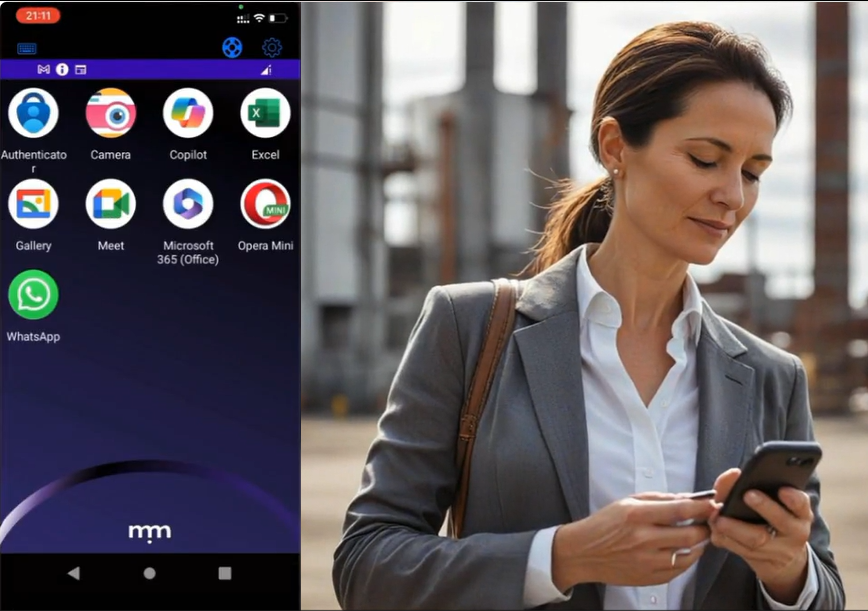
Once inside, Amy finds a familiar landscape. Her home screen displays icons for all her work-related apps, mirroring her desktop experience. This consolidation eliminates the need to juggle multiple apps and the risk of data leaks. It also provides Amy with seamless and intuitive continuity between the various work apps she constantly uses and her personal apps stored on her phone. And for non-technical users like Amy, the ease-of-use provided by Symmetrium means it’s as straightforward to use as her favorite apps. 

Seamless Communication: Staying Connected Within a Secure Environment

Symmetrium’s advanced features cater to Amy’s senior position, granting her the necessary permissions to handle classified information with ease. One of Symmetrium’s standout features is its secure camera function, which Amy accesses. She uses this to snap pictures of the classified documents, knowing they’re saved directly and securely to Tech Nova Pharma’s network, not her personal phone storage. This separation is crucial for maintaining data integrity and compliance.

Communication — both professional and personal — is seamless and separated thanks to Symmetrium. Amy can securely message coworkers and authorized contacts, just as she would with standard messaging apps. Whether it’s a quick WhatsApp to her colleague David Harris or joining a video call, every interaction stays within the protected Symmetrium environment.

Perhaps most impressively, Symmetrium achieves this level of security without compromising Amy’s personal use of her device. She can still receive messages from her mom asking for baby pictures, and Symmetrium ensures there’s no risk of mixing personal and professional data. This means there’s no risk of her sending baby pictures to her boss or confidential medical information to her mom.

Symmetrium: All-in-One Security Solution for Mobile Work

The app’s notification system keeps Amy informed of important work matters, even when she’s not logged in. This feature ensures she never misses critical updates while maintaining a healthy work-life balance.

For Tech Nova Pharma, Symmetrium offers peace of mind through its comprehensive logging of work activities. Every professional interaction is recorded, while personal activities remain private, striking the perfect balance between oversight and employee privacy.

Amy Can Now Focus On What She Does Best

Symmetrium has revolutionized how Amy manages her role as an in-field sales manager. By providing a secure, all-in-one solution for mobile work, it allows her to focus on what she does best — building relationships and driving sales for Tech Nova Pharma. Check out our product tour demo for Amy’s seamless experience as she uses Symmetrium while on the move and see how Symmetrium is setting new standards for mobile security and productivity.

Transform your mobile security experience today. Book a Symmetrium demo and see firsthand how effortless robust protection can be.


The Anatomy of a Mobile Cyber Attack Part One: Understanding Your Vulnerabilities

In an age where mobile devices are an indispensable element of the corporate landscape, understanding the anatomy of a mobile cyber attack is crucial for cyber security professionals. These threats are constantly evolving and organizations need innovative defenses to counter them. So, here’s an in-depth look at how mobile cyber attacks work and how we can protect ourselves.

 Common Types of Mobile Cyber Attacks

With over 3.8 billion smartphone users globally, mobile devices have become prime targets for cybercriminals. These devices store vast amounts of personal and corporate data, making them lucrative for attackers. 

Mobile cyber threats have evolved from basic SMS phishing to sophisticated malware capable of bypassing advanced security measures. Attackers employ various methods to compromise the security of these devices. 

Here’s a detailed overview of the common types of mobile security attacks and how they are executed:

Malware Attacks

Malware is malicious software designed to damage, disrupt, or gain unauthorized access to a mobile device. Mobile malware includes viruses, worms, trojans, ransomware, spyware, and adware.

Phishing: Users may receive a link via email, SMS, or social media that, when clicked, installs malware on their device. Be warned, these attacks are on the rise

Drive-by Downloads: Visiting a compromised website can trigger a download of malware on a mobile device without the user’s knowledge.

Malicious Apps: Attackers often disguise malware as legitimate apps, which are then downloaded by users from app stores or third-party websites onto their mobile device.

Phishing Attacks

Phishing is a social engineering attack where attackers trick users into providing sensitive information such as usernames, passwords, or credit card numbers.

SMS Phishing (Smishing): Attackers send fraudulent text messages that appear to be from trusted sources, prompting users to click on a link or provide sensitive information.

Email Phishing: Similar to smishing, attackers send emails that look legitimate, often mimicking banks, service providers, or even contacts from the user’s address book.

Voice Phishing (Vishing): Attackers use phone calls to mobiles to deceive users into revealing personal information.

Man-in-the-Middle (MitM) Attacks

In a MitM attack, the attacker intercepts and possibly alters the communication between two parties without their knowledge.

Public Wi-Fi: Attackers often set up fake Wi-Fi networks in public places. When users connect their mobile device, the attacker can intercept their data.

Rogue Access Points: Attackers create a fake access point that users unknowingly connect their device to, allowing the attacker to monitor or manipulate their data.

Session Hijacking: The attacker steals session cookies to take control of a user’s session on a website or app.

App-Based Attacks

These attacks involve malicious apps that are designed to exploit vulnerabilities in the mobile operating system or other apps.

Permission Abuse: Malicious apps may request excessive permissions to access sensitive data or control the device.

Backdoors: Some apps contain hidden code that allows attackers to control the device remotely.

In-App Advertisements: Malicious ads within legitimate apps can redirect users to harmful websites or install malware.

Spyware and Keyloggers

Spyware is software that secretly monitors and collects information about the user, while keyloggers record keystrokes to capture sensitive information.

Hidden Installations: Spyware and keyloggers are often installed without the user’s knowledge, sometimes bundled with legitimate software.

Phishing or Social Engineering: Users may be tricked into installing spyware through phishing attacks.

SIM Card Attacks (SIM Swapping)

SIM swapping involves fraudulently transferring a victim’s phone number to a SIM card controlled by the attacker.

Social Engineering: Attackers impersonate the victim and convince the mobile carrier to port the victim’s number to a new SIM card.

Physical Theft: In some cases, attackers steal the victim’s phone and swap the SIM card themselves.

Ransomware Attacks

Ransomware is a type of malware that locks the user out of their device or encrypts their data until a ransom is paid.

Malicious Links: Ransomware is often spread through links in phishing emails or malicious websites.

Infected Apps: Users may unknowingly download apps infected with ransomware, which then locks their device or data.

Bluetooth and NFC Attacks

These attacks exploit vulnerabilities in Bluetooth and Near Field Communication (NFC) to gain unauthorized access to the device.

Bluejacking: Attackers send unsolicited messages to nearby Bluetooth-enabled devices.

Bluesnarfing: Attackers exploit Bluetooth connections to access information on the device.

NFC Skimming: Attackers use NFC readers to steal information from NFC-enabled devices, such as contactless payment cards.

Physical Attacks

Physical attacks involve direct access to the mobile device, often leading to data theft or device compromise.

Theft: Stolen devices can be accessed by attackers to steal personal data or install malicious software.

Tampering: Attackers may tamper with a device to install keyloggers, spyware, or other malicious tools.

Network-Based Attacks

These attacks target the mobile network itself rather than the individual device.

Fake Cell Towers (IMSI Catchers): Attackers use fake cell towers to intercept calls, texts, and data.

DNS Spoofing: Attackers manipulate DNS requests to redirect users to malicious websites.

Zero-Day Exploits

Zero-day exploits target unknown vulnerabilities in mobile operating systems or apps before the developers can issue a patch.

Targeted Attacks: Attackers often deploy zero-day exploits to gain access to high-value targets, such as government officials or corporate executives.

Mass Exploitation: Some zero-day exploits are used in broad attacks, affecting many users before the vulnerability is patched.

Jailbreaking and Rooting Exploits

Jailbreaking (iOS) or rooting (Android) involves bypassing the device’s security restrictions, allowing the user (or attacker) to gain full control over the device.

Malicious Tools: Attackers may distribute jailbreaking or rooting tools that appear legitimate but contain hidden malicious code.

Exploiting Vulnerabilities: Attackers exploit vulnerabilities in the mobile operating system to jailbreak or root the device remotely.

Data Leakage via Unsecured Wi-Fi

Data leakage occurs when sensitive information is transmitted over an unsecured or untrusted Wi-Fi network.

Public Wi-Fi: Attackers set up open Wi-Fi networks that users connect to, allowing the attacker to monitor and steal data.

Packet Sniffing: Attackers use tools to intercept data packets on unsecured networks.

Staying Vigilant in the Face of Mobile Threats

As we’ve explored, the landscape of mobile cyber attacks is vast and constantly evolving. From malware and phishing to sophisticated zero-day exploits, the threats to our mobile devices are diverse and potentially devastating. Understanding these various attack vectors is the first step in developing a robust mobile security strategy.

Key takeaways:

  1. Mobile devices are prime targets due to their ubiquity and the wealth of data they contain.
  2. Attacks can come through multiple channels: apps, networks, physical access, and social engineering.
  3. Both individuals and organizations need to be aware of these threats and take proactive measures.

Remember, mobile security is an ongoing process, not a one-time fix. As cyber criminals continue to innovate, our defenses must evolve as well. By staying informed and vigilant, we can significantly reduce the risk of falling victim to mobile cyber attacks.

In Part Two of this series, we’ll delve into why your organization is vulnerable and the optimum solution for defending against these mobile threats.

To see how Symmetrium can protect your organization from escalating mobile security threats, schedule a demo today.

Symmetrium’s Pioneering IP-Layer Security Marks a New Era in Mobile Security

The growing reliance on mobile devices has dramatically increased the attack surface and potential security nightmares organizations are facing. To help meet these rapidly escalating challenges, Symmetrium has announced a significant milestone in securing corporate data against the threats mobile devices present by allowing organizations control mobile access and web filtering using IP addresses, eliminating the need for complex VPN configurations

This groundbreaking approach simplifies mobile security management, offering robust protection with unprecedented ease of use. It has also set a new standard, combining enhanced security with streamlined operations for organizations seeking efficient, effective mobile data governance.

This blog details Symmetrium’s unique philosophy to corporate mobile security that has established it as a pioneer IP-layer security.

How IP-layer Security Overcomes the Challenges of Traditional Solutions 

Traditional corporate IT solutions often present significant challenges when it comes to mobile device security. Many solutions concentrate on securing the devices themselves, but this strategy falls short when data leaves the protected network and resides on mobile devices accessing it.

Recognizing the vulnerabilities associated with diverse endpoints and the risks of exposing sensitive information beyond the corporate network, Symmetrium’s innovative approach to mobile security is underpinned by:

Simplifying and Securing Mobile Access with Virtual Mobile Devices

Symmetrium’s innovative approach leverages Virtual Mobile Devices (VMDs) with static IP addresses that reside within the security of the corporate network. 

When a mobile device accesses the corporate network using Symmetrium, it uses the static IP address of the VMD instead of the dynamic IP provided by the mobile carrier. This simplifies the challenge of managing mobile access, allowing CISOs and IT leaders to restrict access to a limited set of static IP addresses.

Symmetrium’s Virtual Mobile Devices (VMDs) seamlessly integrate with existing enterprise security frameworks, enabling secure data access for authorized remote and third-party users on their personal devices. These VMDs utilize peer-to-peer (P2P) encrypted streaming technology, allowing users to view data without the need for physical transfer to external devices. This approach ensures that sensitive information remains securely within the organization’s network.

By maintaining data within the protected environment, Symmetrium substantially reduces the attack surface and mitigates the risks associated with data breaches and unauthorized access. 

Enhancing Web Filtering at the IP Layer

Symmetrium’s web filtering also operates at the IP layer, enabling security teams to block or allow access to specific websites. This feature ensures a complete separation of work-related and personal online activity, maintaining full employee privacy for non-corporate activities. 

Unlike traditional VPN and DNS solutions, which capture all user web activity and raise privacy concerns, Symmetrium’s approach respects employee privacy, particularly in BYOD environments.

“We are the first solution to allow the control of mobile access and web filtering through a static IP, without the need for the complex management and configuration of a VPN,” says Omer Cohen, founder and CEO of Symmetrium. “Securing mobile access at the IP Layer is part of the Symmetrium Mobile Zero Trust Approach, which implements least-privilege access by granting users, devices, and their networks the minimum level of permissions necessary to perform their tasks.”

Reducing the Attack Surface with Zero Trust

Symmetrium’s Virtual Mobile Device (VMD) solution facilitates a smooth shift towards a zero-trust security model without requiring a comprehensive technology overhaul. This approach allows organizations to maintain their current enterprise security measures while enhancing data and resource protection.

In today’s evolving business environment, where data and workforce extend beyond conventional boundaries, Symmetrium’s VMDs exemplify the core principles of zero-trust security. This innovative solution strikes a balance between stringent data protection and operational efficiency, ensuring that security measures don’t impede productivity.

By implementing VMDs, companies can adapt to the challenges of a distributed work environment, maintaining control over sensitive information while providing the flexibility needed for modern business operations. This approach positions organizations to effectively manage security risks in an increasingly complex digital landscape.

Symmetrium: True Zero-Trust Mobile Security 

Symmetrium’s zero-trust mobile approach ensures that any mobile device connecting to the corporate network is transformed into a virtual extension of the enterprise, inheriting all its compliance, security, and IT protocols. This ensures data security by allowing no data at rest while delivering users a completely native mobile access solution that can be quickly and easily deployed.

Symmetrium’s pioneering IP-layer security marks a new era in mobile security, providing robust protection with simplified management. 

The solution integrates seamlessly with existing security and Governance, Risk, and Compliance (GRC) data access protocols via a single application. Consequently, organizations can confidently ensure their data remains secure and protected, regardless of the accessing device.

This comprehensive approach addresses the complexities of modern mobile data access in BYOD scenarios, offering a robust security solution without compromising user experience or operational efficiency.

Discover how easy it is to optimize your mobile security by booking a demo with Symmetrium here.

How To Optimize Microsoft intune Using Symmetrium to Boost Security and Lower Costs

In today’s dynamic mobile cybersecurity landscape, where new threats are constantly and rapidly evolving, CISOs and security teams need to continuously focus on how best to fortify their defenses.

Organizations with existing Microsoft 365 and Azure subscriptions, often turn to Microsoft Intune to secure and manage all company-issued devices, as well as personal devices accessing work data through BYOD (Bring Your Own Device) programs. 

Intune enables Microsoft users to manage devices (phones, laptops, etc.) alongside other Microsoft services. Since Intune works within the Microsoft ecosystem, it can align well with an organization’s existing technology stack.


Managing The Cost and Complexity of Intune

While Intune offers several benefits such as device management, application management, and security policy enforcement, there are also some downsides to consider.

Cost: While Intune is part of Microsoft 365, it can be relatively expensive. The cost becomes more pronounced when scaling up the levels of protection.

Security: It is important to note that Intune provides the management layer, but implementing a defense layer requires an additional Mobile Threat Detection (MTD) solution. Microsoft’s MS Defender can fulfill this role but requires an additional payment on top of the cost of Intune.

Complexity in Setup and Management: The initial setup can be complex, while configuring conditional access, compliance settings, and application management requires a deep understanding of the platform. Intune also requires a separate setup for Android and iOS.

Limited Support for Non-Windows Devices: Although Intune supports iOS, Android, and macOS devices, its features are most comprehensive for Windows devices.

Dependency on Internet Connectivity: Being a cloud-based service, Intune requires consistent internet connectivity for management and policy enforcement.

While Microsoft Intune is a powerful tool for managing devices and protecting corporate data, it’s important for organizations to consider these potential downsides. Careful planning, clear policies, and ongoing management are key to mitigating these issues and making the most out of Intune.


Using Symmetrium with Intune Provides the Optimal, Cost-Effective and Efficient Mobile Security Solution

If you are considering using or currently have a subscription to Intune, to gain the full suite of security benefits you will need to pay extra money to get the full suite of protection. There’s another additional cost if you want to add Microsoft Defence. You’ll also pay extra to manage and secure WiFi connectivity. With Symmetrium you get the full capability from the get-go in one solution. You will never have to decide to add extra features and absorb the resulting additional costs.

Implementing mobile security can be daunting, resource intensive and costly. Symmetrium’s streamlined approach allows for the cost effective and efficient management of multiple devices, regardless of their brand or operating systems, from within Intune.


How Symmetium Optimizes Microsoft Intune

Enterprises using Intune don’t want the headache of managing additional tools and solutions. But by implementing Symmetrium they can quickly optimize the usage of Intune by treating Symmetrium just like any device in their Intune system. This means they can manage Symmetrium from within Intune to:

1) Maximize Security

Using Symmetrium in addition to Intune, instantly provides extra layers of security:

a. Web Protection — Symmetrium resides on a server within the organization network, which means organizations can uphold existing enterprise security protocols while effectively safeguarding data and resources. This enables security teams to manage the network from the server side, with no need for special tools to manage on the client/device side.

b. Malware Protection — With no data residing on mobile devices, there is no need to manage and protect the physical device.

c. Jailbreak Detection — Symmetrium can detect, analyze and block a jailbroken device before it makes a connection.

d. Network Protection — Symmetrium’s Virtual Mobile Devices (VMDs), which reside in the protection of the corporate IT infrastructure, uses the server network. The connection between the Symmetrium app and server is P2P encrypted.

e. Conditional Access — Symmetrium can easily be configured to provide conditional access. Any devices that try to connect that do not have access privileges will be instantly detected and blocked before they can make a connection. Symmetrium also provides extra conditional access, such as geolocation, device OS, and state.

2) Lower Costs

When using Symmetrium, organizations do not need a mobile threat defense (MTD) vendor, such as Microsoft Defender. This has several benefits.

– They don’t have to pay extra for security.

– MTD apps monitor threats by checking OS versions, system parameters, firmware, and device configurations. Symmetrium, however, stores all data in the cloud not on individual devices. This means it is not affected by threats at the device level.

– When an MTD detects an infected device that is integrated with Intune, the conditional access blocks email and managed apps, which affects the workflow. This scenario does not impact the usage of Symmetrium, because, unlike standard MDM and MTD solutions, the device itself holds no organizational data. So even if the device is infected with malware, the user can continue to work, because the data it accesses via Symmetrium will not be put at risk. In addition, Symmetrium validates if the hardware is jailbroken, rooted, using a custom ROM and can set the requirement for the minimum OS level.

3) Seamless Deployment and Management

Symmetrium allows Intune users to lower costs and improve security, all while using their existing settings and setup. This is because Symmetrium can be managed directly within Microsoft Intune. This means your IT team does not have to worry about using and configuring another management tool. They can use the same set of policies currently being used in Intune and simply treat Symmetrium as if they are managing a new device. It saves time and headaches as you already have a policy set up within Intune, so you can simply use it again.

They can use the same set of policies currently being used in Intune and simply treat Symmetrium as if they are managing a new device. It saves time and headaches as you already have a policy set up within Intune, so you can simply use it again.

Employee privacy is also strengthened using Symmetrium. If we compare standard devices managed by Intune, the user needs to install the agent, grant permission, install MTD, etc, directly on their device. With Symmetrium, the user only downloads the Symmetrium app to access the managed device.

Another important difference from Intune is that Symmetrium doesn’t need the client to be connected to update policy, apps, block access, etc. Whereas if you are using Intune you need an internet connection on the end-user device to get the update.


The Bottom Line: The Perfect Blend for Optimal Security, Cost Effectiveness and Seamless Management within InTune

To address the vulnerability of diverse endpoints and the inherent risk of exposing sensitive data outside the secure corporate network, Symmetrium’s unique approach transforms all mobile devices into secure virtual extensions of an organization’s network. And when blended with Microsoft Intune, it offers the optimal secure environment for the most cost-effective and resource-efficient solution for mobile security. So, when looking to balance the optimum solution in mobile security using Intune with the minimum TCO, Symmetrium provides the perfect match.

Discover how easy it is to lower the costs of your Intune mobile data protection while adding ease-of use to optimize your network security by booking a demo with Symmetrium here.

The Rise of AI-Powered Cyberattacks on Mobile Devices: A Growing Threat to Organizations

In today’s super connected hybrid workplaces, mobile devices have become indispensable tools. They enable employees to work remotely, access data, and communicate efficiently. However, with the increasing adoption of mobile technology comes a new frontier for cybercriminals: the exploitation of vulnerabilities using artificial intelligence (AI).

AI offers hackers a powerful arsenal of tools and techniques to launch sophisticated cyberattacks, including voice cloning. By harnessing the capabilities of AI by using ChatGPT, for example, hackers can conduct research into targets to improve scripts and help build social engineering techniques.


Exploiting The AI Advantage in Cyberattacks

AI-powered tools can automate the process of reconnaissance, identifying potential targets and gathering information about mobile devices and network infrastructure. This automation enables hackers to scale their attacks and target a large number of devices simultaneously, increasing their chances of success.

Traditional malware detection mechanisms rely on signature-based approaches to identify known threats. However, AI-powered malware can dynamically adapt and evolve to evade detection by learning from its environment and adjusting its behavior in real-time. This makes it challenging for organizations to detect and mitigate AI-driven malware attacks effectively.

AI algorithms can analyze vast amounts of data to personalize phishing attacks, making them more convincing and difficult to detect. By mimicking the writing style, voice and behavior of trusted contacts or organizations, AI-powered phishing attacks can trick employees into revealing sensitive information or clicking on malicious links, compromising the security of their mobile devices and the entire organization.


Why Traditional Security Solutions Are Vulnerable

The integration of AI techniques into cyberattacks poses significant challenges for organizations seeking to protect their mobile devices and data. Traditional boundary-based security methods are struggling to cope with the use of AI by hackers for several reasons:

1) Adaptability and Dynamism: AI-powered attacks are highly adaptable and dynamic, constantly evolving to evade detection and exploit vulnerabilities. Traditional boundary-based security methods rely on static rules and signatures to identify threats, making them ineffective against AI-driven attacks that can quickly change their tactics and behaviors.

2) Complexity and Sophistication: AI-powered attacks are often more complex and sophisticated than traditional cyber threats, making them harder to detect and mitigate using traditional security measures. Hackers can use AI to analyze vast amounts of data, identify vulnerabilities, and develop custom attack techniques tailored to specific targets, making it challenging for boundary-based security methods to keep pace.

3) Stealth and Evasion Techniques: AI-powered attacks can employ stealth and evasion techniques to bypass traditional security defenses. For example, AI-powered malware can dynamically alter its code to avoid detection by antivirus software, or AI-powered phishing attacks can mimic the behavior of legitimate users to evade detection by email security filters.

4) Scale and Automation: AI enables hackers to scale their attacks and automate various stages of the cyber kill chain, from reconnaissance to exploitation to exfiltration. Traditional boundary-based security methods may struggle to cope with the sheer scale and automation of AI-driven attacks, leading to gaps in security coverage and increased risk of successful breaches.

5) Limited Visibility and Context: Traditional boundary-based security methods typically provide limited visibility and context into network traffic and user behavior, making it difficult to detect subtle signs of AI-driven cyberattacks. Hackers can exploit these blind spots to launch stealthy attacks that go unnoticed by traditional security defenses until it’s too late.


Symmetrium: A Paradigm Shift in Mobile Security

The rise of AI-powered cyberattacks represents a watershed moment in cybersecurity, necessitating a fundamental rethink of traditional security approaches. To effectively defend against the evolving tactics of cybercriminals, organizations must adapt their security strategies.

Traditional security strategies often prioritize protecting devices and individuals, overlooking the critical aspect of safeguarding data. Symmetrium shifts the focus to data security while minimizing the need for extensive infrastructure changes. It achieves this by offering a device-agnostic, low-resource solution that seamlessly integrates with existing information and security technology infrastructures. Rather than overhauling systems, Symmetrium enhances data protection by introducing virtual mobile devices (VMDs) within the organization’s network perimeter.

These VMDs operate in tandem with established enterprise security protocols, allowing authorized remote and third-party users to securely access data using their own devices. Leveraging P2P encrypted streaming, Symmetrium’s VMDs enable users to view data without physically transferring it to external devices, ensuring that sensitive information remains within the secure organizational network.

By keeping data within the protected perimeter, Symmetrium significantly reduces the risk of data compromise or unauthorized access, providing organizations with peace of mind in an increasingly complex security landscape.

Schedule a demo today to experience the future of remote access security firsthand.

What Google Can Teach Organizations About Mobile Security and Malware’s Use as a Weapon of War

Targeting mobile phones with malicious software is now one of the tools of choice when it comes to waging war, according to a report released by Google. The research focuses on the conflicts in the Middle East and Ukraine, where the phones and tablets of civilians and military personnel are being targeted to disrupt communications, steal sensitive information, spread misinformation and potentially put lives at risk. This sinister use of malware is adding a new dimension to modern warfare, underlining the importance of the digital battlefield.

Google has been actively monitoring spikes in cyber threats and mobile malware to safeguard their users during these conflicts. This has revealed fresh insights into phishing campaigns, hack-and-leak operations, information warfare, disruptive attacks and other cyber activities to its Threat Analysis Group (TAG), Mandiant, and Trust & Safety teams.

A significant number of cyber attacks involve spyware campaigns that rely on malicious mobile apps, which are playing a substantial role in gathering intelligence by targeting data at rest on users’ devices, including messages, contacts, real-time location, and other sensitive data.


Anatomy of a Mobile Spyware Campaign

In its report, Google details the key elements of the spyware campaigns and their sequence being used in conflict zones and beyond:

1) Delivery to user: This is the first stage of the attack and its primary emphasis lies in persuading users to install malicious applications through SMS phishing or social engineering techniques employed on social media and messaging applications.

2) Installation: The spyware might disguise itself as a legitimate application, tricking the user into granting access to sensitive information, including SMS and location data.

3) Gather and steal information: Following installation, the spyware has the capability to collect various information about the device, including but not limited to location, contacts, SMS, and audio recordings.

4) Exfiltration of the data: The malicious application might store any data that comes to rest on that device or pilfered data in an encrypted file, transmit it to command and control infrastructure controlled by the attacker, and subsequently erase the file from the device.

Malicious apps can be hard to detect by users because they often cloak themselves in legitimacy, mimicking commonly used utilities like VPNs and messaging apps like Telegram. However, beneath the surface lurk standard backdoor features, designed to turn the user’s device into a surveillance tool.

Unlike Apple’s App Store, which is famously a ‘walled garden’ from which it controls all app distribution, Android users can download apps from Google Store and alternative third-party channels. This allows groups involved in conflicts to distribute Android spyware through apps not verified by Google, employing SMS phishing and social engineering tactics on social media and chat platforms to trick users into installing them.


Targeting the Weakest Link

Humans are often considered the weak link in mobile malware attacks due to their susceptibility to manipulation. Mobile malware attackers frequently exploit human vulnerabilities through tactics such as phishing, where users are tricked into clicking on malicious links or downloading harmful applications. Social engineering techniques, including deceptive messages and fraudulent websites, capitalize on human trust and curiosity.

Moreover, users may inadvertently grant unnecessary permissions to seemingly benign apps, allowing malicious software to access sensitive information. Lack of awareness, complacency, and a tendency to overlook security warnings contribute to the effectiveness of mobile malware attacks. Human behavior plays a pivotal role in the success of these attacks, making it crucial for individuals to stay informed, exercise caution, and adopt security best practices to mitigate the risks associated with mobile malware.


Lessons for Organizations

Mobile malware attacks during conflicts offer several harsh lessons for organizations:

Preying on urgency: These attacks exploit heightened emotions and the need for information during crises. Malicious actors disguise malware as legitimate apps, like fake air raid sirens or news sources, to trick users into downloading them. Organizations should remind staff to be cautious of unexpected app downloads, especially during volatile times.

Targeting vulnerabilities: Conflict zones often have limited access to reliable internet and software updates. This creates a breeding ground for malware targeting outdated operating systems with known vulnerabilities. Organizations should prioritize keeping software updated on all devices and enforce strong password policies.

Importance of a ‘walled garden’ approach: Organizations should implement a ‘walled garden’ approach to ensure a secure environment that controls employees’ access to apps. Such a policy enhances security by only allowing the downloading of approved apps from verified sources.

Evolving tactics: Cybercriminals are constantly adapting their methods. For instance, malware might steal user data for espionage or disrupt critical infrastructure. Organizations should have up-to-date security solutions and conduct regular training for employees on cybersecurity best practices.

Importance of backups: Malware attacks can render devices unusable or erase critical data. Organizations should have robust backup and recovery plans in place to minimize disruption and data loss.

Global threats: These attacks highlight the borderless nature of cyberwarfare. An attack targeting one region can have ripple effects worldwide. Organizations should be prepared for potential spillover and have incident response plans in place.

Data at Rest is Data that is Vulnerable: Once attackers have infiltrated a phone they have complete access to the data that comes to rest on that device. Thus the data is no longer in the secure confines of the corporate network environment and is exposed and vulnerable on the device it is now residing on. Symmetrium negates this vulnerability by ensuring no data comes to rest on devices outside of the security of the corporate network.


Mobile Security — A New Battlefield Challenge

The digital realm is now an undeniable battleground, with the tentacles of malware created during conflicts stretching far beyond war zones to potentially impact organizations. This should be of major concern as most businesses have a fundamental flaw in their mobile security strategy and are vulnerable because they place an emphasis on users and devices rather than on data.

Symmetrium uses a walled-garden approach by transforming any mobile device, whether managed or unmanaged, into a virtual extension of the organization’s network, incorporating all compliance, security, and IT protocols. Once users enter this secure mobile workspace they only have access to approved apps, and any data accessed never comes to rest on their device. Symmetrium also protects against SMS phishing (Smishing), by scanning every message and integrating with existing email security tools before delivery to end users.

Businesses operating in the health services, finance, telecom and utilities sectors should be most aware of the dangers of mobile malware and potential flaws in their mobile security due to the valuable data they hold and their strategic importance.

For cybercriminals, a successful attack on any of these sectors can lead to financial gain through identity theft, extortion, or the disruption of critical services. The organizations attacked will also face large fines for regulatory violations due to any lapse in the security of the sensitive data they hold. This is why, as we navigate periods of global uncertainty, the lessons learned here by governments and corporations operating in highly regulated environments hold immense value.

Read more about the use of malware in conflicts in Google’s latest report.

close-tag

We’re proud to be the ones making TPRO, CISO, IT and vendors - happy

by ramping up zero-trust mobile access.

Explore all use cases now